PlugVersions
Retains up to three versions when you update a plugin. It works with premium and custom plugins too.
The facts
- Rating
- 4.4★ from 8
- Active installs
- 1k+
- Price
- Free
- Last updated
- 21 May 2026
- Added
- Sep 2022
- Requires WP
- 4.9
- Tested up to
- WP 6.8.8
- Requires PHP
- 7.4
- Downloads
- 21,926
Our analysis
AI-assistedPlugVersions is a WordPress plugin that allows you to roll back to previous versions of your plugins, retaining up to three versions after each update. It is designed for users who may encounter issues with new plugin versions, providing a simple one-click rollback feature. Unlike other rollback solutions, PlugVersions supports all plugins, including premium and custom ones not available in the WordPress repository.
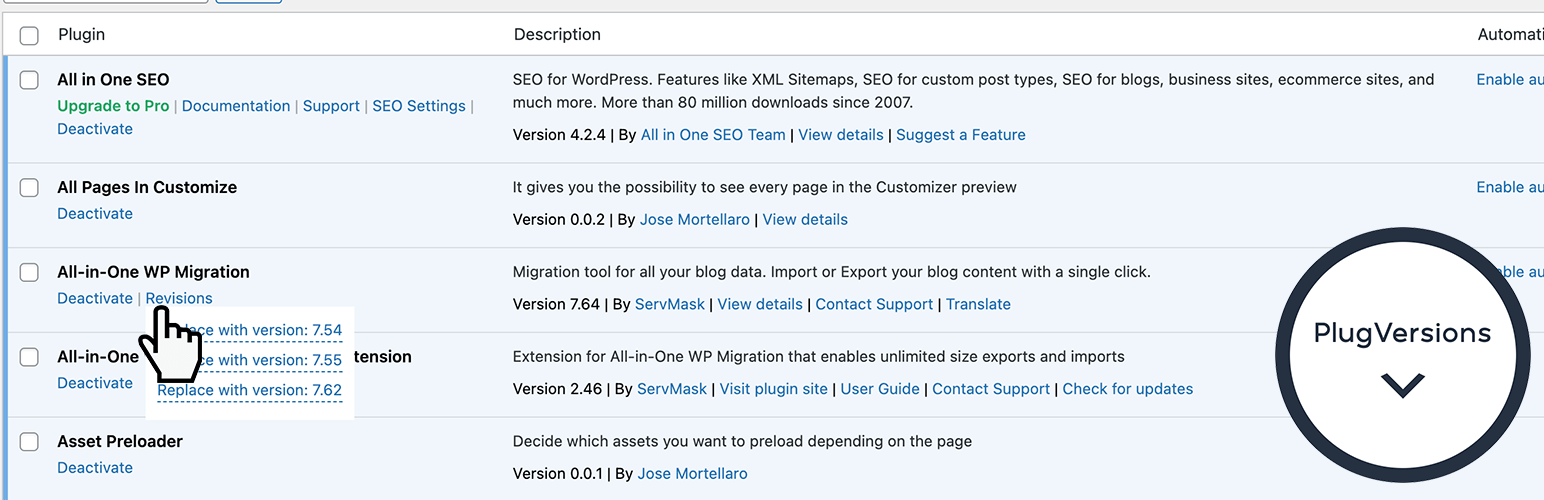
To use PlugVersions, you install and activate it, then navigate to the Plugins page in your WordPress dashboard. For any updated plugin, you can access a 'Revisions' link to select and restore a previous version easily, with no configuration settings required.
Best for: This plugin is suitable for WordPress users who want to manage plugin updates and ensure stability.
What it does well
- ✓Retains up to three previous versions of plugins
- ✓Supports all plugins, including premium and custom ones
- ✓Simple one-click rollback feature
- ✓No settings to configure
- ✓Easy access through the Plugins page
Where it falls short
- •Limited to retaining three versions
- •No additional features currently available beyond rollback
Verdict
PlugVersions provides a straightforward solution for rolling back plugin updates, making it useful for those who need to maintain plugin functionality without complications.
From the developer
Jose Mortellaro's own description of PlugVersions, lightly tidied.
PlugVersions lets you retain up to three versions each time you update a plugin, including premium and custom plugins.
If a new version doesn’t work as expected, you can easily roll back by selecting a previous version with a single click. It works similarly to post revisions, but for plugins.
While WP Rollback is a great solution for plugins hosted on the WordPress repository, PlugVersions supports all plugins, including those not available on the repo.
This broader compatibility is currently the key difference between PlugVersions and other rollback plugins.
Additional features, such as version previews, are on the roadmap.
How to roll back to a previous version of a plugin
- Install and activate PlugVersions.
- Go to the Plugins page in your WordPress dashboard.
- For any plugin that has been updated, you’ll see a “Revisions” action link. Hover over it to view the list of previously stored versions.
- Click on the version you want to restore.
- That’s it. Your plugin is rolled back!
There are no settings to configure.
This free version allows you to retain up to three previous plugin versions.
You’ll find them listed under the “Revisions” link on the Plugins page.
How to Safely Update a WordPress Plugin
To learn how to safely update a WordPress plugin, please read the detailed guide here:
How to Safely Update a WordPress Plugin
Help in case of issues after a plugin update
Want peace of mind when updating your plugins? Check out our Plugin Update Rescue – Annual Protection Plan
If something breaks after an update, we’ll step in and fix it.