
WPForms
98The best WordPress contact form plugin. Drag & Drop form builder to create beautiful contact forms, paymen...
Free
5M+ installs 4.8★ (14,369)
Manage your Crowdsignal polls, surveys, quizzes, and ratings directly from the WordPress dashboard.
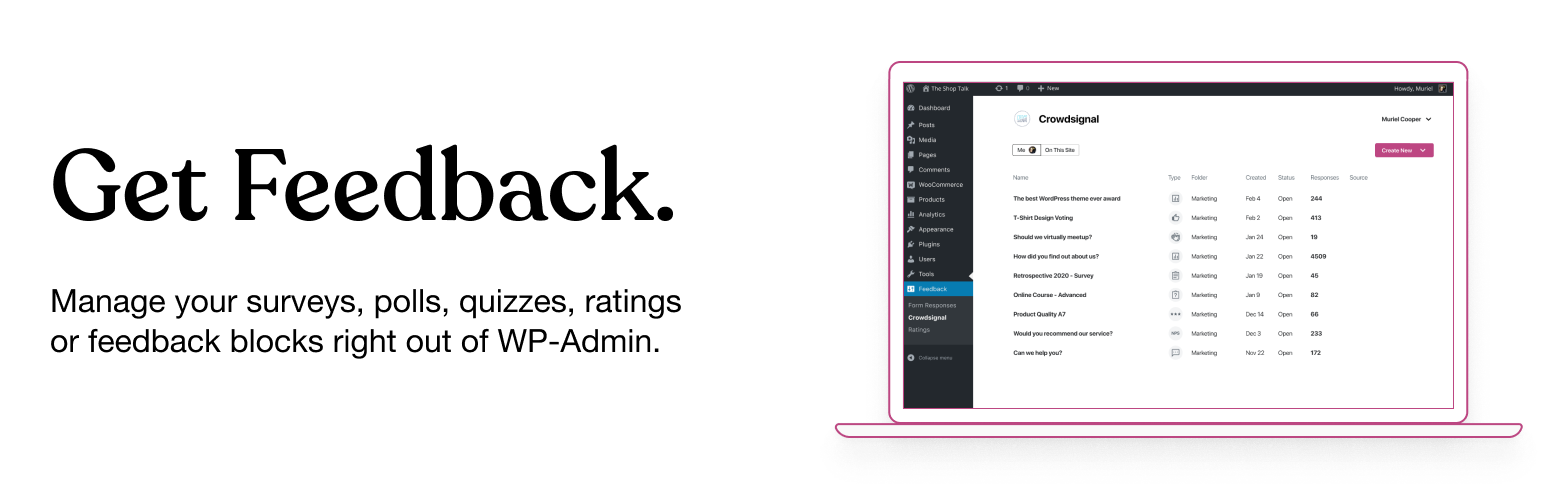
The Crowdsignal Dashboard plugin enables you to create and manage polls, surveys, quizzes, and ratings directly from your WordPress admin. It aggregates all your projects in one place, allowing for real-time response analysis and result exportation. This plugin is suitable for users who want to engage their audience through feedback mechanisms integrated into their WordPress site.
It works with both the Block Editor and the Classic Editor, offering various blocks for polls and surveys, as well as features like a feedback button and Net Promoter Score calculations. Users can also access an old poll editor through a specific URL if they prefer the previous functionality.
Best for: This plugin suits WordPress users looking to gather feedback through polls and surveys.
What it does well
Where it falls short
Crowdsignal Dashboard offers a range of tools for audience engagement, but its mixed ratings suggest potential areas for improvement.
Automattic's own description of Crowdsignal Dashboard, lightly tidied.
The Crowdsignal Dashboard plugin allows you to create and manage polls, surveys, quizzes, and ratings from within your WordPress admin. See all your projects in one place, be they surveys, quizzes and polls made on Crowdsignal.com or any of our poll and survey blocks using our Crowdsignal Forms plugin. With just one click view all results for your responses as they come in to analyze responses in real time and export your results everywhere!
Are you using the new block editor for WordPress? Our other plugin, Crowdsignal Forms provides a number of blocks for your post editor that allow you to gather actionable feedback from your audience:
* Poll: Create polls and get your audience’s opinion.
* Survey Embed: Create surveys in minutes with 14 question types and embed them into your page.
* Feedback Button: A floating and always visible button that allows your audience to share feedback anytime.
* Measure NPS: Calculate your Net Promoter Score! Collect feedback and track customer satisfaction over time.
* Voting: Allow your audience to rate your work or express their opinion.
* Applause: Let your audience cheer with a big round of applause.
Learn more about the Crowdsignal Forms plugin here, and on crowdsignal.com.
Want to help translate the plugin or keep an existing translation up-to-date? Head on over to the translation site.
Some strings are not translated when polls and surveys are embedded. You will have to translate them using a language pack on Crowdsignal.com.
Development of the plugin takes place in this GitHub repository. Contributions are welcome!
If you are a long time user of this plugin and you still use the classic post editor, the best way to create polls is through your Crowdsignal account where you have a number of different ways to share polls (and surveys). However, up to version 2.2.6, this plugin had an “Add Poll” button above the post editor that opened a very basic poll editor. That “Add Poll” button has since been removed but if you would still like to use it, open up the wp-admin dashboard on your WordPress site. Add “admin.php?page=polls&action=create-poll” to the end of the URL, after “wp-admin/” so it looks like https://example.com/wp-admin/admin.php?page=polls&action=create-poll and you will see the old poll editor. Bookmark that URL if you still want to use that poll editor. We do not recommend using version 2.2.6 of the plugin as you will miss out on many bug fixes and new features added since then.
Other plugins for polls and quizzes.
The best WordPress contact form plugin. Drag & Drop form builder to create beautiful contact forms, paymen...

Get a fast contact form plugin. Create advanced forms using drag and drop form builder with all smart features...

Best WordPress form builder plugin. Create contact forms, payment forms & order forms with 1000+ integrati...

Elementor forms builder to create WordPress forms like contact form, booking form, feedback form, survey form,...

The most powerful drag and drop WordPress form builder for contact forms, payment forms, calculators, quizzes,...

AI form generator and WordPress form builder for contact and Stripe payment forms, with surveys and quizzes in...