
Elementor Carousel, Mega Menu, Posts List/Slider, WooCommerce Widgets, Display Conditions, AI Abilities, Prema...
Free
600k+ installs 4.9★ (1,677)
Post Slider and Post Carousel display WordPress post in slider and carousel layouts with shortcode and Latest/Recent vertical post scrolling widget.
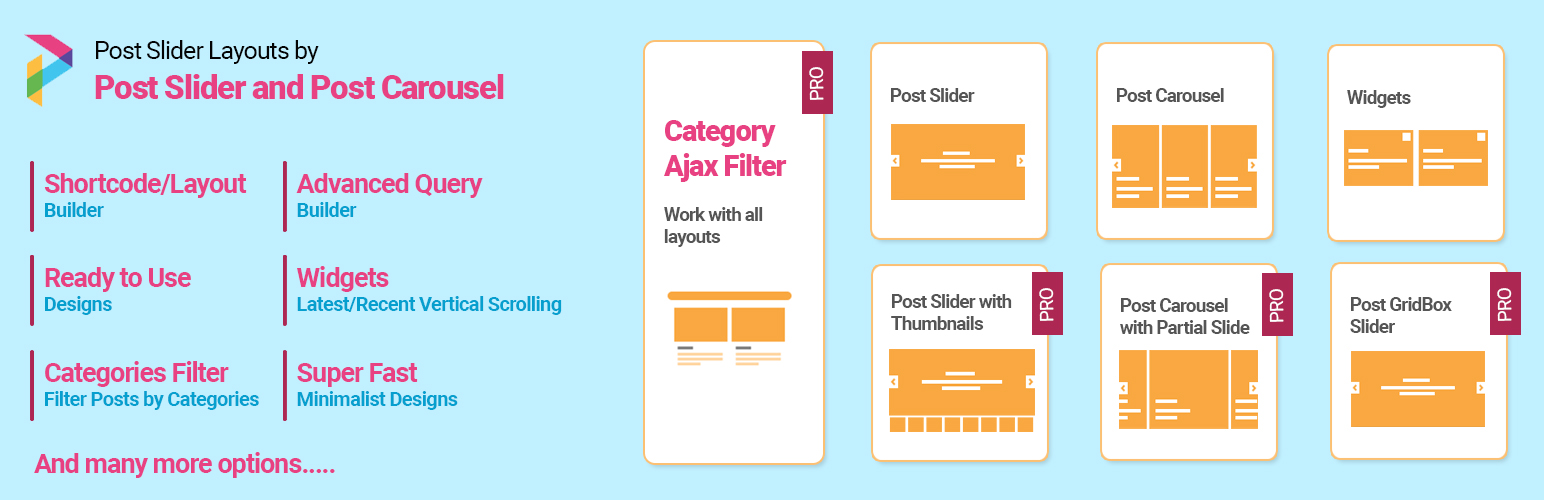
Post Slider and Post Carousel is a WordPress plugin that allows you to display blog posts in a slider or carousel format. It is designed to be fully responsive, ensuring that your content looks good on various devices including desktops, tablets, and mobiles. The plugin includes two shortcodes for different display styles and supports customisation options such as limiting the number of posts shown and filtering by category.
This plugin is suitable for users who want to enhance their blog or website by showcasing posts in an interactive way. It is particularly useful for those who prefer a visual presentation of content without needing to write code.
Best for: This plugin suits bloggers and website owners looking to display posts visually.
What it does well
Where it falls short
Post Slider and Post Carousel provides a straightforward way to create engaging post displays. It may be limited in features compared to its premium version, but it serves its purpose well for basic needs.
pluginandplay's own description of Post Slider and Post Carousel with Post Vertical Scrolling W..., lightly tidied.
Display Post Slider or Post Carousel on your WordPress website – Post Slider and Post Carousel is powerful and minimal plugin to create sliders which was never possible before. Fully responsive and works with any WordPress theme. Create beautiful sliders and tell stories without any code.
Post Slider and Post Carousel having 2 shortcodes with 2 designs for each shortcode and one vertical post scrolling widget.
Checkout Premium Version Demo | Buy Premium Version for more designs and options.
🌟 Premium Version supports Custom Post Type, Custom Taxonomy, Custom Tags, Featured Post, Trending Post, Grid Box Slider, Partially Visible Slider, Post Filtering with Categories Or Tags, Lazy load as well as many cool features.
You can get Post Slider and Carousel Premium here!
Post Slider and Post Carousel allows you to display your blog posts in a very beautiful slider or carousel that will be appealing to your reader. Post Slider and Post Carousel plugin not only displays your blog posts in a slider or carousel but also in a responsive way. So, your posts will be displayed perfectly on different devices such as Desktop, Tablet and Mobile etc. This Posts Slider also has 100% touch and swipe support.
This Post Slider and Post Carousel contains 2 shortcodes
[psac_post_slider] : Display Post post in Slider view.[psac_post_carousel] : Display Post post in Carousel view.Common Shortcode Parameters for both shortcodes
Limit:
limit=”10″ (i.e Display 5 posts in a slider or carousel. To show all posts use limit=”-1″)
Display by Category
category=”category_ID” OR category=”category_slug” (i.e. Display blog posts by their category ID OR Slug)
Design:
design=”design-1″ (Select design for post design. There are 2 designs “design-1” and “design-2”)
Show Post Author:
show_author=”false” (Show post author or not. values are “true” or “false”)
Show Post Category:
show_category=”false” (Show post category or not. values are “true” or “false”)
Show Post Date:
show_date=”false” (Show post date or not. values are “true” or “false”)
Show Blog Content:
show_content=”false” (Show post content or not. values are “true” or “false”)
Content Words Limit:
content_words_limit=”40″ (Set content words limit for post.)
Media Size:
media_size=”large” (Set media size for post. values are thumbnail, medium, large, full)
Show Read More:
show_read_more=”true” (Show read more button of post. Values are “true” or “false”)
Show Tags:
show_tags=”true” (Show tags of post. Values are “true” or “false”)
Show Comments:
show_comments=”true” (Show comments of post. Values are “true” or “false”)
Post Order:
order=”DESC” (Designates the ascending or descending order of the ‘orderby’ parameter. Defaults to ‘DESC’. Values are “DESC” and “ASC”)
Post Order by :
orderby=”post_date” (Sort retrieved posts by parameter. Defaults to ‘date (post_date)’. One or more options can be passed. ‘none’, ‘ID’, ‘author’, ‘title’, ‘name’, ‘rand’, ‘date’)
Pagination and arrows:
dots=”false” arrows=”false” (Display dot and arrows in the slider or carousel)
Autoplay and Autoplay Interval:
autoplay=”true” autoplay_interval=”2000″ (Set autoplay and autoplay interval for slider or carousel)
Slide Speed:
speed=”1000″ (Set speed for slider or carousel)
Loop:
loop=”true” (Display slider in Loop OR not : You can use “true” OR “false”)
Slider/Carousel Media Height:
sliderheight=”400″ (Set media height for slider or carousel)
Others Parameters for Carousel Shortcode
[psac_post_carousel]
Number of Posts Show at a Time:
[psac_post_carousel slide_show=”3″] (Display 3 slide item at a time.)
Number of Posts Scroll at a Time:
[psac_post_carousel slide_scroll=”1″] (Scroll 1 slide item at a time.)
Post Slider and Carousel is a good handy and free solution for everyone who is looking for a responsive post slider and carousel with the website.
However, using Post Slider and Post Carousel plugin you can design your page as per your choice to give it a WOW factor. Also you can modify various settings very quickly with the help of plugin shortcode parameters. So, beginners can start blogging within 5 minutes, no coding skill required.
Other plugins for sliders and carousels.
Elementor Carousel, Mega Menu, Posts List/Slider, WooCommerce Widgets, Display Conditions, AI Abilities, Prema...

Responsive slider plugin to create sliders in visual editor easily. Build beautiful image slider, layer slider...

Elementor templates, Header footer builder, Elementor Post Grid, Woocommerce Grid builder, Slider, Forms, Gall...

Slider, gallery, carousel plugin for WordPress. Build your image slider, video slider, post slider, YouTube sl...

Essential elements for modern websites. Add buttons, sliders, heroes, maps, images, carousels, features, icons...

Build Stunning Slider and Popup. Exit intent Popup, Image slider carousel, video slider carousel, post slider...