Post Thumbnail Extras
Make using post thumbnails easier for everyday wordpressing.
The facts
- Rating
- 5★ from 2
- Active installs
- 200+
- Price
- Free
- Last updated
- 16 Dec 2014
- Added
- Apr 2013
- Requires WP
- 2.5
- Downloads
- 13,404
Our analysis
AI-assistedPost Thumbnail Extras is a WordPress plugin that allows you to easily embed post thumbnails using a shortcode. It simplifies the process of changing images in posts without needing to edit HTML, ensuring that the latest version of the image is displayed, especially useful when themes or image dimensions change.
The plugin integrates with the media library to facilitate the creation of the shortcode and allows for the addition of new post thumbnails through the WordPress Settings menu. It is suitable for users who frequently update their post images or manage multiple thumbnails.
Best for: This plugin is best for WordPress users who need to manage and update post thumbnails efficiently.
What it does well
- ✓Provides a shortcode for embedding post thumbnails
- ✓Simplifies image updates without HTML editing
- ✓Integrates with the media library
- ✓Allows addition of new post thumbnails via settings
Where it falls short
- •Last updated in December 2014, may not be actively maintained
- •Limited information on future updates or features
Verdict
Post Thumbnail Extras offers a straightforward solution for embedding and managing post thumbnails, but its lack of recent updates may be a concern for some users.
From the developer
sewpafly's own description of Post Thumbnail Extras, lightly tidied.
Features
- Provides a shortcode for embedding post-thumbnails. Authors can quickly change pictures in posts without wading through HTML. This can be awesome in several ways: if your post-thumbnails change the width or height due to a theme change, or if you have cropped them with another tool — this will always pull wordpress’ latest image).
- Includes a hook into the media library to create the above shortcode.
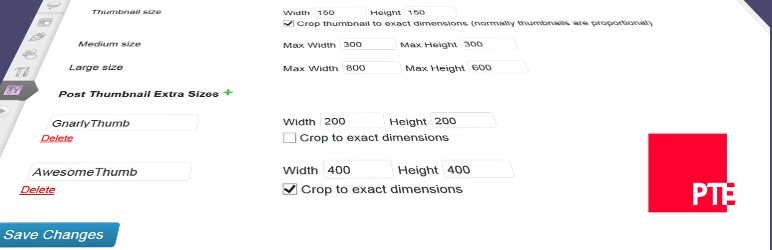
- Add new post thumbnails via WordPress Settings → Media.
Future Plans
Submit any other ideas at https://github.com/sewpafly/post-thumbnail-extras/issues.