
GetGenie
91AI powered SEO assistant & content writer with 40+ templates, chatbot, NLP keyword research, AEO, GEO, SEO...
Free
80k+ installs 4.8★ (118)
Group recent posts by category and show them inside boxes organized to columns.
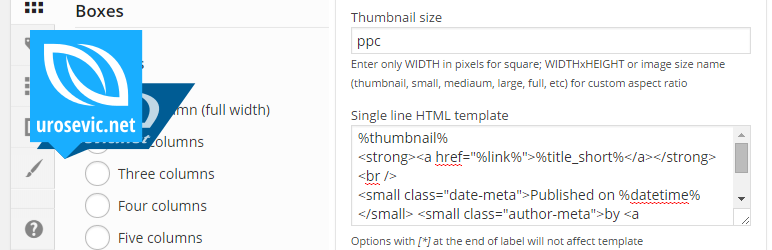
Posts per Cat is a WordPress plugin that allows you to display recent posts from selected categories in a structured format. You can choose how many posts to show and how to organise them into columns, making it suitable for sites that want to highlight content by category.
This plugin offers various customisation options through shortcodes, allowing you to include or exclude specific categories, toggle the display of child categories, and adjust the layout according to your needs. It is designed for users who want to enhance their site's content presentation without extensive coding knowledge.
Best for: This plugin is best for bloggers and site owners looking to organise and display posts by category.
What it does well
Where it falls short
Posts per Cat provides a straightforward solution for displaying recent posts by category. It may be useful for those wanting to enhance their site's structure without complex setups.
Aleksandar Urošević's own description of Posts per Cat, lightly tidied.
Posts per Cat is a simple plugin that grab all or only selected categories from blog database, and then list recent N posts from each category, organised in 1-5 columns.
If you are interested to acquisition of plugin, please contact us.
You can use shortcode [ppc], with options below (set option in shortcode to override default settings above):
columns=2 – Number of columns (1, 2, 3, 4 or 5)minh=0 – Minimal height of box (in px, set to 0 for auto)include=category_ID's – Include category (comma separated category ID’s)exclude=category_ID's – Exclude category (comma separated category ID’s)parent=0 – Only top level categories (0 or 1)order=ID – Order categories by (ID, name or custom)catonly=0 – Only from displayed category archive (0 or 1)noctlink=0 – Do not link category name (0 or 1)more=0 – Standalone link to archives (0 or 1)moretxt="More from" – Archive link prefixposts=5 – Number of headlines per category blockporderby=date – Order posts by date, modified, title, name, ID, authorporder=DESC – Order sorting DESC or ASCtitlelen=34 – Headline length (in characters)shorten=0 – Shorten headline (0 or 1)commnum=0 – Display comment number (0 or 1)nosticky=0 – Hide sticky posts (0 or 1)excerpts=none – Show excerpt (none, first or all)content=0 – Use post content as excerpt (0 or 1)excleng=100 – Excerpt lengththumb=0 – Show thumbnail with excerpt (0 or 1)tsize=60 – Thumbnail size, set size in px for thumbnail width (height is same); or set in format WIDTHxHEIGHT (example 220×123); or set predefined custom image size (thumbnail, small, medium, large, full or cusotm defined)Since version 1.4.0 you can use template to display custom formatted output (post line element). Example:
[ppc]
<span class="comments-meta">(<a href="%comments_link%">%comments_num% comments</a>)</span>
<span class="date-meta">%date% @ %time%</span>
<span class="author-meta"><a href="%author_posts_url%">%author_displayname%</a></span>
%thumbnail%
%excerpt% <a href="%link%">[read more]</a>
[/ppc]
Supported macros:
%title%%title_short%%post_content%%excerpt%%thumbnail%%link%%comments_num%%comments_link%%comments_form_link%%datetime%%date%%time%%author_displayname%%author_firstname%%author_lastname%%author_posts_url%Other plugins for bookstores and publishers.
AI powered SEO assistant & content writer with 40+ templates, chatbot, NLP keyword research, AEO, GEO, SEO...

List the most recent posts with post titles, thumbnails, excerpts, authors, categories, dates and more!

Very customizable plugin to list posts by category (or tag, author and more) in a post, page or widget. Uses t...

A Customizable Testimonial plugin to Automate Collecting, Filtering, and Publishing Customer Reviews. Testimon...

PublishPress Authors is the best plugin for adding authors, co-authors, multiple authors and guest authors to...

Import your demo content, widgets and theme settings with one click. Theme authors! Enable simple theme demo i...