PublishPress Permissions: Control User Access for Posts, Pag...
The permissions plugin for posts, pages, categories, tags and more. You can control permissions for roles, individual users, and even custom groups.
The facts
- Rating
- 4.3★ from 66
- Active installs
- 10k+
- Price
- Free
- Last updated
- 24 Aug 2026
- Added
- Sep 2013
- Requires WP
- 5.5
- Tested up to
- WP 7.1
- Requires PHP
- 7.2.5
- Downloads
- 869,914
Our analysis
AI-assistedPublishPress Permissions is a WordPress plugin that allows you to manage access to posts, pages, categories, and tags based on user roles and individual users. You can control who can view and edit content, as well as manage access to files in the Media Library. This plugin is suitable for users who need to restrict content visibility and editing capabilities on their WordPress site.
The plugin provides features such as creating user groups with custom permissions and hiding other users' posts in the admin area. It is a free version, with advanced features available in the Pro version.
Best for: This plugin suits WordPress site administrators who need to manage user access and permissions effectively.
What it does well
- ✓Enables control over viewing and editing permissions
- ✓Allows management of Media Library access
- ✓Supports creation of user groups with custom permissions
- ✓Hides other users' posts in the admin area
Where it falls short
- •Advanced features require the Pro version
- •Limited information on compatibility with other plugins
Verdict
PublishPress Permissions provides essential tools for controlling user access to content in WordPress. It is a practical solution for those looking to enhance content privacy and user role management.
From the developer
PublishPress's own description of PublishPress Permissions: Control User Access for Posts, Pag..., lightly tidied.
PublishPress Permissions allows you to enable or deny access to posts, pages, categories, tags and more. You can apply these permissions for user roles, individual users, and even custom groups.
With PublishPress Permissions, you can control who can view and edit your WordPress content. You can choose who can access images and files in your site’s Media Library. For example, you can deny all direct access to files for logged out users.
The Pro version of PublishPress Permissions has many advanced features such as teaser previews of restricted content, custom WordPress statuses, and automatically creating personal posts for users.
PublishPress Permissions Pro
Upgrade to Permissions Pro
This plugin is the free version of PublishPress Permissions. The Pro version of Permissions has all the features you need to control permissions for your WordPress users. With Permissions Pro you can manage access to posts, pages, media, taxonomies and custom post types. Click here to control access to your WordPress site with Permissions Pro!
Key Features in PublishPress Permissions
- Viewing permissions: Every post, page, and taxonomy term has a box where you can choose who can read this content.
- Editing permissions: Every post, page, and taxonomy term has a box where you can choose who can edit this content.
- Media Library permissions: You decide who gets to edit and view image files and documents in your Media Library.
- Hide other users’ posts: You can prevent users from seeing posts by other users in the WordPress admin area.
- Create user groups: Build groups of users who can be given their own custom permissions. Two default groups include Logged in and Logged out users.
- Show teasers for restricted content (Pro version): Have teaser text that is publicly available, followed by private content that is restricted to only your site’s users.
- Personal posts for each user (Pro version): You can automatically create individual posts for your users so they have their own private content to edit or read.
- Publishing statuses (Pro version): Go beyond “Draft”, “Pending Review” and “Published” with your own custom, and far more advanced, workflow.
- Visibility statuses (Pro version): Create visibility options for your content. One example is a “Premium” status that makes content visible only for paying members.
- Editorial Circles and Visibility Circles (Pro version): Restrict users to editing or viewing posts that were authored by other users in the same group.
- Integration with other plugins (Pro version): The Permissions plugin integrates with other popular plugins including bbPress, BuddyPress, WPML, and Relevanssi.
Feature 1. Viewing Permissions for WordPress Content
PublishPress Permissions enables you to customize viewing access for WordPress content. Open any post and you’ll see a box with the label, “Permissions: Read this Post”. This box allows you to choose “Enabled” or “Blocked” for any user role, individual user, or user group. You can also set permissions for all users who are guests, and those who are logged in.
Click here to see how to control viewing permissions.
Feature 2. Editing Permissions for WordPress Content
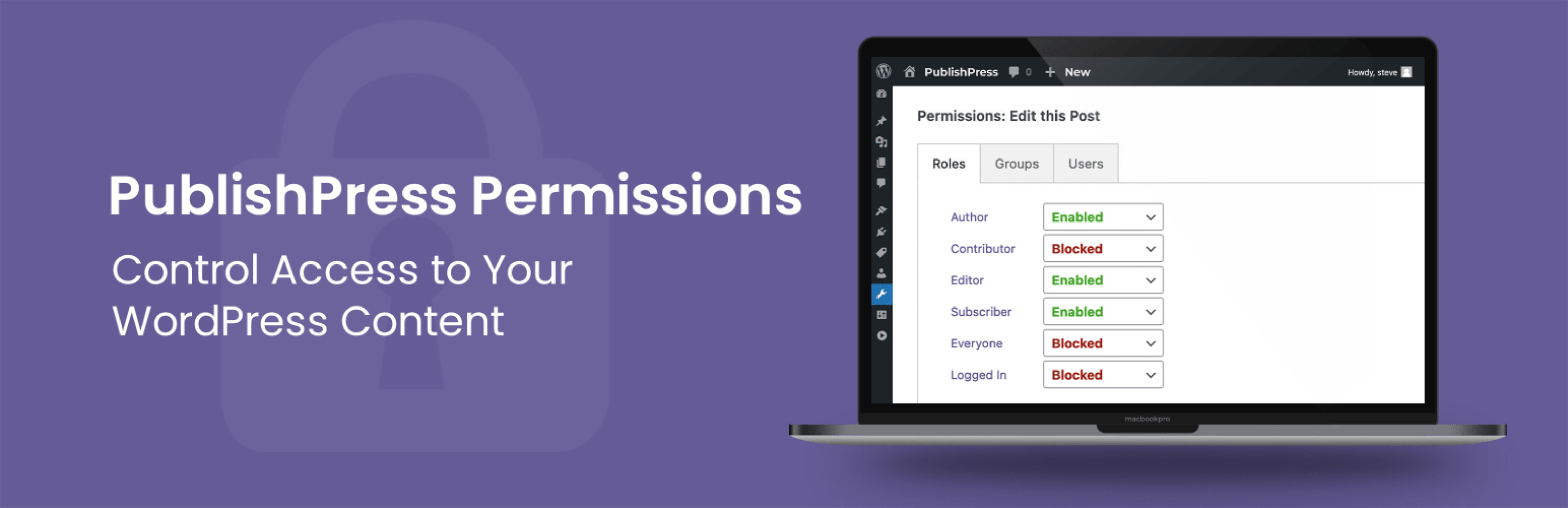
PublishPress Permissions allows you to customize the editing permissions for all your content. Open a Post, Page, Category, Tag, or custom post type and you can decide who is allowed to edit that content. You can even prevent users from editing child pages of a specific parent page. Open any content item and you’ll see a box with a label like this: “Permissions: Edit this Post”. This box allows you to choose “Enabled” or “Blocked” for any user role, individual user, or user group.
Click here to see how to control editing permissions.
Feature 3. Access Permissions for the Media Library
PublishPress Permissions gives you detailed control over access to media on your WordPress site. You decide who gets to edit and view files in your Media Library. For example, you can set up WordPress so that users only have access to files that they uploaded. Or you can add an exception so users can edit other people’s media files if they are attached to a post they can edit.
The Pro version of Permissions allows you to deny any public access to files on your site. Nobody will be able to see your Media Library files unless they have access to a post that includes that file.