
Boost your sales with a free WooCommerce Wishlist feature. Let your customers save and share their favorite p...
Free
100k+ installs 4.7★ (499)
Streamline user experience with practical comparison functionality, offering easy product overviews with features and differences highlighted.

QODE Compare for WooCommerce is a WordPress plugin designed to enhance the shopping experience by allowing users to compare products side by side. It provides a practical comparison functionality, enabling shoppers to view item features and highlighted differences without navigating away from the product list or single product pages.
The plugin includes various customisation options for 'Compare' buttons, which can be displayed in WooCommerce loops and on product pages. It supports both desktop and mobile users, making it suitable for a wide range of online stores looking to improve product comparison capabilities.
Best for: This plugin is best for WooCommerce stores that want to offer a detailed product comparison feature to their customers.
What it does well
Where it falls short
QODE Compare for WooCommerce provides useful comparison functionality for online shoppers. While it offers several customisation options, potential users may want to consider the limited information available on premium features.
Qode's own description of QODE Compare for WooCommerce, lightly tidied.
Streamline the user experience for your shoppers by providing them with the practical comparison functionality, allowing for easily accessible side-by-side product overviews with item features & highlighted differences.
Check out the QODE Compare Demo
Check out the QODE Compare documentation
The QODE Compare for WooCommerce plugin is developed to provide your customers with the supremely useful and time-saving product comparison feature.
The feature can be implemented on both product lists and single product pages.
By clicking the ‘Compare’ button found next to a specific product, the user will effectively place said items in detailed comparison tables with multiple product features presented.
This ensures your shoppers will always have an easily accessible way to directly compare products they are interested in purchasing, without the need to navigate back & forth between the two product’s respective single pages.
On top of that, the comparison feature is available to both desktop and mobile users.
You have the option to customize a large number of features relating to “Compare” buttons.
You get to pick between textual or solid button types.
Other plugins for wishlists and comparisons.
Boost your sales with a free WooCommerce Wishlist feature. Let your customers save and share their favorite p...

WPC Smart Wishlist is a simple but powerful tool that can help your customer save products for buying later.

WooCommerce builder for Elementor & Gutenberg, offering product templates, product sliders, shopping cart,...
ShopLentor – More than a WooCommerce builder. A complete growth plugin to boost conversions, UX, and sales for...
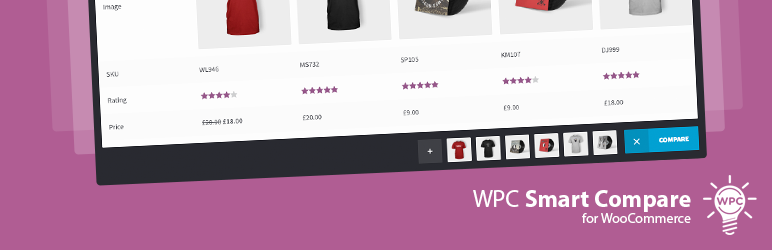
It helps customers compare products with mighty AJAX, doesn't require opening a new page or iframe, and a...
YITH WooCommerce Wishlist add all Wishlist features to your website. Needs WooCommerce to work. WooCommerce 11...