Read More Excerpt Link
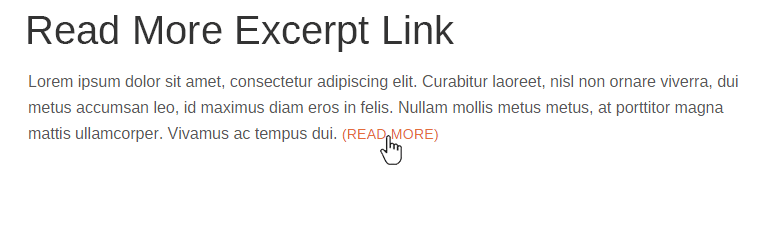
Create "Read More" link after post excerpt instead of ellipsis [...] Also modify excerpt length.
The facts
- Rating
- 5★ from 6
- Active installs
- 3k+
- Price
- Free
- Last updated
- 30 Jan 2026
- Added
- Mar 2016
- Requires WP
- 2.9.0
- Tested up to
- WP 6.9.7
- Downloads
- 67,320
Our analysis
AI-assistedRead More Excerpt Link is a WordPress plugin that modifies the default excerpt behaviour by replacing the ellipsis with a 'Read More' link. This allows users to click through to the full post content directly from the excerpt. You can customise the link text, specify the excerpt word length, and choose to display the link even when an excerpt is manually entered or a 'read more' tag is used.
This plugin is suitable for WordPress users who want to enhance their excerpts and improve navigation to full posts. It can be particularly useful for bloggers and content creators looking to provide a clearer call to action in their excerpts.
Best for: WordPress users who want to improve their post excerpts and user navigation.
What it does well
- ✓Replaces ellipsis with a 'Read More' link
- ✓Customisable link text and excerpt word length
- ✓Option to always show the 'Read More' link
- ✓Allows styling of the link using CSS
Where it falls short
- •Limited information on additional features or support
Verdict
This plugin offers a straightforward way to enhance excerpts in WordPress. It may be a good choice for those looking to improve user engagement with their content.
From the developer
Tim Eckel's own description of Read More Excerpt Link, lightly tidied.
Try it out on a free dummy site here => https://demo.tastewp.com/read-more-excerpt-link
When WordPress makes an excerpt from your post content, it crops the content and adds an ellipsis […] to the end. This plugin changes the ellipsis to a Read More link to the full post content.
You can change the Read More link text to anything you wish from the Read More Excerpt submenu on the WordPress Settings menu.
Also from the Read More Excerpt submenu, you can specify the excerpt word length (WordPress defaults to 55 words).
Additionally, you can force the Read More link to show even when an excerpt is entered or when a read more tag is added to the content. This is turned on from the Read More Excerpt submenu with the Show More Frequently checkbox.
The Read More link uses the class read-more-link, so you can stylize the link any way you wish.