
WPThumbs
Themes Plugins By purpose By industry Best-of lists Fix it guides
Free Plugin by Rometheme v2.1.5

RTMKit

All-in-one toolkit for Elementor: advanced addons, theme builder, forms, icons & templates to build stunning sites fast and easy.
RTMKit

The facts

Rating
2.7★ from 16
Active installs
50k+
Price
Free
Last updated
26 Aug 2026
Added
Jan 2023
Requires WP
6.8
Tested up to
WP 7.0.4
Requires PHP
8.3
Downloads
490,181

Our analysis

AI-assisted

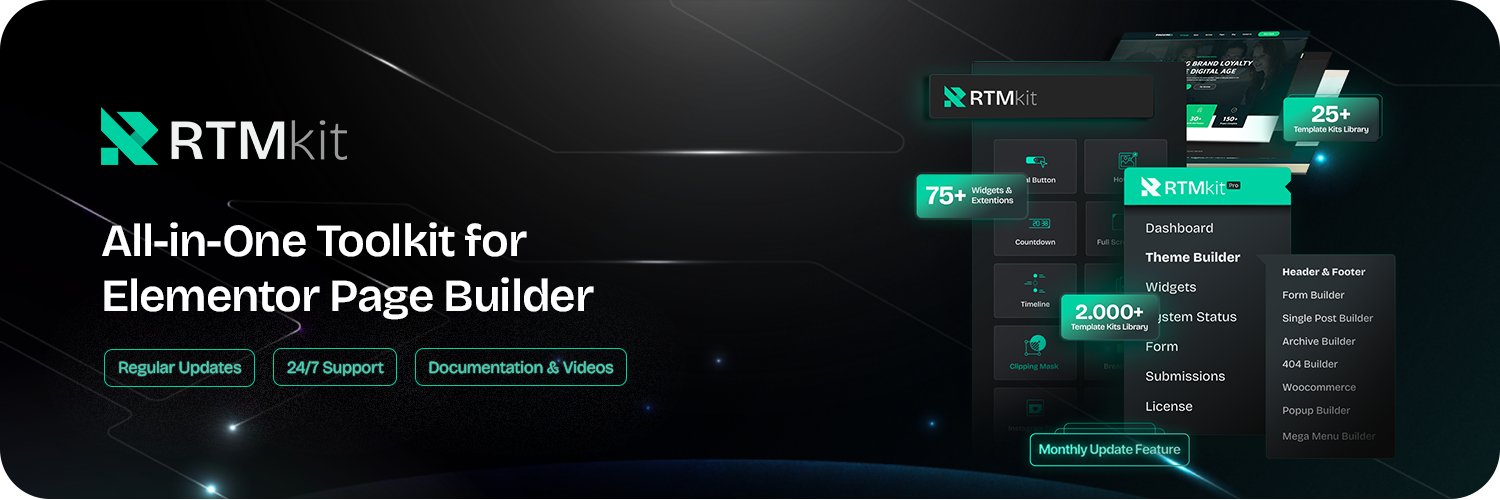
RTMKit is a free WordPress plugin designed to enhance the Elementor page builder experience. It provides over 75 widgets and extensions that allow users to create interactive and visually appealing websites without coding. The plugin includes a variety of features such as template kits, an icon library, and a form builder, making it suitable for blogs, online stores, and business websites.

This plugin is aimed at users who want to streamline their workflow by using a single tool instead of multiple plugins. It is particularly useful for those looking to build custom websites quickly and efficiently, as it includes ready-made templates and customizable elements.

Best for: This plugin suits users looking to enhance their Elementor-based websites with a variety of widgets and templates.

What it does well

  • Offers over 75 widgets and extensions
  • Includes a free Elementor form builder
  • Provides access to 50+ ready-made template kits
  • Features a library of over 1,500 icons
  • Lightweight and designed for speed

Where it falls short

  • Limited information on specific features and performance
  • Rating of 2.7 out of 5 may indicate mixed user experiences

Verdict

RTMKit offers a comprehensive set of tools for Elementor users, but its mixed rating suggests potential limitations in user satisfaction.

From the developer

Rometheme's own description of RTMKit, lightly tidied.

Unlock your Elementor page building experience with 75+ powerful and growing widgets and extensions, designed to help you create interactive, visually stunning, and performance-optimized WordPress websites—without writing a single line of code. Instantly access free professionally designed template kits, a ready-to-use and growing icon library with over 2,000 icons, plus a full theme builder to complete your WordPress site—all in one lightweight toolkit.

Unlike relying on multiple WordPress plugins, RTMKit provides an all-in-one solution to enhance your workflow. Whether you’re building blogs, online stores, or full business websites, RTMKit equips you with the tools to design faster, smarter, and prettier than ever before.

🚀 Why Choose RTMKit ?

✅ All-in-One Solution – Avoid plugin overload. RTMKit replaces multiple Elementor addons with a single, optimized package.
✅ Free Elementor Form Builder – Build custom forms easily, no extra plugin needed.
✅ Trusted by 40,000+ Active Websites – Growing steadily with global users.
✅ 75+ Advanced Widgets – Add interactive functionality with ease.
✅ 50+ Ready-Made Template Kits – Covering a wide range of niche business categories.
✅ 1.500+ Ready-to-use icon library – Pre-made icons for instant visual impact.
✅ Fully Customizable – Adjust every element, template, and widget to suit your brand.
✅ Seamless Integrations – Compatible with WooCommerce and essential WordPress tools.
✅ Lightweight & Fast – Engineered for speed without plugin bloat.
✅ Top Ratings – Rated 4.8 out of 5 stars on WordPress.org.
✅ Dedicated Support Team – Get help fast, whenever you need it.

Useful Links

Docs | Video Tutorials | Join Community | What’s New? | Upgrade To Pro | Share Review

Elementor Website Builder is required for this plugin.

🌟 75+ Elementor Widgets and Counting — Built to Enhance Your Workflow

  1. Header Info – Highlight address, phone, or email in the header.
  2. Header Offcanvas – Add a toggleable offcanvas area for demos, forms, or sidebar content.
  3. Nav Menu – Create clean dropdown menus for smooth navigation.
  4. Search – Interactive search with classic or modal options.
  5. Site Logo – Display your brand logo easily.
  6. Accordion – Collapsible sections for FAQs and content organization.
  7. Advanced Heading – Extended typography and style options for headings.
  8. Advanced Tabs – Organize content into horizontal or vertical tabs.
  9. Animated Heading – Dynamic text effects to make headlines stand out.
  10. Back to Top – Customizable scroll-to-top button.
  11. Bar Chart – Vertical or horizontal bar charts for comparisons.
  12. Blockquote – Highlight quotes, testimonials, or statements.
  13. Call To Action – Compelling CTA blocks with headline, text, and button.
  14. Card Carousel – Responsive, swipeable card slider for featured content.
  15. Client Grid – Display client logos in a clean grid.
  16. Countdown – Real-time countdown timers for urgency.
  17. Counter – Animated number counters for stats and milestones.
  18. Hero Slider – Full-width sliders with image or video backgrounds.
  19. Image Accordion – Interactive horizontal or vertical image accordions.
  20. Image Box – Combine image, icon, and text in a clean layout.
  21. Image Comparison – Before-and-after image comparison slider.
  22. Image Gallery – Responsive gallery grid or masonry with lightbox.
  23. Line Chart – Smooth line graphs to show data trends.
  24. Pie & Doughnut Chart – Circular animated charts for data visualization.
  25. Post Block – Highlight posts in bold block-style cards.
  26. Post Grid – Present blog posts in a modern grid layout.
  27. Post List – Display posts in a clean vertical list.
  28. Pricing Table – Showcase pricing plans with features and CTAs.
  29. Progress Bar – Display completion percentages visually.
  30. Social Icons – Customizable social media profile icons.
  31. Social Share – Styled buttons to share content across platforms.
  32. Team Member – Showcase team with photo, role, and social links.
  33. Testimonials Carousel – Rotating customer testimonials with ratings.
  34. Text Marquee – Continuously scrolling text for announcements or offers.
  35. Video Button – Sleek video play button with popup or lightbox.
  36. Woo Product Grid – Display WooCommerce products in a customizable grid.
  37. RTMForm – Most User-Friendly Form Builder.

🌟 50+ Advanced Widget in the Premium upgrade — and continuously growing.

  1. Advanced Toggle – Toggle elements with custom styling and animations.
  2. Animated Circle Button – Stylish circular buttons with hover effects for modern call-to-actions.
  3. Breadcrumbs – Customizable navigation trail for better UX and SEO.
  4. Image Hotspot – Add interactive markers on images with tooltips, supporting dynamic content like posts or products.
  5. Image Stack Info – Showcase grouped images with ratings and key details.
  6. Interactive Link – Add hover effects with images, text, buttons, and creative reveal animations.
  7. Pricing List – Clean service or restaurant-style pricing menus.
  8. Client Carousel – Interactive slider for multiple client logos.
  9. Image Marquee – Smooth scrolling image strips, perfect for logos or portfolios.
  10. Pricing Image Box – Pricing layouts combined with product images.
  11. Textual Showcase – Highlight information with animated or scroll-revealed text blocks.
  12. Post Carousel – Add an interactive carousel to feature posts in limited space.

We’re constantly adding new features and improvements with every update. Take your design to the next level by upgrading to the Pro version.

🌟 Advanced Extensions Toolkit:

  1. Glass Effect (Free) – Add modern frosted glass or blur-style backgrounds to sections, columns, or widgets.
  2. Duplicator (Free) – Instantly duplicate any post or page for faster design workflow.
  3. Tooltips (Free) – Show helpful hover tips or extra info on icons, buttons, and text.
  4. Wrapper Link (Free) – Turn any section, column, or container into a clickable link area.
  5. Advanced Sticky (Pro) – Keep nav bars, headers, or columns fixed while scrolling with smart positioning controls.
  6. Custom Cursor Effect (Pro) – Replace the default cursor with creative, interactive cursor styles.

🌟Free Form Builder for Elementor:

Note: RTMForm Builder is required for this plugin.

Read the full description on the official page →

Tagged as

Alternatives

Other plugins for building templates.

Ultimate Addons for Elementor

Elementor addons with 18+ free widgets, Header & Footer Builder, WooCommerce widgets & templates. Trus...

Free 2M+ installs 4.9★ (2,525)
Website Builder by SeedProd

Easy Drag & Drop Page Builder. A complete solution to create a WordPress Website, Custom Themes, Landing P...

Free 700k+ installs 4.9★ (4,699)
Royal Addons for Elementor

Elementor templates, Header footer builder, Elementor Post Grid, Woocommerce Grid builder, Slider, Forms, Gall...

Free 600k+ installs 4.8★ (611)
Happy Addons for Elementor

HappyAddons packs Header Footer Builder, Megamenu, Single Post, Archive Page, & 500+ Ready Templates into...
Free 400k+ installs 4.8★ (487)
Modula Image Gallery

Create responsive image galleries with drag-and-drop grid builder. Custom layouts, video support, AI optimizat...

Free 100k+ installs 4.7★ (613)
ECS

ECS

88

Seven free modules for Elementor: dark mode, container layouts, mobile menu, editorial text, style presets, JS...

Free 100k+ installs 4.6★ (117)