
WPThumbs
Themes Plugins By purpose By industry Best-of lists Fix it guides
Free Plugin by Debuggers Studio v1.2.7

SaasPricing

Top Elementor Widget for Price Table, comparison table and real time pricing calculator With trendy design and different table style
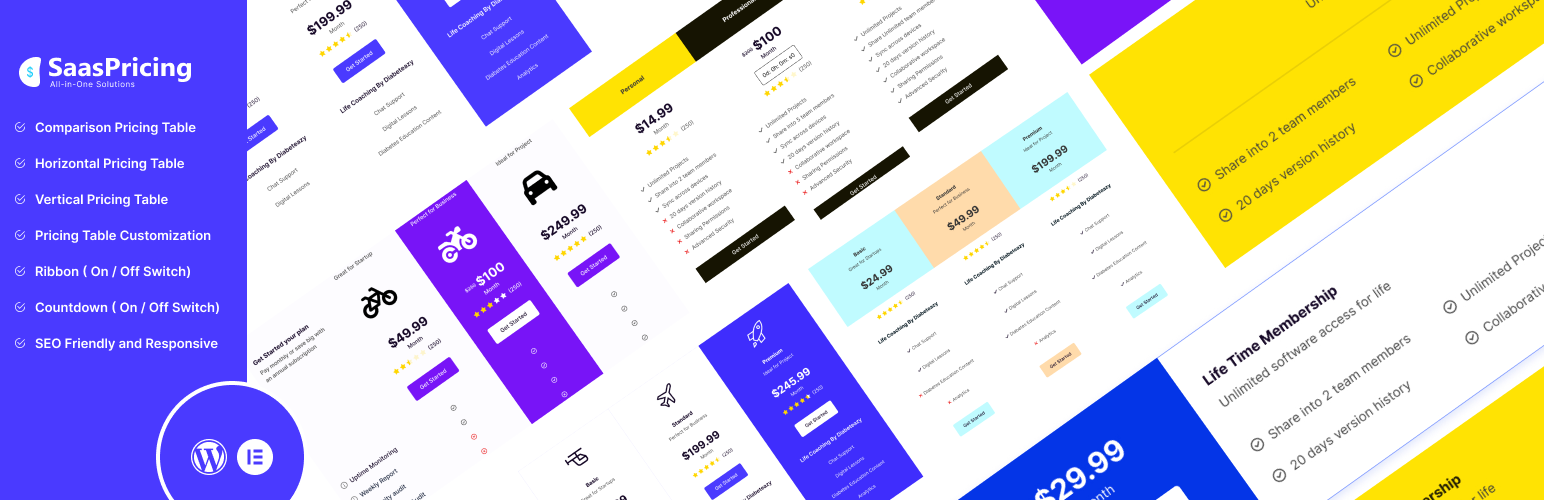
SaasPricing

The facts

Rating
3.7★ from 6
Active installs
400+
Price
Free
Last updated
9 Mar 2026
Added
Mar 2023
Requires WP
5.8
Tested up to
WP 6.9.7
Requires PHP
7.4
Downloads
8,023

Our analysis

AI-assisted

SaasPricing is a WordPress plugin designed for Elementor that allows you to create responsive pricing and comparison tables. It is suitable for service-based businesses and SaaS pricing pages, offering various layouts such as vertical and horizontal tables, as well as real-time price calculators.

The plugin provides customization options for colours, typography, and layout, allowing users to upload images and icons. It also supports multiple currencies and languages, making it versatile for different markets. Features like countdown timers, ribbons, and tooltips enhance the user experience and help present pricing information effectively.

Best for: This plugin is best suited for service-based businesses and SaaS providers looking to create detailed pricing pages.

What it does well

  • Fully responsive pricing and comparison tables
  • Highly customizable with drag and drop functionality
  • Supports multiple currencies and RTL text format
  • Includes features like countdown timers and tooltips
  • Allows image and icon uploads for branding

Where it falls short

  • Limited information on specific performance metrics
  • No details on support options or documentation quality

Verdict

SaasPricing offers a range of features for creating pricing tables, making it a useful tool for those needing to present pricing information clearly. However, the lack of detailed performance data may be a consideration for potential users.

From the developer

Debuggers Studio's own description of SaasPricing, lightly tidied.

SaasPricing is a fully responsive pricing and comparison table widget for Elementor

SaasPricing helps to create price tables and comparison tables for service-based businesses website and SaaS pricing page. It gives you flexibility to customize your pricing plan and comparison tables for your pricing page. It allows you to showcase your the pricing in different types of layouts like comparison tables, vertical price tables, horizontal price tables, real-time price calculators, and offer-based price lists.

Features like countdown timers, ribbons, reviews counter, tooltips, lightbox, and interactive pricing calculator makes your pricing table unique, user-friendly and attention-grabbing for your audience.

Plugin Demo | Documentation

SaasPricing Table Features:

  • Customization Flexibility : SaasPricing offers a highly customizable pricing table with exceptional flexibility. With an intuitive user interface, you have the option to personalize individual color and typography control for your price table presentation. Easily add table field row, columns, change colors, adjust spacing, adjust icons, and even alter the rating properties to suit your brand need.
  • Upload Images & Icon : You can effortlessly upload images and icons, that allows you to personalize your pricing presentation with visuals that resonate with your brand.
  • RTL & MultiLang Support : Not only can you customize the content, but you also have the unique feature of adjusting the table to your preferred language. SaasPricing goes the extra mile by supporting Right-to-Left (RTL) text format, which ensures seamless alignment and readability for languages that follow this orientation.
  • Multi Currency : This table offers versatile multi-currency features. It supports various currencies such as BDT, Dollar, Euro, Baht, Franc, Guilder, Krona, Lira, Peseta, Peso, and more. Additionally, it provides a feature that allows you to customize the currency according to your preference.
  • Offer Discounted Price : With this pricing table you can offer your discounted price to improve your sales growth. It helps to capture your audience’s attention with special offers, enticing them to choose your plans.
  • Ribbons : The ribbons in this pricing table serve as visual cues to highlight key features or offers, such as “Most Popular” or ”Recommended” or “On Sale”. They help users quickly identify and make decisions based on the attractiveness of specific plans.
  • Tooltips : The tooltips in this pricing table provide additional information without making the main display crowded. Users can easily access details about specific features by hovering over relevant elements.
  • Drag & Drop Functionality : The drag and drop feature of this pricing table allows you to create an amazing pricing table without any coding knowledge.
  • Lightbox : This pricing table also has a “lightbox” feature. It’s a popup window that opens when a user interacts with a specific element of this table, such as clicking on an image.
  • Dual CTA Button Supported : Dual CTA Button Support ensures a great user experience. With this capability, users have the flexibility to choose between two compelling Calls-to-Action, either start their plan immediately or opt for the Learn More option.
  • Reviews Counter : Reviews Counter provide valuable social proof, increase trust, offering insights about how many customers positively rated the product or service. They help potential customers make informed decisions by showcasing others’ positive experiences.
  • Countdown Timer : The countdown timer feature adds a sense of urgency for potential customers. It creates a visual representation of a limited-time offer, encouraging users to make faster decisions and take advantage of the discounted prices.
  • Multi Column supported up to 5 (Pro) : The Multi Column feature allows you to compare more than five different products or services side by side. This functionality makes it simple for users to analyze different options and select the one that suits them the most.
  • Monthly & Yearly Content Switcher (Pro) : The SaasPricing pro includes a special feature that allows customers to easily switch between different pricing options, such as paying on a monthly or yearly basis.
  • Spam Protection RecaptchaV3 Supported (Pro) : Create a Pricing table with advanced security. The Pro version integrates RecaptchaV3 support for robust spam protection. It ensures a secure and reliable environment for your users and prevents unwanted form submissions.
  • Stripe Checkout Payment Supported (Pro) : Make it easier for your users to make payments with Stripe Checkout integration in the Pro version. You can securely and efficiently accept payments directly through the SaasPricing table, making the transaction experience smooth for both you and your customers.
  • 20+ Prebuilt Attractive Pricing Table Template Import (Pro) : Upgrade to the Pro version and get more than 20+ ready-made and attractive pricing table templates. Import these templates to give your SaasPricing table a professional and attractive design that matches your brand’s style.

Different Table Options :

SaasPricing has five types of tables to choose from:

1. Comparison Price table

Comparison pricing table serves as valuable tools for website owners, aiding in the effective presentation and comparison of products or services. These tables allow users to quickly assess different pricing plans, features, and specifications side by side. Demo

2. Vertical Price Table

The vertical pricing table provides a clear and comprehensive overview of subscription packages in a vertically organized format. This design facilitates easy comparison of features, pricing, and benefits. Additionally, this vertical table promotes a structured presentation of details. Demo

3. Horizontal Price Table

The horizontal pricing table presents key features, pricing, and benefits side by side in a horizontal layout that improves clarity and simplify decision-making. Users can quickly scan across different plans, comparing the offerings and pricing structures effortlessly. Demo

4. Pricelist Widget

The price list widget is used to help you create price lists to showcase value and offers together. You can use it to create restaurant menus, product lists, item bundles, the Grand Slam offer creation, and any other kind of price list you require. This versatile price list widget can showcase item names and the total value of list items, then offer a discount price over the total value. Demo

Read the full description on the official page →

Tagged as

Alternatives

Other plugins for extending a page builder.

Essential Addons for Elementor

Elementor addon offering 120+ widgets and templates — Elementor Gallery, Slider, Form, Post Grid, Menu, Accord...

Free 1M+ installs 4.9★ (4,111)
ElementsKit Elementor Addons

Join millions who empower their websites with ElementsKit Elementor Addons. Get templates, & 100+ widgets...

Free 1M+ installs 4.9★ (2,036)
Ultimate Addons for Elementor

Elementor addons with 18+ free widgets, Header & Footer Builder, WooCommerce widgets & templates. Trus...

Free 2M+ installs 4.9★ (2,525)
Premium Addons for Elementor

Elementor Carousel, Mega Menu, Posts List/Slider, WooCommerce Widgets, Display Conditions, AI Abilities, Prema...

Free 600k+ installs 4.9★ (1,677)
Royal Addons for Elementor

Elementor templates, Header footer builder, Elementor Post Grid, Woocommerce Grid builder, Slider, Forms, Gall...

Free 600k+ installs 4.8★ (611)
Disable Gutenberg

Disable Gutenberg Block Editor and restore the Classic Editor and original Edit Post screen (TinyMCE, meta box...

Free 500k+ installs 5★ (733)