
Formerly "Instagram Feed". Display clean, customizable, and responsive Instagram feeds from multiple...
Free
1M+ installs 4.9★ (4,350)
Beautiful SVG icons in Gutenberg, Elementor, Classic Editor and Site Menu. High-quality "Icon List", "Icon Box" and "Social Share Icons".
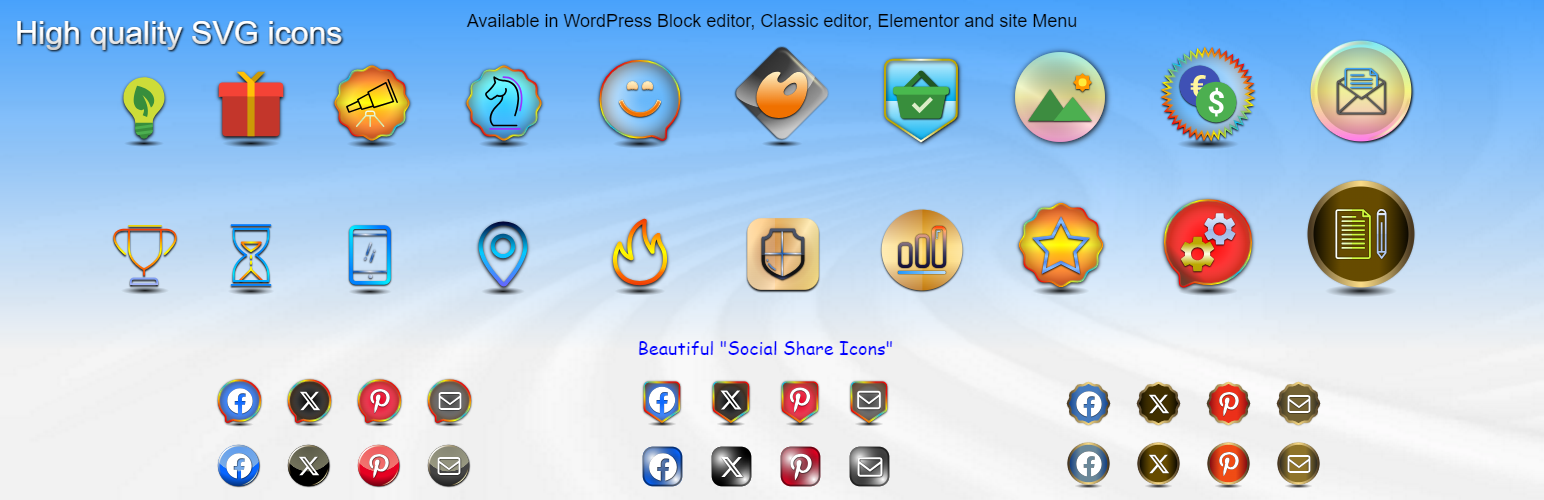
Safelayout Elegant Icons is a WordPress plugin that adds high-quality SVG icons to your website. It allows you to easily incorporate social media icons and other decorative elements into your content, enhancing the visual appeal without the need for complex layouts.
The plugin integrates with Gutenberg, Elementor, and the Classic Editor, enabling you to insert icons into posts and navigation menus. It focuses on performance by using inline SVG graphics, which helps maintain fast loading speeds across your site.
Best for: This plugin is suitable for WordPress users looking to enhance their site with visually appealing icons and social media elements.
What it does well
Where it falls short
Safelayout Elegant Icons provides a straightforward solution for adding SVG icons to your WordPress site, making it a practical choice for those prioritising both aesthetics and performance.
safelayout's own description of Safelayout Elegant Icons, lightly tidied.
Safelayout Elegant Icons adds high quality SVG icons to your WordPress website, and it helps you add beautiful social media icons to your website.
It’s a performance-focused plugin that drops pre-configured icon layouts directly into your content with a single click. Instead of forcing you to build complex layouts manually, this plugin provides instant, high-quality SVG Icons across your entire site layout ecosystem.
Enjoy absolute workflow flexibility. Safelayout Elegant Icons integrates seamlessly as a Gutenberg Block, an Elementor Widget, and a tool within the WordPress Classic Editor. Beyond post content, you can add SVG icons directly into your website navigation Menus—fully supporting both traditional Classic Themes and modern Full-Site Editing Block Themes.
Protect your website loading speeds. Every graphic in this library renders as a 100% pure inline HTML SVG icon. Because it completely eliminates bulky, render-blocking webfont files (like FontAwesome), your pages load lightning-fast with flawless cross-browser clarity on both mobile and desktop viewports.
Transform your plain text into structured, eye-catching sections using our pre-built layout modules:
* “Icon Box” Block with Premium Accents: Drop in beautiful info boxes featuring decorative “Box Ribbon” overlays and integrated “Box Button” wrappers for instant promotional callouts.
* “Icon List” Block: Effortlessly swap out boring default bullets for beautifully aligned vector item markers.
* “Social Share Icons” Block: Instantly position responsive social bookmarks across your content layout streams to boost page shares.
Break away from boring monochrome graphics. The plugin includes dedicated multi-color icon packs featuring multi-toned vector elements. Take full creative control over your palette with global gradient options: apply rich gradient colors across the icon fill, the icon stroke, and the background container color simultaneously.
Bring your user interfaces to life with interactive micro-interactions. Access a library of 38 distinct hover animation effects and beautiful icon transitions.
How to add icons to the navigation menu of your WordPress website.( Block Themes )
How to add icons to the navigation menu of your WordPress website.( Classic Themes )
How to add beautiful icons into the text.( Elementor )
How to add beautiful icons into the text.( Block editor )
Other plugins for social media.
Formerly "Instagram Feed". Display clean, customizable, and responsive Instagram feeds from multiple...

One click registration & login plugin for Facebook, Google, X (formerly Twitter) and more. Quick setup and...

Most popular WooCommerce product feed plugin supporting Google shopping feed, meta/facebook feed, bing product...

Formerly "Custom Facebook Feed". Display completely customizable Facebook feeds of a Facebook page....

Display X posts (Twitter tweets) from any public user account in a clean, attractive looking feed that updates...

Social icons, share buttons & a floating Click to Chat button for WhatsApp, Telegram, Messenger & Vibe...