
Meta Box
91Meta Box plugin is a powerful, professional developer toolkit to create custom meta boxes and custom fields fo...
Free
500k+ installs 4.8★ (165)
Sg WooCommerce Checkout Location Picker helps customers to mark their geo location on google map in WooCommerce checkout page.
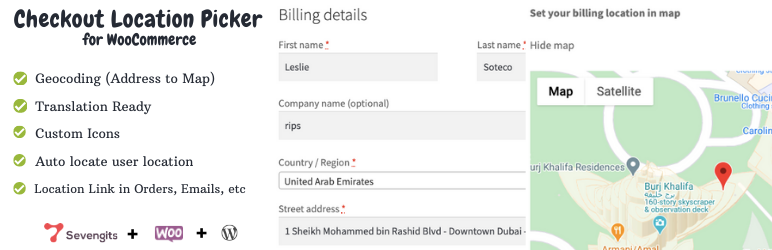
The Checkout Location Picker for WooCommerce is a WordPress plugin designed to enhance the checkout experience by allowing customers to mark their geographical location on a Google map. This integration helps ensure accurate delivery by validating user-entered addresses with a map marker.
It is suitable for WooCommerce store owners who want to streamline the delivery process and improve customer satisfaction by reducing the need for follow-up calls regarding delivery directions. The plugin is easy to install and requires no complex settings.
Best for: WooCommerce store owners looking to improve delivery accuracy and customer satisfaction.
What it does well
Where it falls short
This plugin offers a straightforward solution for enhancing the checkout process, though it has some limitations regarding compatibility with specific WooCommerce features.
Sarankumar's own description of Checkout Location Picker for WooCommerce, lightly tidied.
The Checkout Location Picker for WooCommerce allows customers to mark their geographical location on a Google map directly within the WooCommerce checkout page.This checkout map integration tool is known as the Geolocation Picker for WooCommerce plugin, also referred to as the “Address to Map Picker,” “WooCommerce Checkout Map,” or “Checkout Map Picker” plugin.
What is Geocoding?
Geocoding is the process of converting addresses, such as (“1600 Amphitheatre Parkway, Mountain View, CA,” into geographic coordinates, like latitude 37.423021 and longitude -122.083739). These coordinates are utilized to mark locations on a map or adjust its position. The checkout location picker plugin operates on geocoding principles. Hence, it is also recognized as the Geolocation Picker for WooCommerce.
How does the checkout location picker for WooCommerce work?
This WooCommerce location picker plugin is compatible with your WordPress CMS. It displays a Google map on the billing and shipping address sections, allowing customers to pinpoint their precise location during checkout, ensuring easy delivery access for WooCommerce stores. The map marker serves as a validation tool for the user-entered address.
How does it benefit?
Checkout location picker for WooCommerce plugin confirms the location using maps from the customer end itself. This will help the vendors to deliver the products without any further calls correctly or asking for directions. This delivery location map picker can save time ensuring easy delivery access for WooCommerce store owners and increase customer satisfaction.
NOTE
The existing version of the WooCommerce checkout location picker plugin currently lacks support for the WooCommerce Blocked checkout feature. Users are advised to have a standard checkout page with the [WooCommerce_checkout] shortcode to utilize the plugin effectively. We appreciate your understanding and patience as we strive to enhance the location picker plugin’s functionality to better suit your needs.
Buy Premium | Docs| Demo
Main Features [FREE]
Main Features [Premium version]
Looking for Reverse Geocoding (Map to Address) plugin?
Sg WooCommerce Delivery Location Map Picker (Map to Address) helps customers to fetch their current address from the map and autofill shipping fields. This plugin can also save multiple delivery addresses for a single user.
Other plugins for maps and locations.
Meta Box plugin is a powerful, professional developer toolkit to create custom meta boxes and custom fields fo...

The easiest to use WordPress map plugin! Create a custom map, map block, store locator or map widget with high...

Real-time WordPress analytics that stay on your own server: pageviews, outbound links, WooCommerce funnels, al...

Create custom interactive maps with free Leaflet-based styles, no Google Maps API key, frontend marker submiss...

An easy to use location management system that enables users to search for nearby physical stores.

Interactive maps and markers on your posts and pages with simple shortcodes.