
Easily improve site security with WordPress Hardening, Two-Factor Authentication (2FA), Login Protection, Vuln...
Free
3M+ installs 4.9★ (8,862)
The SheetDB wordpress plugin allows you to easily add content from Google Spreadsheet to your wordpress site.
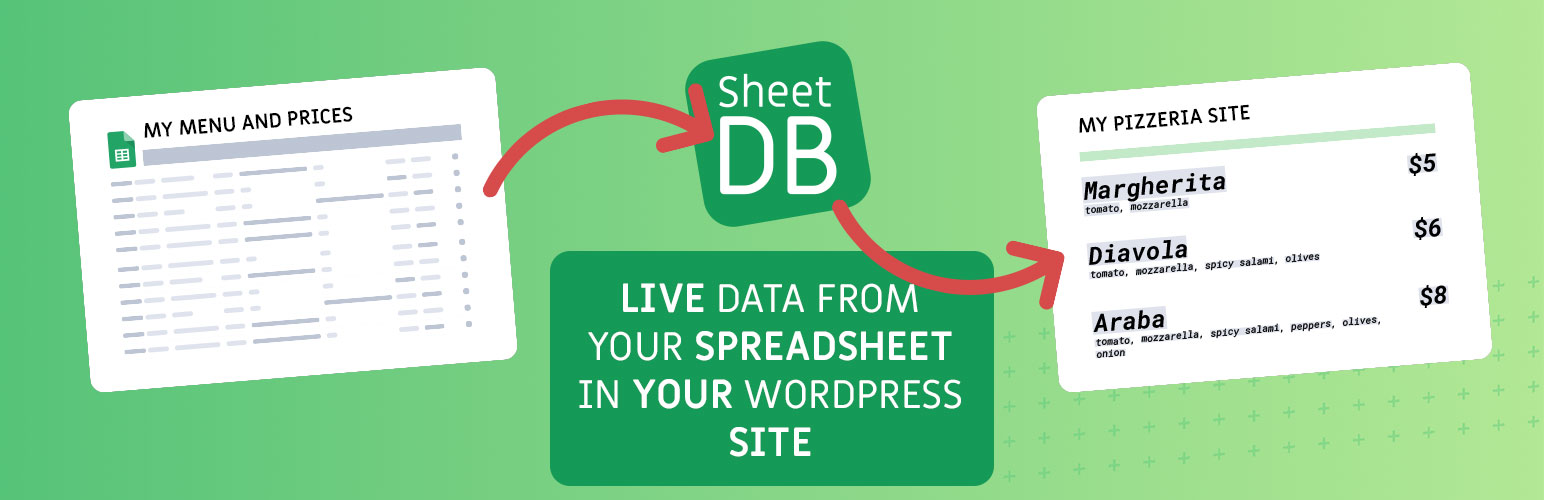
SheetDB is a WordPress plugin that allows you to integrate data from Google Spreadsheets into your WordPress site. By using a shortcode, you can display content from your spreadsheet, with each row rendered according to your specifications. The plugin supports various attributes for customisation, such as limiting the number of rows, searching for specific data, and sorting results.
This plugin is suitable for users who want to display spreadsheet data on their website without needing extensive coding knowledge. It is particularly useful for those managing dynamic content that needs regular updates from a spreadsheet.
Best for: This plugin suits website owners who need to display data from Google Spreadsheets easily.
What it does well
Where it falls short
SheetDB provides a straightforward solution for integrating spreadsheet data into WordPress, but users should be mindful of the API request limits.
sheetdb's own description of SheetDB, lightly tidied.
The SheetDB wordpress plugin allows you to easily add content from Google Spreadsheet to your wordpress site. To add content, simply add shortcode that looks like this – [sheetdb url="https://sheetdb.io/api/v1/YOUR_API_ID"][/sheetdb]. Content from within will be rendered as many times as there are rows in the spreadsheet (excluding the first row, which are column names – definition). Each time a new row is rendered, you can refer to any value using the braces notation: {{column_name}}
Example spreadsheet: Example spreadsheet document
Example code:
[sheetdb url="https://sheetdb.io/api/v1/58f61be4dda40" element="ul" limit=3 search="id=*" sort-by="id" sort-order="desc" lazy-loading="true"]
{{id}} – {{name}}
[/sheetdb]
You can use following optional attributes:
* limit – The number of rows that should be returned
* offset – Row from which it should start (how many rows to skip)
* sheet – If you want to use a different sheet than the first one (default), enter the name of the tab you want to use here.
* search – You can search for specific data in your sheet. If you want to use more than one condition join them using & symbol. Example: search="name=Tom&age=15"
* sort-by – The column you want to sort by
* sort-order – sort in asc or desc order
* lazy-loading – If you set this attribute to true, the api call will be executed only when the user reaches the point of the table. If your table is lower on the page this can help reduce request consumption.
HTML rendering and safety:
* Using {{name}} renders plain text only. Any HTML is escaped and will not be executed or rendered.
* Using {{html:name}} allows most safe HTML tags to render (e.g. a, p, ul, li, strong, em, img with safe attributes). Potentially dangerous tags and attributes (e.g. <script>, <iframe>, <object>, <embed>, inline on* event handlers, and javascript: URLs) are stripped/sanitized.
This behavior is intentional for security reasons to prevent XSS and code injection from spreadsheet content.
Security recommendation:
* For best security, configure your SheetDB API as read-only: enable only GET and disable POST, PATCH, and DELETE. This prevents anyone from modifying your data via exposed API keys or URLs.
Additional information:
This plugin use SheetDB.io to fetch data from Google Spreadsheet. You must have an account at SheetDB – account is free for 500 requests per month. More information at SheetDB.io or at privacy policy
If you want to re-use your data, you can use the save attribute in your [sheetdb] element. To re-use your data use [sheetdb-slot]. You can use the same data inside as in the parent. To match them the value of save and slot must be the same.
Example:
[sheetdb url="https://sheetdb.io/api/v1/58f61be4dda40" save="slot-name"]
{{id}} – {{name}}
[/sheetdb]
[sheetdb-slot slot="slot-name"]
{{name}}
Other plugins for securing a site.
Easily improve site security with WordPress Hardening, Two-Factor Authentication (2FA), Login Protection, Vuln...

Firewall, Malware Scanner, Two Factor Auth, and Comprehensive Security Features, powered by our 24-hour team....

The best anti-spam protection to block spam comments and spam in a contact form. The most trusted antispam sol...

Loginizer is a WordPress security plugin which helps you fight against bruteforce attacks.

Enable SVG uploads and sanitize them to stop XML/SVG vulnerabilities in your WordPress website.

Protect your website investment with All-In-One Security (AIOS) – a comprehensive and easy to use security plu...