
The growing library of 300+ ready-to-use templates that work with all WordPress themes including Astra, Hello,...
Free
1M+ installs 4.9★ (4,745)
Create a library of custom shortcodes and reusable content, and seamlessly insert them into your posts and pages.
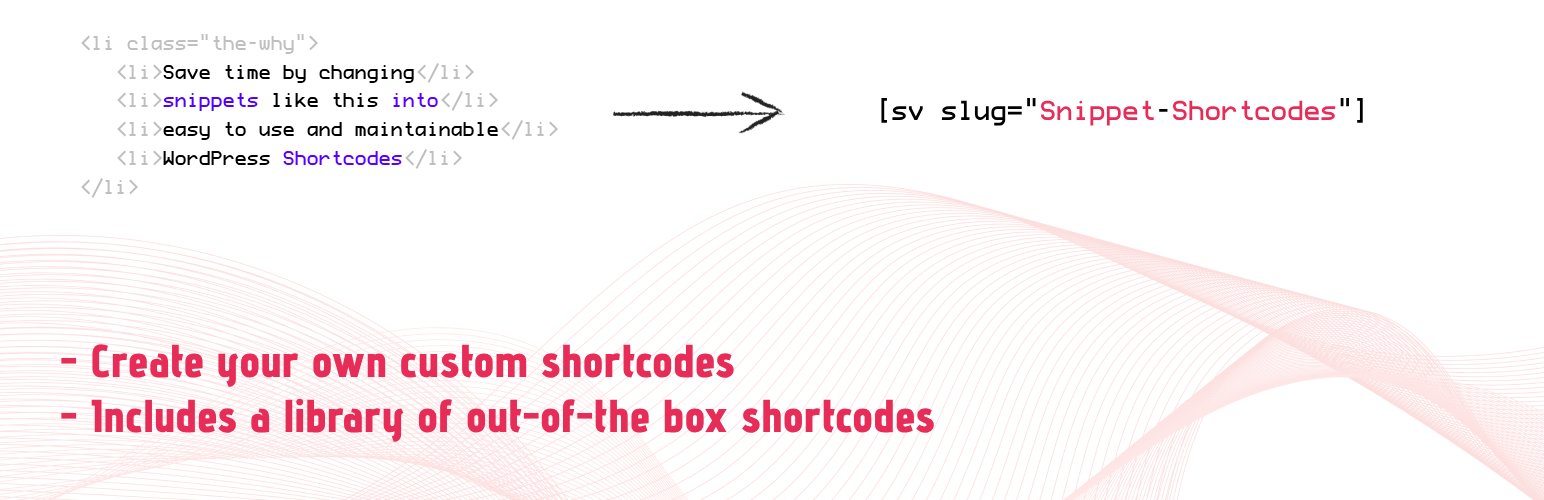
Snippet Shortcodes is a WordPress plugin designed to help you create and manage custom shortcodes for your website. It allows you to build a library of reusable content, which can be easily inserted into posts and pages, ensuring consistent updates across your site. The plugin also includes ready-made shortcodes for common WordPress fields, making it easier to get started.
This plugin is suitable for users who want to streamline their content management by reducing the need to copy and paste text or HTML. With features like automatic insertion into headers and footers, device visibility settings, and user role restrictions, it provides flexibility in how and where your shortcodes are displayed.
Best for: This plugin suits WordPress users looking to manage reusable content efficiently.
What it does well
Where it falls short
Snippet Shortcodes offers useful features for creating and managing shortcodes, though some advanced options require a premium version.
YeKen's own description of Snippet Shortcodes, lightly tidied.
Create a library of custom shortcodes and reusable content, and seamlessly insert them into your posts and pages for streamlined, consistent site updates. Plus, get a head start with a built-in selection of ready-made shortcodes to use out of the box.
In addition to inserting them into your content, you can also configure them to automatically appear in your site’s header and footer. Or limit their display to desktop or mobile devices only.
Looking to reuse the same snippet of text or HTML across your website while only updating it in one spot? Snippet Shortcodes could be exactly what you need. With this tool, you can generate a library of custom shortcodes and embed them into your WordPress content. Using the familiar WordPress editor, you can insert anything from text and HTML to JavaScript, images, or any other elements supported by your theme or plugins. The biggest benefit? You only need to create the shortcode once, and you can then deploy it site-wide, saving time and ensuring consistency.
Quick example
By default, you tend to create content once and then copy and paste it across your site as needed. Later, when updates are required, you have to track down every instance, edit each one individually, and save every page or post – making consistent updates a tedious process. Instead, put a snippet like this into one of our custom shortcodes and get a shortcode you can paste into your content. To update, all you need to do is edit the custom shortcode and your entire site will update consistently.
<a href="https://www.facebook.com/yekenuk" target="_blank" rel="noopener">Our Facebook</a>
to
[sv slug="facebook-link"]
Basic Features
Premium Features
We’re very transparent on our pricing and usually offer two plans: yearly and lifetime. For further information, please visit our upgrade page.
If you have a question or an issue, please ask on the plugin’s WordPress support page, and we’ll be more than happy to help.
Other plugins for libraries and archives.
The growing library of 300+ ready-to-use templates that work with all WordPress themes including Astra, Hello,...

Securely upload SVG files to your media library, with built-in sanitization and advanced features for styling...

Easily replace any attached image/file by simply uploading a new file in the Media Library edit view - a real...

HappyAddons packs Header Footer Builder, Megamenu, Single Post, Archive Page, & 500+ Ready Templates into...

CMB2 is a metabox, custom fields, and forms library for WordPress that will blow your mind.

The best WordPress templates, pattern, and layout library with 1,000+ designs built for the Gutenberg block ed...