Simple Digital Clock 🕒
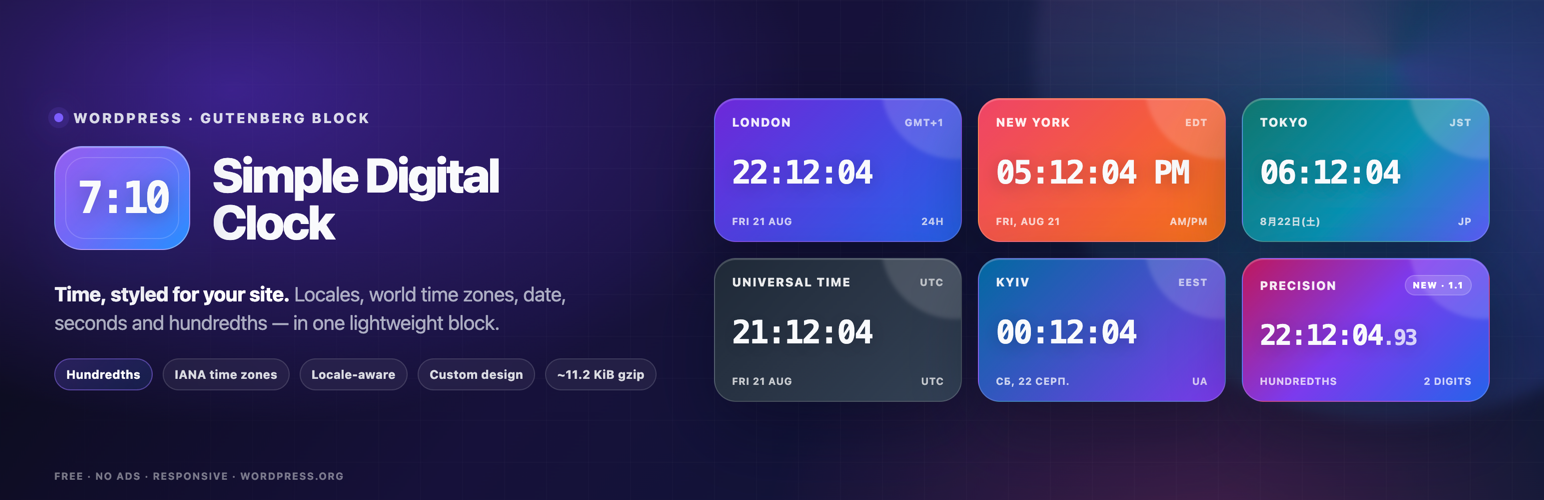
It is 🪄 a magical and easy-to-use digital clock with a beautiful UI, supporting multiple languages, locales, dates, captions, and time zones.
The facts
- Rating
- 4.4★ from 11
- Active installs
- 500+
- Price
- Free
- Last updated
- 21 Aug 2026
- Added
- Mar 2024
- Requires WP
- 6.3
- Tested up to
- WP 7.1
- Requires PHP
- 7.0
- Downloads
- 8,424
Our analysis
AI-assistedSimple Digital Clock is a WordPress plugin that adds a digital clock widget to your site. It allows you to display the current time in various formats, including support for multiple languages, time zones, and custom captions. The plugin is designed to be lightweight and easy to install, making it suitable for a range of websites, from blogs to e-commerce stores.
You can configure the clock's appearance and functionality through the WordPress editor or by using it as a widget. Options include locale settings, time format, and styling features like background colour and shadows.
Best for: This plugin suits anyone looking to display a digital clock on their WordPress site.
What it does well
- ✓Lightweight at approximately 11.2 KiB
- ✓Supports multiple languages and locales
- ✓Customisable styling options
- ✓Responsive and SEO-friendly
- ✓Free to use with no ads
Where it falls short
- •Limited information on specific features or user support
Verdict
Simple Digital Clock offers a straightforward solution for adding a digital clock to your website, with various customisation options. It is a practical choice for users needing real-time time display.
From the developer
falselight's own description of Simple Digital Clock 🕒, lightly tidied.
It is 🪄 a magical and easy-to-use digital clock with a beautiful UI, supporting multiple languages, locales, dates, captions, and time zones.
📌 Description
The Digital Clock Widget – the perfect addition to your website! This sleek and minimalist digital clock Gutenberg block (widget) offers a quick and easy way to display the current time on your site. With its clean design and unobtrusive style, it seamlessly blends into any webpage. Whether you’re running a blog, an e-commerce store, or a personal website, our widget keeps your visitors informed with accurate, real-time information. Easy to install and highly customizable, it’s the ideal choice for adding a touch of professionalism to your online presence. Upgrade your website today with the Simple Digital Clock Widget and keep your audience in sync with the times!
⭐️ features ⭐️
- 🚀 Lightweight (~11.2 KiB gzip)
- 🗣 Locale support (BCP-47, e.g.,
en-US,uk,de-DE) - 🌐 IANA time zones (e.g.,
Europe/Kyiv,UTC) - 📝 Custom caption
- 🎨 Styling: color/gradient, radius, shadows
- 🔢 24-hour or AM/PM, ⏱ seconds, ⏱️ optional hundredths of a second, 📅 date
- 🔒 SSL-friendly, 📱 responsive, 🔍 SEO-friendly
- 💯 Free, no ads
How it works
- Add the Simple Digital Clock block in the editor or as a widget.
- Configure in the right sidebar:
- Locale (e.g.,
en-US,uk,fr-FR) - Time Zone (IANA ID, e.g.,
Europe/Kyiv,America/New_York,UTC) - Seconds, Hundredths, Date, 24-Hour (AM/PM), Caption
- Background/gradient, border radius, shadow, and font
- Locale (e.g.,
Hundredths shows two fractional digits after the seconds for clocks that need finer visual precision. Hundredths automatically include seconds while enabled. Note: the browser may not render every 10 ms increment.
📌 Installation
= From your WordPress dashboard =
1. Go to Plugins → Add New
2. Search for “Simple Digital Clock”
3. Install & Activate
4. Insert the block in the editor or add it as a widget (/wp-admin/widgets.php)
From WordPress.org
- Download “Simple Digital Clock”
- Upload to /wp-content/plugins/
- Activate
- Insert the block / add the widget
Source / Development
The production JavaScript bundled with this plugin is built from the public Simple Digital Clock Widget source.
- Source repository: https://github.com/Timenow-zone/Simple-Digital-Clock-Widget
- Bundled upstream version: 0.7.0
- Exact source for this bundled release: https://github.com/Timenow-zone/Simple-Digital-Clock-Widget/tree/v0.7.0
To reproduce the production bundle: