Smooth Page Scroll Up/Down Buttons
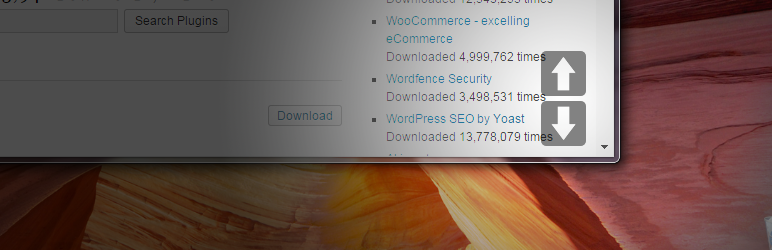
Smooth Scroll Page Up/Down Buttons adds buttons that enables your site visitors to easily scroll up or down one screen/page at a time.
The facts
- Rating
- 5★ from 21
- Active installs
- 2k+
- Price
- Free
- Last updated
- 25 Aug 2026
- Added
- Nov 2014
- Requires WP
- 3.8
- Tested up to
- WP 7.1
- Downloads
- 50,993
Our analysis
AI-assistedThe Smooth Page Scroll Up/Down Buttons plugin adds scrolling buttons to your WordPress site, allowing users to scroll up or down one screen at a time. This is useful for long pages with substantial content, especially on devices where traditional scrollbars may be ineffective.
You can customise the button positioning, scrolling distance, size, and speed. Additionally, there is an option to include a 'Back to top' button for easy navigation back to the top of the page. No coding knowledge is required to use this plugin.
Best for: This plugin is suitable for websites with long content that require easy navigation.
What it does well
- ✓Allows smooth scrolling up and down pages
- ✓Customisable button positioning and size
- ✓Option to add a 'Back to top' button
- ✓No coding knowledge required
- ✓Free to use from the WordPress.org directory
Where it falls short
- •Limited information on compatibility with future WordPress versions
Verdict
The Smooth Page Scroll Up/Down Buttons plugin provides a straightforward solution for enhancing user navigation on content-heavy pages. It is a useful tool for site owners looking to improve the scrolling experience for their visitors.
From the developer
Senff - a11n's own description of Smooth Page Scroll Up/Down Buttons, lightly tidied.
Summary
The Smooth Page Scroll Up/Down Buttons plugin for WordPress adds buttons to every page of your site, that can be used to (smoothly) scroll up or down exactly one screen/page at a time. This can be particularly handy for pages with a lot of text/content, or in cases wherever a browser’s scrollbar is just not good enough (or not present at all, like on tablets) to enable one-click, one-screen scrolling.
BONUS BUTTON! Optionally, you can add a “Back to top” button, that will take the visitor right back to the very top of the page.
No knowledge of any coding (HTML, CSS, JavaScript, PHP) is required at all.
Features
- Button positioning: choose between three options of where you want the buttons to appear — next to eachother at the bottom right, on top of eachother at the bottom right, or one at the top right and the other at the bottom right.
- Scrolling distance: scroll a full page with each click, half a page, or however far you want.
- Button size: choose the size of the buttons.
- Scrolling speed: set the speed at which pages should scroll from one page to another.
- ‘Back to top’ button: optionally, include an additional button that takes the user back to the very top of the page.