
WPThumbs
Themes Plugins By purpose By industry Best-of lists Fix it guides
Free Plugin by Kevin Bazira v1.0.9

Algori Social Share Buttons

Algori Social Share Buttons is a Gutenberg Block Plugin that enables you add Social Media Share Buttons to your website.
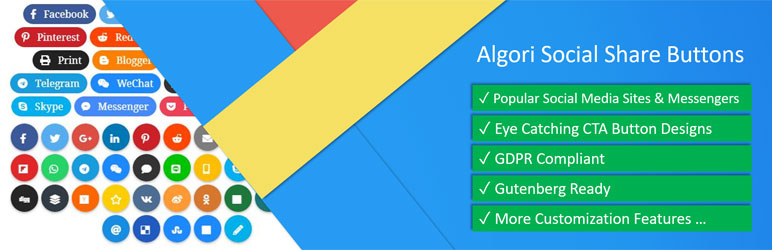
Algori Social Share Buttons

The facts

Rating
5★ from 1
Active installs
1k+
Price
Free
Last updated
25 Dec 2024
Added
Aug 2018
Requires WP
5.0.0
Tested up to
WP 6.7.7
Requires PHP
5.6.0
Downloads
25,353

Our analysis

AI-assisted

Algori Social Share Buttons is a WordPress plugin designed to help you add social media share buttons to your website using the Gutenberg block editor. It allows visitors to easily share your content across 15 popular social media channels, enhancing user engagement and potentially increasing your audience.

The plugin is free to use and is GDPR compliant, meaning it does not collect user data when share buttons are clicked. It supports sharing on both Android and iOS mobile apps, adapting the share button functionality based on the user's device.

Best for: This plugin is suitable for website owners looking to enhance content sharing capabilities without collecting user data.

What it does well

  • Integrates with the Gutenberg block editor
  • Supports 15 popular social media channels
  • Offers 5 share button design types
  • Mobile app compatibility for sharing
  • GDPR compliant

Where it falls short

  • Limited to 15 social media channels in the free version
  • Additional features available only in the premium version

Verdict

Algori Social Share Buttons provides a straightforward solution for adding share buttons to your site, making it a useful tool for increasing content visibility.

From the developer

Kevin Bazira's own description of Algori Social Share Buttons, lightly tidied.

Algori Social Share Buttons is a Gutenberg Block Plugin that enables you add Social Media Share Buttons to your website. Adding popular social share buttons enables your site visitors to easily send and share your site content with their friends. This will boost user engagement and grow your site audience.

This free plugin has a lot to offer. Even more can be found in the Premium version of this Plugin, please see all features of the Premium plugin here

The free Algori Social Share Buttons plugin includes the following features:

  1. Select from 15 Popular Social Media Channels ( websites and mobile messenger apps ) that your content can be shared to.
  2. Select from 5 Beautiful Share Button Design Types that will entice your website visitors to click and share your content.
  3. Supports sharing on both Android and iOS mobile native apps. For-example: The WhatsApp share button opens WhatsApp web if the user is on the desktop and opens the WhatsApp mobile app when user is on a mobile device.
  4. GDPR Compliant. This plugin does not collect any user data when your visitors click on the Social Share Buttons.

New Premium Plugin

We released a Premium Plugin with many more exciting features:

  1. Many more popular Social Media Channels supported. Select from over 35 New Social Media Channels including Messenger share buttons, Whatsapp share buttons, Telegram share buttons, Print button, Line share buttons, Skype share buttons, Flickr share buttons, Blogger share buttons, Reddit share buttons, Weibo share buttons, Tumblr share buttons, Xing share buttons, Vkontakte share buttons (VK), RenRen share buttons, Douban share buttons, QZone share buttons, HackerNews share buttons, Pocket share buttons, Threema share buttons, Odnoklassniki share buttons (OK), Buffer share buttons, Meneame share buttons, Mailru share buttons, LiveJournal share buttons, SurfingBird share buttons, StumbleUpon share buttons, Digg share buttons, Delicious share buttons, Skype share buttons, SMS share buttons, and many other share buttons!
  2. More beautiful Button Design Types added. Select from over 12 New Share Button Design Types which have eye catching button and icon animations that will entice your website visitors to click and share your content.
  3. Share Button Sizes supported. Adjust your share buttons to small, medium or large sizes that will look good on your website straight out of the box.
  4. Share Button Icon or Text customization options. Choose to show Icons only, Text only or both Text and Icons on your Social Share Buttons.
  5. Friendly support in case you’re stuck. 🙂
  6. Many more settings and options for your Social Share Buttons.

Have a look at the Premium Plugin

How to use

  1. After installing and activating the Social Share Buttons plugin in your WordPress website.
  2. Navigate to your blog post or page and use the Gutenberg editor to add a Social Share Buttons block.
  3. Select Social Media Channels using the Gutenberg block inspector section.
  4. Choose Share Button Design Type using the Gutenberg block inspector section.
  5. Click “Publish” to view your new web page with Social Share Buttons.
  6. Congratulations 😀

Read the full description on the official page →

Tagged as

Alternatives

Other plugins for social media.

Smash Balloon Social Photo Feed

Formerly "Instagram Feed". Display clean, customizable, and responsive Instagram feeds from multiple...

Free 1M+ installs 4.9★ (4,350)
Nextend Social Login and Register

One click registration & login plugin for Facebook, Google, X (formerly Twitter) and more. Quick setup and...

Free 200k+ installs 4.9★ (446)
Smash Balloon Social Post Feed

Formerly "Custom Facebook Feed". Display completely customizable Facebook feeds of a Facebook page....

Free 200k+ installs 4.7★ (1,508)
Custom Twitter Feeds

Display X posts (Twitter tweets) from any public user account in a clean, attractive looking feed that updates...

Free 100k+ installs 4.8★ (401)