
SureRank SEO
90Lightweight SEO assistant for meta tags, schema and structured data, XML sitemaps, Open Graph previews, robots...
Free
400k+ installs 4.8★ (41)
Turn your SQL queries into beautiful dynamic charts with a visual SQL builder, live autocomplete and no-code date/input filters.
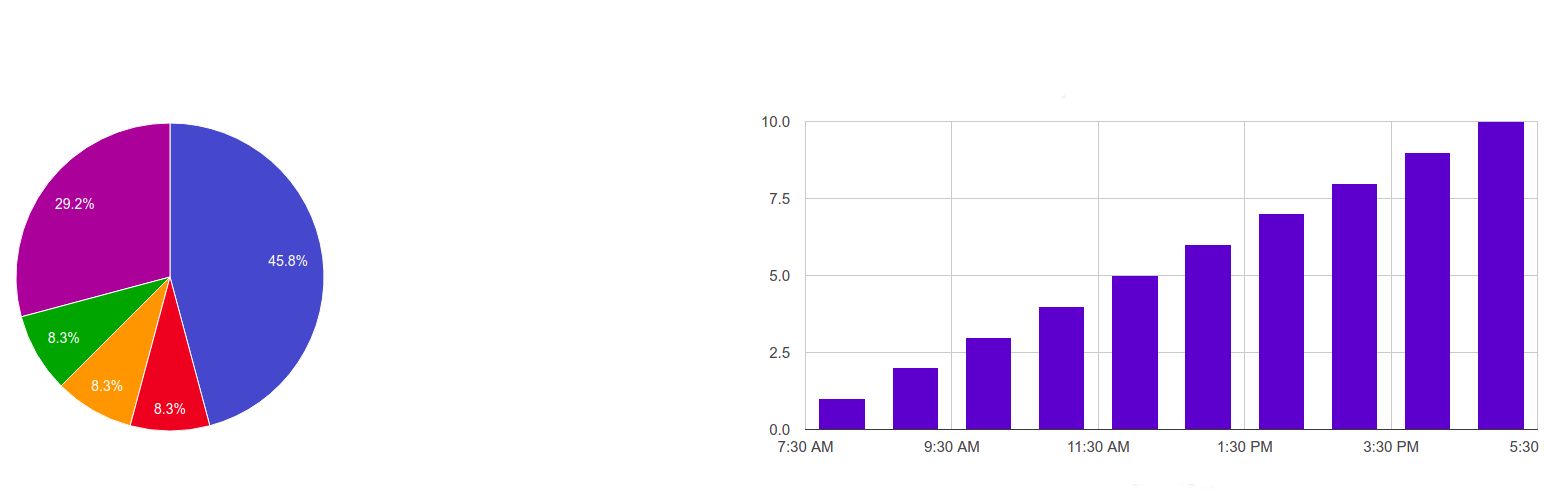
SQL Chart Builder is a WordPress plugin that allows you to create charts based on SQL queries. You can use both WordPress and non-WordPress MySQL tables in your queries, providing flexibility in data presentation. The plugin features a user-friendly interface that guides you through the process of building charts and queries without needing extensive coding knowledge.
With 11 different chart types available, including Pie, Bar, and Scatter, you can visually represent your data in various ways. The plugin also includes tools like live SQL autocomplete, a click-to-build query toolbar, and no-code input filters, making it suitable for users who want to create dynamic charts easily without deep technical expertise.
Best for: This plugin is suitable for users who want to create dynamic charts from SQL queries on their WordPress site.
What it does well
Where it falls short
SQL Chart Builder provides a straightforward way to visualise data through charts, making it accessible for users with varying levels of technical expertise.
Guaven Labs's own description of SQL Chart Builder, lightly tidied.
The plugin creates beautiful charts based on your SQL queries, then you can use those charts in any part of your website.
You can use both native wp and non-wp mysql tables in your queries.
tablename. to see that table’s columns. Press Ctrl+Space for suggestions at any time.{tags} already used in your query and columns from its WHERE part. No more memorizing the ~ / | syntax (a raw editor is still available for pros). One click inserts the {tag} into your query.Go to Dashboard → My SQL Charts → Add New and give any name to your report.
Pick a chart type — read the short guide shown under the type cards, or click “Use this example” to start from a working query.
Build your SQL query with the toolbar buttons and autocomplete (real table and column names are suggested), then map the X and Y columns.
You can use multiple SQL queries too — just split them with the “;” sign to get comparison charts. You can also pass shortcode arguments into the query: with “select * from wp_posts where ID>{arg1}” the shortcode [gvn_schart_2 id=”2″ arg1=”11″] passes the value in.
After Publish/Update you will see the shortcode below the builder. Use it anywhere on your website: pages, posts, widgets, or the “My SQL Charts” Gutenberg block.
Check “Show table-view data below the graph” to also render the data as a styled table.
In the Input Filters tab, add filters by clicking “+ Add filter” — each one becomes an input (with a datepicker for date types) above the chart at the front-end.
Use the visual rows in the Input Filters tab, or the raw format:
variable_name~default_value~variable_label~variable_type | variable_name~default_value~variable_label~variable_type
Example: with the filters “limit_tag~10~Count~number | post_date_tag~2010-07-05~Date Published~date”
you can use “select * from wp_posts where post_date<{post_date_tag} limit {limit_tag}” as the SQL code —
the plugin renders the corresponding inputs above the chart automatically.
Supported built-in dynamic tags: {current_user_id}, {current_user_login}, {current_user_email}, {current_user_display_name}.
Use [gvn_schart_2_cached id=”1″ expire=”3600″] to cache the rendered chart in a transient. Add &force_sql_cache_reload=1 to the URL to bypass it once (e.g. right after upgrading).
Other plugins for charts and graphs.
Lightweight SEO assistant for meta tags, schema and structured data, XML sitemaps, Open Graph previews, robots...

Turn your data into WordPress apps with tables, forms, charts & maps — no code required, with optional hoo...

Create interactive images with clickable hotspots, using modern image maps for WordPress. Perfect for floor pl...

The best WordPress table plugin. Create responsive, and searchable tables and charts from Excel (.xlsx, .xls o...

Control how your WordPress posts, pages, WooCommerce products, and custom post types look when shared on Faceb...

The simple method to add Open Graph metadata to your entries so that they look great when shared on sites.