
WooCommerce
94Everything you need to launch an online store in days and keep it growing for years. From your first sale to m...
Free
7M+ installs 4.5★ (4,820)
Hide titles on a per post/page basis. Must be using the Storefront theme.
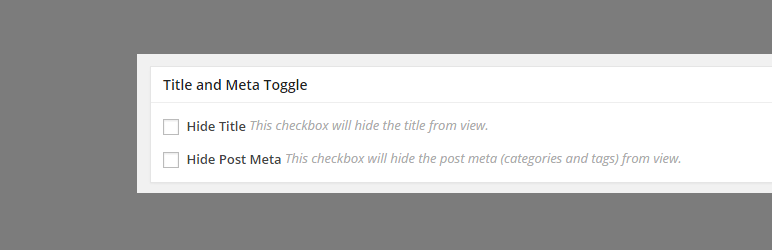
Title Toggle for Storefront Theme is a WordPress plugin designed to remove page titles from specific pages or posts within the Storefront theme. It allows you to hide titles, such as the one on your Home page, by using a simple checkbox in the page edit screen.
In addition to hiding titles, the plugin also offers the option to remove post meta information, including tags and comment counts, for posts. This functionality is straightforward and caters specifically to users of the Storefront theme who want more control over their page layouts.
Best for: This plugin is suitable for users of the Storefront theme who want to customise their page titles.
What it does well
Where it falls short
Title Toggle for Storefront Theme provides a straightforward solution for hiding titles and post meta, but its functionality is limited to a specific theme.
wooassist's own description of Title Toggle for Storefront Theme, lightly tidied.
This plugin lets you easily remove the page title from specific pages or posts. The basic case scenario is to be
able to hide the title that you will be setting for your “Home” page.
This plugin is built to work only for the Storefront theme
How to use:
There is also an option to remove the post meta (tags and comment count) for posts.
Other plugins for selling online.
Everything you need to launch an online store in days and keep it growing for years. From your first sale to m...

Top-rated antispam for contact forms, comments, WooCommerce, eCommerce, and login. No CAPTCHAs, no friction, j...

Weight based shipping methods for WooCommerce. Flexible shipping with table rate rules by cart weight and orde...

Every store loses sales to cart abandonment. But with Cart Abandonment Recovery for WooCommerce, you can win t...

Germanized extends WooCommerce to become a legally compliant shop for the german market. Must Have for every g...

🤩 Make popups & optin forms to get more email newsletter subscribers, leads, and sales - #1 most popular...