
Meta Box
91Meta Box plugin is a powerful, professional developer toolkit to create custom meta boxes and custom fields fo...
Free
500k+ installs 4.8★ (165)
Create a store locator for your website in minutes. Add all the store locations in google sheets and embed map on your website.
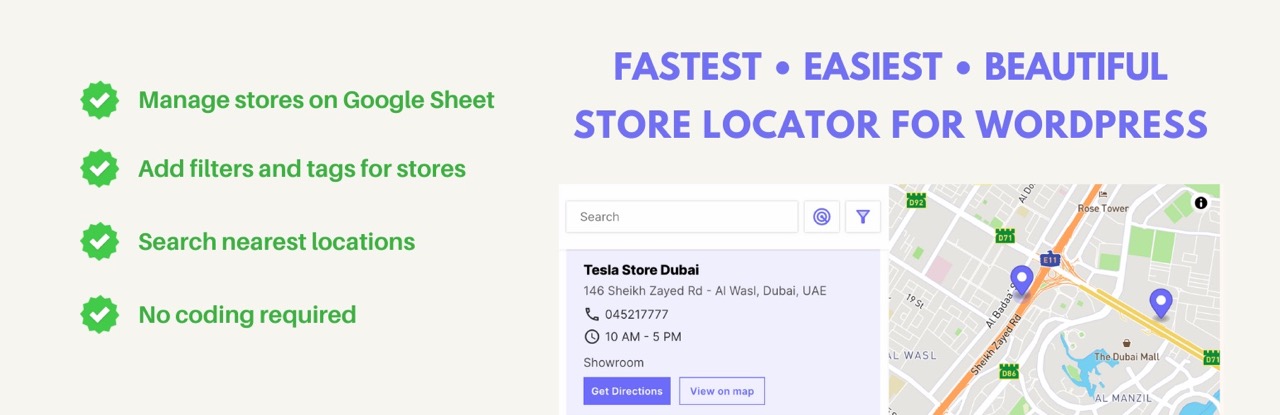
Store Locator for WordPress is a plugin that allows you to plot multiple store locations on a map embedded in your website. It uses data from Google Sheets to manage store details, including addresses, contact information, and business hours, without requiring any coding skills.
This plugin is suitable for businesses with multiple locations that want to make it easy for customers to find them. It features a responsive design and includes search and filter options for users to locate the nearest store based on their current location.
Best for: Businesses with multiple locations looking to improve customer access to their stores.
What it does well
Where it falls short
Store Locator for WordPress provides a straightforward solution for businesses needing to display multiple locations on a map. It is user-friendly and leverages Google Sheets for easy management.
Micro.company's own description of Store Locator for WordPress📍, lightly tidied.
Easiest way to plot your stores on a map. Manage locations just using Google Sheets. Clean | Responsive | Search | Filters
Have you lost a customer because they couldn’t find your store? With WordPress Store Locator, you’ll never lose visitors or customers again. Our map-based store locator for WordPress lets you add all the locations in a single map and embed it on your website. What’s more, there’s no coding involved here!
TOP FEATURES of Store Locator WordPress:
⚡ Blazingly fast and interactive map
0️⃣ Build your Store Locator with Zero Coding effort
📱 The Store Locator WordPress have a highly responsive UI on all browsers and across devices
📍 Customers can search the nearest store based on their location
🏪 Geo locations of stores are automatically calculated using Mapbox API
🔎 Customers can filter stores based on tags or unique columns
✍️ Store Locator WordPress plugin can easily manage store locations inside Google Sheet
🔗 All maps are interactive and shareable via a single link
📋 Copy-paste a single line of short code to embed the map on a page
🧭 Customers can get route guidelines to a location from Google Map
🕰️ Provide business hours (opening time and closing time) for each store
📞 Set contact number and business email address for each store
🏵️ Choose a colour theme to match your WordPress website
➕ Add, update or remove new stores from the Google sheet seamlessly
🫂 Share the Google sheet with your team to allow them to edit stores
How Does The WordPress Store Locator Work?
⚒️ Our WordPress Store Locator Map is powered by data from Google Sheets. So first, you have to install a Google Sheets Add-on
🏙️ Then create a Google sheet and add your store addresses starting from street name, city, country, with other details like phone number, email address and store-specific information.
🗺️ Once the data is filled, you will run the Google Sheets Add-on to generate a Store Locator Link.
✂️ 📋 Copy-Paste the link inside this Store Locator WordPress plugin and set the path to the page where you want to embed the Store Locator WordPress.
That’s all! Store addresses are converted to map coordinates inside Google Sheet (longitudes and latitudes). Geo-mapping is done in seconds with the Store Locator WordPress Plugin. If Google Sheets doesn’t recognize a store location, you can add the coordinates directly under the “Coordinates” column in the Google Sheet. Store locator works on all mobile devices, tablets and desktops. It’s a 100% responsive and mobile-friendly map.
The coordinates in the Google sheet are shown on the map generated by Mapbox. (You don’t have to bother about the hassle of working with Google Maps Platform, or using Google Map API keys or even with Open Street Map with our Store Locator WordPress plugin). We take care of plotting the points on the map with markers. Map zoom in and map zoom out are available with Mapbox, and it moves from marker to marker swiftly.
A search field is added to the map. Users can search on the store locator map by location, ZIP or PIN. They can also search for locations near them with a single click. All stores are listed on the side of the map.
Why do you need a WordPress Store Locator?
Your business needs a store locator. It’s the best tool to show all the locations in one map, and any customer will be able to find your store or business office easily, with accurate results and map points. The perfect WordPress Plugin tool for any type of business that has multiple locations.
No more confusion and headaches for your customers! This useful tool brings all your locations together in one convenient map, so they’ll never miss you. They can find the address and location of all of your stores, offices, and warehouses with ease, so if they’re looking for that last-minute birthday present or need help fixing their car, they will know exactly where to find you.
Having a store locator not only helps to convert online visitors into offline customers, it also enhances their overall shopping experience and improves your brand awareness and search rankings.
Other plugins for maps and locations.
Meta Box plugin is a powerful, professional developer toolkit to create custom meta boxes and custom fields fo...

The easiest to use WordPress map plugin! Create a custom map, map block, store locator or map widget with high...

Real-time WordPress analytics that stay on your own server: pageviews, outbound links, WooCommerce funnels, al...

Create custom interactive maps with free Leaflet-based styles, no Google Maps API key, frontend marker submiss...

An easy to use location management system that enables users to search for nearby physical stores.

Interactive maps and markers on your posts and pages with simple shortcodes.