
Create advanced Elementor sticky headers with scroll effects: blur, shrink, hide on scroll, plus full responsi...
Free
300k+ installs 4.5★ (68)
The easiest way to add SVG animations to your website right from your SVGator account.
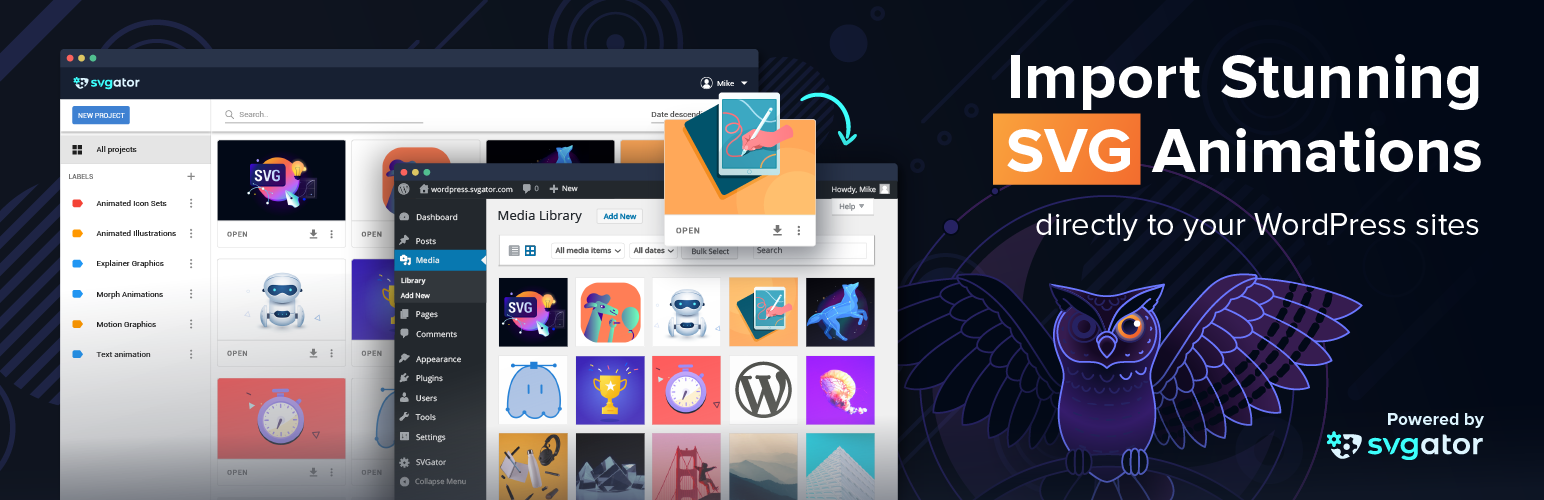
SVGator is a WordPress plugin that allows you to import and use animated SVG files created in the SVGator app within your WordPress media library. It provides a user-friendly interface for adding animations to your pages without requiring coding skills. You can choose between CSS or JavaScript for the animation type, making it suitable for various design needs.
This plugin is ideal for users who want to enhance their websites with scalable and responsive SVG graphics, such as logos, icons, and buttons. It is particularly useful for those looking to create interactive and engaging content without technical expertise.
Best for: This plugin suits website owners who want to add animated SVG graphics without coding skills.
What it does well
Where it falls short
SVGator offers a straightforward way to incorporate animated SVGs into WordPress sites, making it a valuable tool for non-coders looking to enhance their visual content.
SVGator's own description of SVGator, lightly tidied.
Import your SVG files created in SVGator to your WordPress media library and use them as normal image files. This plugin lets you comfortably access all your animation projects and makes it super-easy to add them to your page. You are free to choose an SVG with either CSS or JavaScript as the animation type.
Scalable Vector Graphics (SVG) are constantly growing in popularity due to their scalability, small size, and responsiveness. They are ideal for illustrations like logos, icons, buttons, and graphs. Animated SVG files make your page unique, interactive, and look crisp on any device.
SVGator is an incredibly useful and innovative SVG animation tool that lets you create stunning SVG animations without any coding skills. Import your SVG and choose from a series of advanced animator tools that let you generate amazing animations in just minutes. Spice up your website or blog with impressive SVG animations to increase user engagement. The user-friendly drag and drop interface simplifies the animation process and the code is automatically generated either in CSS or in Javascript.
You can check out our documentation with screenshots on our help page: How to use SVGator Plugin for WordPress
Before starting to use the WordPress plug-in, you will have to sign up for the SVGator app. After creating an account, you can import your SVG files and start working on them to turn your static designs into dynamic and interactive animations.
When you are done with the animation, you can fully benefit from the plugin. There is no need to export or convert your work, just follow these simple steps:
1. Find and install the SVGator plugin
2. Activate the plugin
3. Log in to load your projects from SVGator and authorize the app
4. Select an animation project from your SVGator library and add it to the media library
5. Add an animated SVG block to your post or page by clicking the SVGator icon on the new block tool.
6. Select the animated SVG from the media library and scale it to any size without losing quality
7. Alternatively, you can import your SVGs directly on the media library box, under “Import from SVGator” tab
You can also use the animations inside widgets by simply adding the SVGator widget to your sidebars or footers.
Note: When you import your animation to the page, you may find it in a tag in the editor, but you don’t have to worry about this. Although theoretically, this would mean that the animation might not work the same as in SVGator, (especially if it’s an interactive SVG), in preview mode you will already find it inline and it will work perfectly.
By authorizing the plugin you acknowledge that WordPress will have access to your SVGator library and is enabled to list and export the animations created in your account.
You can remove the plugin at any time by clicking on SVGator’s Account settings under your name, then choosing the 3rd Party Apps tab and deleting the plugin. If you would like to add it back, you will have to follow the steps presented above.
We are always open to your feedback, questions, and suggestions. Email us at contact@svgator.com
We hope you find this plugin useful. Please take a moment to rate it here.
Other plugins for animations.
Create advanced Elementor sticky headers with scroll effects: blur, shrink, hide on scroll, plus full responsi...

Add CSS animations and scroll effects to any Gutenberg block. Choose from fade, slide, zoom & more, with d...

Create WordPress websites with free forms, Gutenberg blocks, popups, sliders, countdowns, animations, pre-buil...

Add creative image hover effects to Elementor page builder. Easily customize title and content and effects wit...

Easy to use advanced Parallax, Image and Video backgrounds block plugin with parallax and video support.

Elevate your website game with the Bricksable collection of premium elements for Bricks Builder. Designed to s...