SyntaxHighlighter Evolved
Easily post syntax-highlighted code to your site without having to modify the code at all. As seen on WordPress.com.
The facts
- Rating
- 4.3★ from 86
- Active installs
- 20k+
- Price
- Free
- Last updated
- 3 Mar 2025
- Added
- Sep 2007
- Requires WP
- 5.7
- Tested up to
- WP 6.7.7
- Requires PHP
- 7.0
- Downloads
- 1,142,035
Our analysis
AI-assistedSyntaxHighlighter Evolved is a WordPress plugin that enables you to post syntax-highlighted code on your site while preserving its formatting. It integrates with the block editor introduced in WordPress 5.0 and utilises the SyntaxHighlighter JavaScript package to achieve this functionality.
This plugin is suitable for developers and content creators who need to display code snippets in a visually appealing way. It supports a variety of widely used programming languages, making it versatile for different coding needs.
Best for: Developers and content creators looking to display code snippets on their WordPress site.
What it does well
- ✓Supports syntax highlighting for various programming languages
- ✓Integrates with the block editor in WordPress 5.0
- ✓Maintains code formatting without manual changes
- ✓Free to use from the WordPress.org directory
- ✓Active development on GitHub
Where it falls short
- •Limited information on specific supported languages
- •No detailed feature list provided
Verdict
SyntaxHighlighter Evolved provides a straightforward solution for adding syntax-highlighted code to your site. It is a useful tool for those who frequently share code snippets.
From the developer
Alex Mills's own description of SyntaxHighlighter Evolved, lightly tidied.
Now with support for the new block editor in WordPress 5.0!
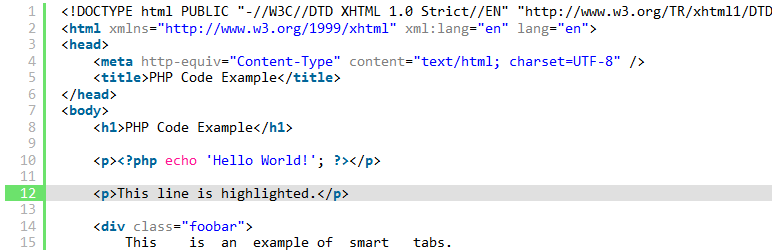
SyntaxHighlighter Evolved allows you to easily post syntax-highlighted code to your site without losing its formatting or making any manual changes. It uses the SyntaxHighlighter JavaScript package by Alex Gorbatchev.
For a list of supported languages (most widely used languages are supported), see the WordPress.com support document.
Development of this plugin is on GitHub.
Translation of the plugin into different languages is on the translation page.