Table Sorter
No more old static tables, make your HTML tables sortable.
The facts
- Rating
- 4.8★ from 29
- Active installs
- 5k+
- Price
- Free
- Last updated
- 29 May 2026
- Added
- Nov 2014
- Requires WP
- 5.0
- Tested up to
- WP 7.0.4
- Downloads
- 49,667
Our analysis
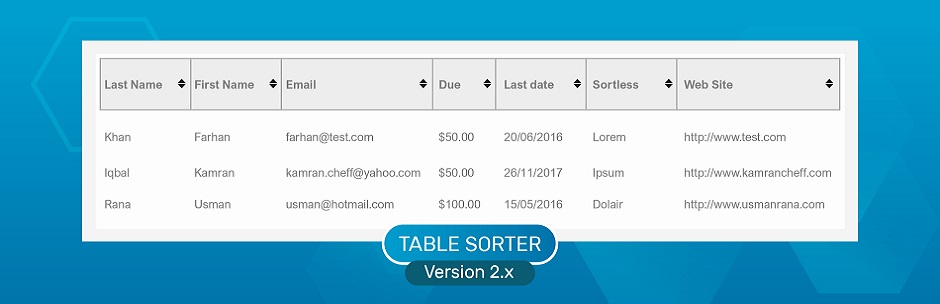
AI-assistedTable Sorter is a WordPress plugin that enables you to turn standard HTML tables into sortable tables without needing to refresh the page. It works with tables created in both the WordPress template files and those generated through the WordPress editor.
This plugin is particularly useful for theme developers, offering features such as multi-column sorting and the ability to disable sorting on specific columns. It supports cross-browser functionality and is designed to enhance the usability of tables on your site.
Best for: This plugin is suited for theme developers looking to enhance table functionality on their WordPress sites.
What it does well
- ✓Enables sorting of standard HTML tables
- ✓Works with tables from templates and the WordPress editor
- ✓Supports multi-column sorting
- ✓Allows disabling sorting on specific columns
- ✓Cross-browser support
Where it falls short
- •Limited to code-level functionality
- •Only one option available in the admin panel
Verdict
Table Sorter provides a straightforward solution for adding sortable features to HTML tables. It is particularly beneficial for developers who need to improve table usability without complex configurations.
From the developer
Farhan Noor's own description of Table Sorter, lightly tidied.
Table Sorter turns standard HTML table (with THEAD and TBODY tags) into a sortable table without page refresh. It works on every table, whether it is coded in the wordpress template(theme) file or generated from the wordpress editor. This plugin is very handy for theme developers. It has many useful features including :
- Multi-column sorting.
- Disable sorting from particular column(s).
- Sort multiple columns simultaneously.
- Cross-browser support
For complete documentation and demo, please visit WP Table Sorter plugin support page.
NOTE This plugin works at code level and provides only one opiton under Settings section in WordPress admin panel.
Happy coding!