Tabsy
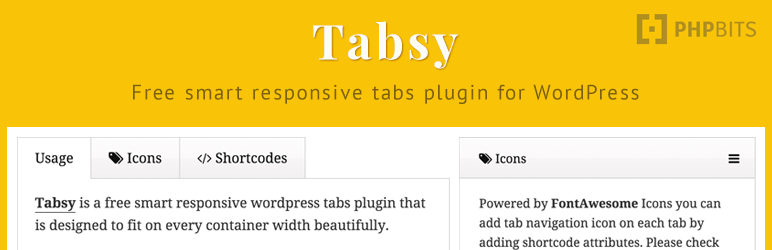
Tabsy is a free smart responsive WordPress tabs plugin that is designed to fit on every container width beautifully.
The facts
- Rating
- 4.4★ from 7
- Active installs
- 100+
- Price
- Free
- Last updated
- 11 Dec 2016
- Added
- Feb 2015
- Requires WP
- 3.8
- Tested up to
- WP 4.7.35
- Downloads
- 15,713
Our analysis
AI-assistedTabsy is a WordPress plugin that allows you to easily add responsive tabs to your posts, pages, and widgets. It is designed for users without coding knowledge, offering a straightforward shortcode system to insert tabs with various content types, including galleries and forms.
The plugin is powered by FontAwesome and shortcodes, ensuring that the tab navigation remains functional on mobile devices. It includes additional features through various add-ons that enhance its capabilities, such as customisation options and compatibility with Visual Composer and WooCommerce.
Best for: This plugin is suitable for WordPress users looking to implement tabbed content without needing coding skills.
What it does well
- ✓Enables easy addition of responsive tabs
- ✓No coding knowledge required
- ✓Supports various content types within tabs
- ✓Compatible with Visual Composer and WooCommerce
- ✓Includes additional customisation options through add-ons
Where it falls short
- •Last updated in December 2016
- •Tested only up to WordPress version 4.7.35
- •Directory score of 46/100 indicates potential issues
Verdict
Tabsy offers a simple solution for adding tabs to WordPress sites, but its age and compatibility limitations may affect its performance on newer versions of WordPress.
From the developer
Jeffrey Carandang's own description of Tabsy, lightly tidied.
Easily add responsive tabs to your posts, pages, post types and even widget without worrying if the tab navigation will overlap on smaller container size especially on mobile devices.
FontAwesome and Shortcodes powered plugin that will not required any coding knowledge to use. You can add basically anything inside the tabs – Galleries, contact forms, floating images and other plugin shortcodes.
Demo & Instructions
Check this plugin in action here.
Usage | WordPress Tabs Plugin Shortcode
Thanks to WordPress shortcode functions, adding content has never been easy and to make it very convenient for you to use tabsy please make sure you follow the shortcode instructions and attributes below. Thanks!
[wptabsy]
[tab]Tab One[/tab]
[tab icon="fa-tags"]Tab Two[/tab]
[tabcontent]Tab Content Here[/tabcontent]
[tabcontent]Tab Content Here[/tabcontent]
[/wptabsy]
You can check the full fontawesome icons list here.
Add-ons
Tabsy Customizer – a very powerful add-on for you to easily add the tabs without worrying about cluttered shortcode. This plugin will automatically add tinymce editor button that will allow you to add/edit and remove tab icons and contents. Powered with drag and drop ordering and unlimited color scheme, this plugin is very essential to maximize the usefulness of Tabsy WordPress Plugin.
Tabsy for Visual Composer – easily add smart responsive tabs on your WordPress site using Visual Composer Element. Drag & drop contents and elements for convenient website editing.
Tabsy for WooCommerce – Turn the default WooCommerce tabs to smart responsive in just a seconds, just activate the plugins and the tabs will automatically upgraded! Change the styling easily via colorpicker options to match the theme color scheme and yes! there are predefined color scheme to choose from. Upgrade your tabs now!
Tabsy Tabbed Widgets – display any available widgets on your site in a responsively! Now you won’t be limiting your sidebar tabs to Popular, Recent, Comments and Tags Tabs only. You can now add any (yes any!) tabbed widgets such as Bio, Products, Genesis or Thesis Widgets, Social Sharing, Meta, Archives and much more, add any widget you want using this amazing brand new add-on! Are you using SiteOrigin Page Builder on your site and you want to easily add Tabs on your contents? Well widgetized plugins cannot be completed without SiteOrigin compatibility I suppose, so I’ve made sure that it’s working perfectly on this 5-star page builder. Go ahead the try this add on and you’ll be amazed how it turns out to be a great widget addition!