
Checkout Field Editor (Checkout Manager) for WooCommerce – The best WooCommerce checkout manager plugin to man...
Free
400k+ installs 4.9★ (1,056)
Tax Exemption plugin for WooCommerce. Allow customers to declare tax / VAT exemption eligibility, and provide tax exemption details.
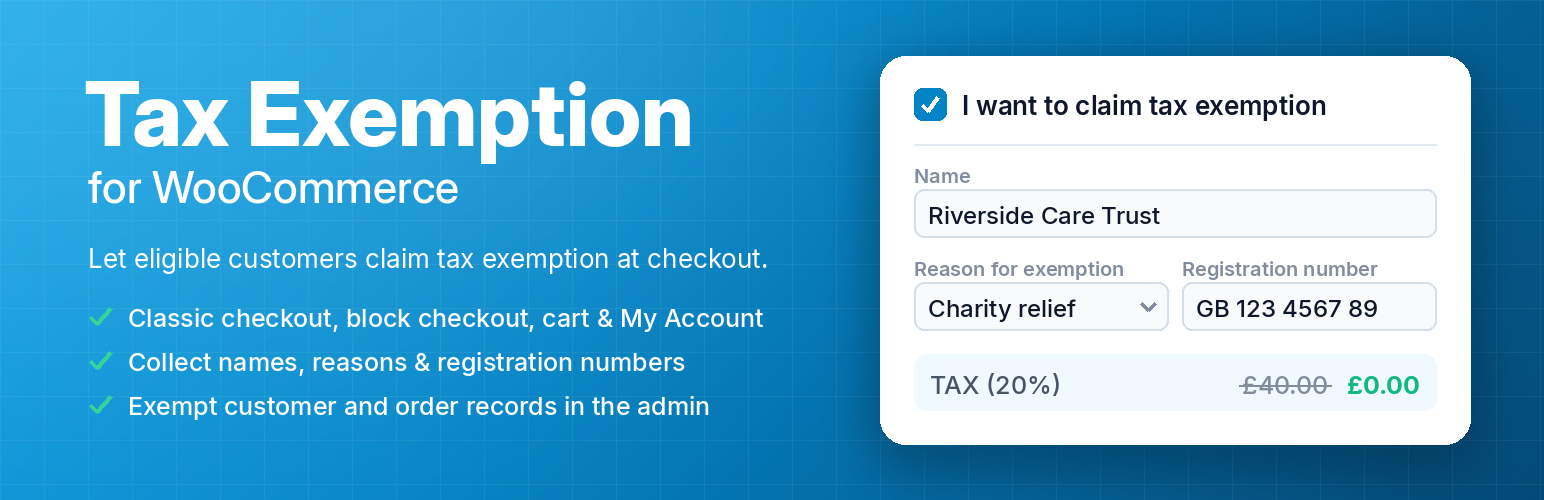
The Tax Exemption for WooCommerce plugin allows customers to declare tax exemption during the checkout process. It enables users to provide necessary details to automatically remove tax from their orders, which is beneficial for customers eligible for disability VAT exemption, charity VAT relief, or business customers with a VAT number.
You can configure various settings, such as enabling or disabling the tax exemption feature, selecting tax classes, and managing where the exemption fields appear. The plugin also provides a searchable list of exempt customers and orders, making it easier for administrators to manage tax-exempt transactions.
Best for: This plugin is suitable for WooCommerce stores that serve customers eligible for tax exemptions.
What it does well
Where it falls short
The Tax Exemption for WooCommerce plugin provides essential functionality for managing tax exemptions, making it a practical choice for relevant online stores.
Elliot Sowersby / RelyWP's own description of Tax Exemption for WooCommerce, lightly tidied.
Let your customers declare that they are exempt from tax on WooCommerce checkout, provide the details to back it up, and have tax removed from their order automatically.
This is useful if you have some customers that are eligible to be exempt from tax on your products, for example for the purpose of disability VAT exemption or charity VAT relief, or business customers supplying a VAT number.
Simply install the “Tax Exemption plugin for WooCommerce” plugin, and visit the “Tax Exemption” settings page under “WooCommerce” in the WordPress admin.
Configure the plugin settings as required:
Your customers will then be able to select the “I want to claim tax exemption” checkbox on the checkout page, and enter their tax exemption details.
Tax will be removed from their order if this is checked and they have entered their details successfully.
The tax exemption form works on the classic checkout, the WooCommerce block checkout, the cart page, and the “My Account” page, for both guests and logged in customers.
You can also place it anywhere else on your site with the [tefw_exemption_form] shortcode.
The PRO version offers several additional features including:
Other plugins for improving checkout.
Checkout Field Editor (Checkout Manager) for WooCommerce – The best WooCommerce checkout manager plugin to man...

Every store loses sales to cart abandonment. But with Cart Abandonment Recovery for WooCommerce, you can win t...

1 WordPress funnel builder & WooCommerce checkout plugin. Boost AOV with one-click upsells, order bumps &a...

A powerful side cart designed to make shopping faster and easier. Give customers instant cart access and a sea...

Create high-converting WooCommerce checkout pages, WooCommerce thank you pages & sales funnels with the hi...

Frictionless Multistep Checkout for WooCommerce. Get up to 36% increase in conversion rates with a better purc...