
Elementor addon offering 120+ widgets and templates — Elementor Gallery, Slider, Form, Post Grid, Menu, Accord...
Free
1M+ installs 4.9★ (4,111)
Add The Events Calendar shortcode, Gutenberg block, or Events Widget Element (Bricks Builder) to show events listing on any WordPress page using smart …
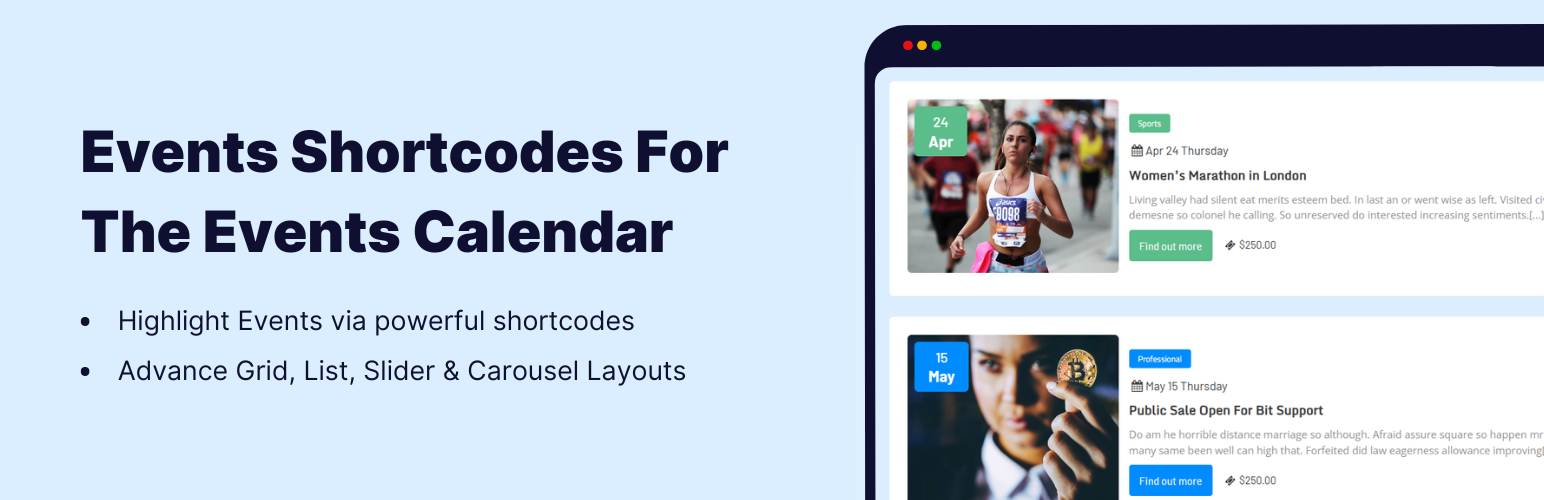
Events Shortcodes For The Events Calendar is a WordPress plugin that enhances The Events Calendar by allowing you to display events using shortcodes and Gutenberg blocks. It enables you to insert event listings into various content areas on your website, such as posts and landing pages, without needing to modify theme files.
The plugin offers multiple layouts for showcasing events, including list and timeline formats. It also allows filtering by date range and event type, making it suitable for users who want to present event information in a structured manner on their websites.
Best for: This plugin is suitable for websites that need to display events in various formats and layouts.
What it does well
Where it falls short
Events Shortcodes For The Events Calendar provides a flexible solution for integrating event listings into your site, making it a practical choice for event-focused websites.
CoolHappy's own description of Events Shortcodes For The Events Calendar, lightly tidied.
Events Shortcodes extends the functionality of The Events Calendar plugin by adding shortcode, Gutenberg Block, and Bricks Builder component support for displaying events anywhere on your website. This events calendar extension allows you to insert event listings into pages, posts, landing pages, or custom sections using simple shortcode attributes or the integrated block editor interface.
If you are looking for The Events Calendar shortcode, this addon provides a simple and flexible solution. It helps you present events created with The Events Calendar plugin in multiple layouts including list view, timeline format, and minimal list styles that help visitors quickly understand event schedules and details.
Events List | Events Timeline | Events Minimal List
Events Grid | Events Accordion | Events Masonry | Highlighted Layout
Events Carousel | Events Slider | Events Filter Bar | View All Demos
The Events Calendar Shortcode & Block
Insert events into any content area of your website using a dedicated Gutenberg events block or a simple shortcode for The Events Calendar. You can place an event feed inside posts, landing pages, or widgets without modifying your theme files.
[events-calendar-templates category="all" template="default" style="style-1" date_format="default" start_date="" end_date="" limit="10" order="ASC" hide-venue="no" time="future" socialshare="no"]Bricks Builder Integration: Easily display The Events Calendar events inside Bricks Builder using the dedicated Events component. Add event listings to any Bricks page or template, customize layouts visually, and create dynamic event sections without using shortcodes or custom code.
Multiple Event Layouts & Styles
Choose between list, timeline, and minimal list layouts to showcase a list of events in different visual styles. These layouts help organize event dates, titles, and details in a structured format that works well for event pages, schedules, and activity listings. The Pro version adds additional layouts such as grid, carousel, slider, accordion, and masonry views.
Date Filters in Shortcode
Filter events by date range or event type such as future events, past events, or all event archives. This allows you to create separate sections for upcoming schedules or previous event archives. You can also choose any date format to match your website’s regional settings.
Event Category, Sorting & Limit
Display events from specific categories and control how they appear on the page. You can sort events in ascending or descending order and limit how many events are shown in each listing. This helps create focused event sections such as featured events, category-based listings, or homepage event highlights.
The Pro version extends the core functionality of the plugin by providing additional layouts, filtering options, and advanced display controls. These features help website owners create more interactive event sections and present event information in visually engaging formats.
Add an advanced filter bar on the frontend that allows visitors to search and filter events directly from the page. Users can quickly search events based on categories, venues, organizers, or other available filters. This feature is useful for websites that publish a large number of events and want to provide an easy way for visitors to explore schedules and program listings.
Other plugins for extending a page builder.
Elementor addon offering 120+ widgets and templates — Elementor Gallery, Slider, Form, Post Grid, Menu, Accord...

Join millions who empower their websites with ElementsKit Elementor Addons. Get templates, & 100+ widgets...

Elementor addons with 18+ free widgets, Header & Footer Builder, WooCommerce widgets & templates. Trus...

Elementor Carousel, Mega Menu, Posts List/Slider, WooCommerce Widgets, Display Conditions, AI Abilities, Prema...

Elementor templates, Header footer builder, Elementor Post Grid, Woocommerce Grid builder, Slider, Forms, Gall...

Disable Gutenberg Block Editor and restore the Classic Editor and original Edit Post screen (TinyMCE, meta box...