Timify
With Timify, let your audience know about the last modified date, publish date, and reading time of your articles. You can also customize each setting …
The facts
- Rating
- 5★ from 2
- Active installs
- 100+
- Price
- Free
- Last updated
- 5 Oct 2023
- Added
- Jul 2021
- Requires WP
- 5.3
- Tested up to
- WP 6.1.12
- Requires PHP
- 7.0
- Downloads
- 4,124
Our analysis
AI-assistedTimify is a WordPress plugin that provides various date and time-related information for your articles. It automatically generates the last updated time, publish date, reading time, word count, and post view count, allowing you to inform your readers effectively. The plugin is designed for users who want to enhance engagement by displaying relevant timing information without needing to write code.
With Timify, you can customize labels and the placement of reading time and last modified dates using shortcodes. It supports various post types and allows for adjustments in how time is displayed, such as showing '3 days ago' instead of a specific date. This plugin is suitable for bloggers and website owners looking to improve content transparency and reader engagement.
Best for: Bloggers and website owners wanting to display updated content information.
What it does well
- ✓Automatically generates last updated and publish dates
- ✓Customizable labels for reading time and last modified date
- ✓Supports various post types including custom post types
- ✓Shortcode functionality for flexible placement
- ✓No coding required for setup
Where it falls short
- •Limited information on advanced features or user support
- •No mention of compatibility with specific themes or other plugins
Verdict
Timify offers useful features for displaying time-related information on WordPress sites. It is straightforward to use, making it a practical choice for enhancing reader engagement.
From the developer
ThemeIM's own description of Timify, lightly tidied.
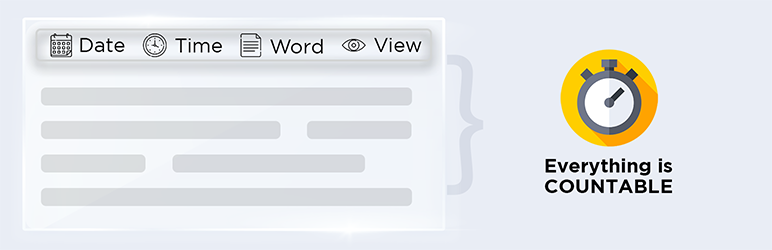
Timify is your one-stop solution for informing your readers about the last modified date, publish date, reading time, word count, post view count by IP address and date formate time ago of an article.
To maintain a proper engagement with your audience, it is important to add the last updated time of your post or page in WordPress.
Google prefers articles that include update dates rather than publish dates. Timify will automatically generate the last update time of your articles.
And you don’t have to write a single code. This makes it a lot easier to handle everything about timing.
Furthermore, you can also edit the “Last Update” word according to your preference.
And that’s not all, Timify allows you to add an estimating reading time for your WordPress blogs.
Read Next: How to Enable Automatic Plugin Updates
The estimating reading time will automatically appear at the beginning of your article as soon as you activate the plugin.
You can also deactivate the reading time from your dashboard. Labels and postfixes can be edited from the “Reading Time” section inside the settings.
Timify allows you to have absolute control over the reading time placement.
Insert and customize reading time into any post or page by using the [timify-post-reading-time] shortcode.
This shortcode is also compatible with label and postfix values. But, that’s optional and up to you to decide.
Features:
- Apply Date Time Format ( Date Time Filtering Purpose in published date)
EX: Default: April 13, 2021
After Modification: 3 days ago. - Apply the “Time Ago” showing as your preferred recently published posts. Available time period: Minutes, hours,days, months.
- Change the “Ago” Word .
- You can change the “Last Modified Label”
- You can position the “Last Modified Time” in 3 different ways. Before content, Replace the default published date or you can use the shortcode anywhere in the post page.
- Advanced method for changing the “Last modified date” position with the published date you should enter the css selector field.
- You can change the “Reading Time Label”
- You can position the “Reading Time” in 2 different ways. Before content or you can use the shortcode anywhere in the post page.
- You can apply the settings for almost every post type including Custom post types (If there exist any in your system).
- You can align the “Last Modified Label” and “Reading Time Label” in the single post page.
- You can disable or enable the plugin settings in individual posts in the post edit page.
- You can word count enable or disable in timify settings.
- You can post view enable or disable in timify stttings.
About the author
A product by ThemeIM plugin development team.
Problems and support
To get a faster response, you can use our website. If you have any query about Timify Plugin then please check our F.A.Q.
Comments, feedback and request features
Please give your valuable suggestions, comments, and feedback about this plugin or ideas about WordPress plugins, just visit us at ThemeIM. We are waiting to hear from you!