Transcoder
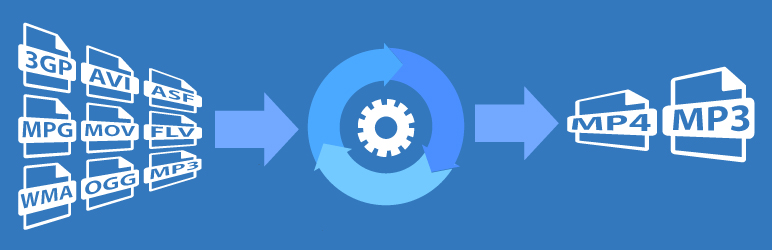
Transcoding services for ANY WordPress website. Convert audio/video files of any format to a web-friendly format (mp3/mp4).
The facts
- Rating
- 3.6★ from 8
- Active installs
- 400+
- Price
- Free
- Last updated
- 22 Aug 2025
- Added
- Aug 2016
- Requires WP
- 4.1
- Tested up to
- WP 6.8.8
- Downloads
- 88,424
Our analysis
AI-assistedTranscoder is a WordPress plugin that converts audio and video files uploaded to your website into web-friendly formats. It supports a variety of input media types and outputs audio in mp3 and video in mp4 formats. The plugin is designed to work on shared hosting and integrates with the rtMedia plugin for enhanced media experiences.
However, Transcoder has been discontinued and is no longer maintained. Users are encouraged to switch to the GoDAM plugin for advanced video management features, including smart transcoding and CDN support.
Best for: This plugin suits users looking to convert media files on their WordPress site, especially those using rtMedia.
What it does well
- ✓Converts various audio and video file types
- ✓Works on shared hosting environments
- ✓Integrates with rtMedia for enhanced social media features
- ✓Automatically generates thumbnails for videos
- ✓Easy to install and use
Where it falls short
- •No longer maintained or updated
- •Requires a subscription plan for services
- •Limited output formats for media
Verdict
Transcoder offers basic media conversion features but is not actively supported, making it less reliable for long-term use.
From the developer
rtCamp's own description of Transcoder, lightly tidied.
Transcoder plugin has been discontinued and no longer maintained, we recommend to use our new video management solution GoDAM which provides smart transcoding & adaptive bitrate, generate thumbnail, add custom layers, better way to organize media files, serve via CDN and do a lot more. Install the GoDAM plugin from here
Transcoder easily converts all audio and video files uploaded to your website to a web-friendly format.
Transcoder eliminates the need for a dedicated media node- no fiddling with installation, managing dependancies or renting servers! Transcoder also works on shared hosting- just install, subscribe and go!
All transcoding services are available via a subscription plan through this plugin.
Subscribe to our free plan from the plugin’s settings or from our product page. Note that Transcoder will not provide any services without a subscription plan.
Supported input media types:
- Audio: mp3, m4a, wav, ogg, wma
- Video: 3g2, 3gp, avi, flv, m4v, mp4, mpg, ogv, webm, wmv
Supported output media types:
- Audio: mp3
- Video: mp4
Create the ultimate niche community by combining Transcoder with our rtMedia plugin. Transcoder works perfectly with rtMedia to create a social experience that is accessible across all desktop and mobile devices.
Transcoder Features
- Works with ANY WordPress website – Transcoder plugs into your current website seamlessly, instantly improving user audio/video experience.
- rtMedia integration – Works perfectly with our own rtMedia, for a complete social media platform.
- Thumbnail generation – Automatically generate up to 10 thumbnails for every video, from which your users can choose one.
- [rt_media] shortcode – Use our shortcode to display transcoded audio/video file on any post or page. For example, [rt_media attachment_id=xx] the attachment_id parameter specifies the file to be displayed.
Privacy Warning
In order for us to transcode your media files, we need to copy it over to our server.
After transcoding is completed, the media can reside on our server for a maximum of 24 hours, before it is permanently and irreversibly removed by a Cron job.
Future Roadmap
- Additional output formats for video- ogg, webm
- Downsampling capabilities for output video resolution
- RESTful API