
Elementor addon offering 120+ widgets and templates — Elementor Gallery, Slider, Form, Post Grid, Menu, Accord...
Free
1M+ installs 4.9★ (4,111)
Hide Gutenberg blocks by device, custom breakpoints, and login status. Syncs with WordPress Hide block controls; Pro adds advanced rules.
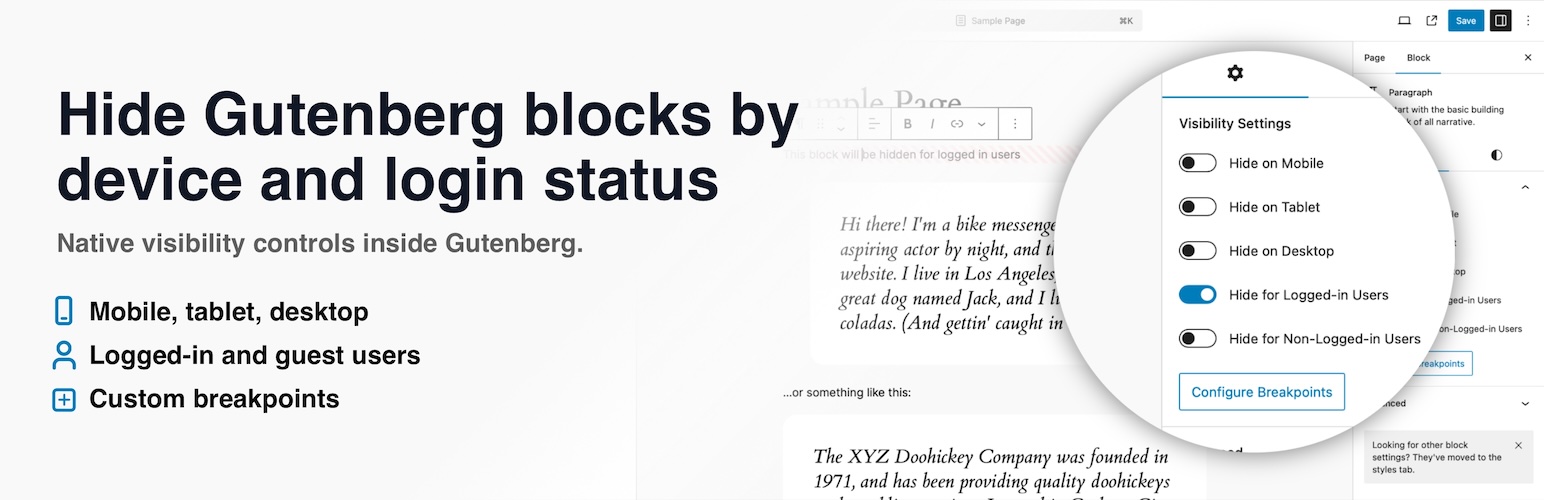
Visibility Controls for Editor Blocks is a WordPress plugin that enhances the block editor by adding visibility settings for Gutenberg blocks. You can hide or show blocks based on screen size and user login status directly from the editor sidebar, eliminating the need for custom CSS.
This plugin is suitable for content creators, site owners, and designers who want to manage block visibility effectively. It allows for responsive layouts and tailored content delivery without complicating the editing process.
Best for: Content creators and site owners looking to manage block visibility based on device and user status.
What it does well
Where it falls short
Visibility Controls for Editor Blocks offers a straightforward solution for managing block visibility in WordPress, particularly beneficial for those focused on responsive design and user-specific content.
denisdoroshchuk's own description of Visibility Controls for Editor Blocks, lightly tidied.
Visibility Controls for Editor Blocks adds native visibility settings to the WordPress block editor, so you can hide or show Gutenberg blocks based on screen size and user login status without writing custom CSS.
Use it to hide blocks on mobile, tablet, or desktop, show different content to logged-in users and guests, and fine-tune responsive layouts with your own breakpoints. The controls appear directly in the block editor sidebar, so you can manage visibility while editing your content.
On WordPress 7.0 and newer, the device controls stay in sync with the editor’s built-in Hide block modal, so changing Hide on Mobile, Tablet, or Desktop in either place updates the same block visibility setting.
The plugin works with regular Gutenberg blocks and modern dynamic blocks, including block theme and site editor contexts.
Need more advanced conditional visibility? Visibility Controls for Editor Blocks Pro adds user role visibility, date and time scheduling, URL/query parameter rules, and an optional cache-friendly frontend mode for scheduled and URL-based rules.
With Visibility Controls for Editor Blocks, you can keep one clean editor workflow while tailoring the frontend experience for different devices and visitors.
This plugin is licensed under the GPLv2 or later. You can find more information at https://www.gnu.org/licenses/gpl-3.0.html.
Other plugins for extending a page builder.
Elementor addon offering 120+ widgets and templates — Elementor Gallery, Slider, Form, Post Grid, Menu, Accord...

Join millions who empower their websites with ElementsKit Elementor Addons. Get templates, & 100+ widgets...

Elementor addons with 18+ free widgets, Header & Footer Builder, WooCommerce widgets & templates. Trus...

Elementor Carousel, Mega Menu, Posts List/Slider, WooCommerce Widgets, Display Conditions, AI Abilities, Prema...

Elementor templates, Header footer builder, Elementor Post Grid, Woocommerce Grid builder, Slider, Forms, Gall...

Disable Gutenberg Block Editor and restore the Classic Editor and original Edit Post screen (TinyMCE, meta box...