
WPThumbs
Themes Plugins By purpose By industry Best-of lists Fix it guides
Free Plugin by Riaan K. v2.2.0

Custom Thank You Page for WooCommerce

Replace the default WooCommerce Thank You page (order received page) with a custom Thank You page.
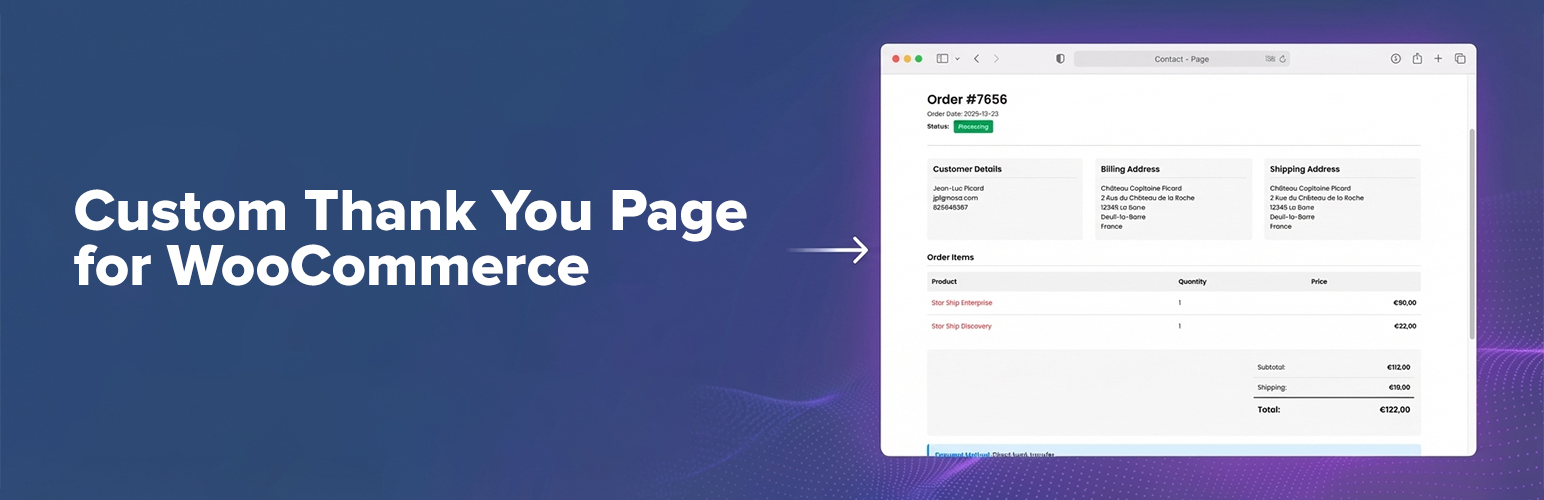
Custom Thank You Page for WooCommerce

The facts

Rating
5★ from 7
Active installs
2k+
Price
Free
Last updated
8 Jul 2026
Added
Aug 2015
Requires WP
6.5
Tested up to
WP 7.0.4
Requires PHP
7.4
Downloads
54,245

Our analysis

AI-assisted

Custom Thank You Page for WooCommerce is a WordPress plugin that allows you to replace the default WooCommerce thank you page with a custom page of your choice. This enables you to create a branded order confirmation experience tailored to your store and audience.

The plugin includes features such as automatic redirection after checkout, support for Gutenberg blocks and Elementor widgets, and shortcode options for displaying order details. It is designed to integrate seamlessly with WooCommerce, ensuring compatibility with updates and core logic.

Best for: This plugin is suitable for WooCommerce store owners looking to enhance their order confirmation process.

What it does well

  • Allows full control over the WooCommerce thank you page
  • Supports Gutenberg blocks and Elementor widgets
  • Automatic redirection after checkout
  • Shortcode support for flexible placement
  • Compatible with modern WooCommerce features

Where it falls short

  • Limited information on specific customisation options

Verdict

Custom Thank You Page for WooCommerce offers a straightforward way to personalise the customer experience after purchase. It is a useful tool for those wanting to improve customer engagement on their thank you page.

From the developer

Riaan K.'s own description of Custom Thank You Page for WooCommerce, lightly tidied.

The WooCommerce “thank you” page (order confirmation / order received page) is one of the most important pages in your store: it’s where customers look for confirmation, next steps, downloads, shipping info, and payment instructions.

Custom Thank You Page for WooCommerce lets you replace the default WooCommerce Thank You page with a page you fully control — so you can deliver a branded order confirmation experience that matches your store and your audience.

Attribution

This plugin was originally created and maintained by Nicola Mustone. You should definitely check out his blog “But. Honestly”.

Why you’ll love it

  • Choose any WordPress page as your custom WooCommerce Thank You page.
  • Automatic redirect after checkout (customers land on your custom order confirmation page).
  • Block-based order confirmation: add the included Order Confirmation block (Gutenberg / Site Editor / FSE) to show complete order details.
  • Elementor widget: drop the Order Confirmation widget onto any Elementor page for the same order details, with the same layouts, section toggles, and colors as the block (and a live preview while you edit).
  • Shortcode support: use [wc_custom_thankyou] if you prefer explicit placement (classic editor, templates, builders, etc).
  • Compatible by design: uses WooCommerce core logic and the default checkout/thankyou.php template when needed, so it stays aligned with WooCommerce updates.
  • Modern WooCommerce compatibility: declared compatible with HPOS (High-Performance Order Storage) and Cart & Checkout blocks.

Use cases (what you can build)

Turn your custom thank you page into a conversion, support, and retention asset:

  • Add a personalized thank you message and “what happens next”
  • Upsell/cross-sell related products after purchase
  • Display delivery timeframes, FAQ, support links, and onboarding steps
  • Add download instructions, community invites, or account setup links
  • Add custom tracking scripts or conversion snippets (where appropriate)

How it works

  1. Customer completes checkout.
  2. WooCommerce redirects to its standard Order Received page.
  3. This plugin safely redirects them to your configured custom Thank You page (keeping the required order context).
  4. Your page can display the order confirmation details automatically, via shortcode, via the block, or via the Elementor widget.

Configuration (2 minutes)

  1. Go to WooCommerce → Settings → Advanced
  2. Find Custom Thank You
  3. Select your Thank You Page and save

Block, Elementor & Shortcode options

  • Block (recommended for block themes / Site Editor): On your custom Thank You page, add the Order Confirmation block.
  • Elementor widget (for Elementor sites): Edit your custom Thank You page with Elementor and add the Order Confirmation widget (in the “Custom Thank You” category). It offers the same layouts, section toggles, and colors as the block.
  • Shortcode: Add [wc_custom_thankyou] where you want the order confirmation details to appear.

If you do nothing else, the plugin will append the standard WooCommerce Thank You template output to your page content (for backwards compatibility).

Read the full description on the official page →

Tagged as

Alternatives

Other plugins for extending a page builder.

Essential Addons for Elementor

Elementor addon offering 120+ widgets and templates — Elementor Gallery, Slider, Form, Post Grid, Menu, Accord...

Free 1M+ installs 4.9★ (4,111)
ElementsKit Elementor Addons

Join millions who empower their websites with ElementsKit Elementor Addons. Get templates, & 100+ widgets...

Free 1M+ installs 4.9★ (2,036)
Ultimate Addons for Elementor

Elementor addons with 18+ free widgets, Header & Footer Builder, WooCommerce widgets & templates. Trus...

Free 2M+ installs 4.9★ (2,525)
Premium Addons for Elementor

Elementor Carousel, Mega Menu, Posts List/Slider, WooCommerce Widgets, Display Conditions, AI Abilities, Prema...

Free 600k+ installs 4.9★ (1,677)
Royal Addons for Elementor

Elementor templates, Header footer builder, Elementor Post Grid, Woocommerce Grid builder, Slider, Forms, Gall...

Free 600k+ installs 4.8★ (611)
Disable Gutenberg

Disable Gutenberg Block Editor and restore the Classic Editor and original Edit Post screen (TinyMCE, meta box...

Free 500k+ installs 5★ (733)