
WP-Optimize
95Get caching and more with this powerful cache plugin. Cache, optimize images, clean your database and minify f...
Free
1M+ installs 4.8★ (2,606)
"Weather Forecast Widget" displays current weather and hourly/daily forecasts in a widget using a shortcode.
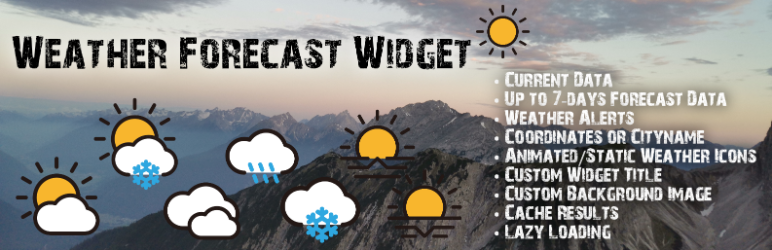
The Weather Forecast Widget is a WordPress plugin that retrieves weather data from the OpenWeatherMap API. You can display weather information for a specific city or geographic coordinates using a shortcode. The widget offers multiple templates to present current and forecasted weather data, including options for hourly forecasts and active weather alerts.
This plugin is suitable for users who want to integrate weather information into their WordPress site. However, it requires a valid billing method on your OpenWeatherMap account to function due to recent API changes.
Best for: This plugin is best for website owners looking to add weather information to their WordPress site.
What it does well
Where it falls short
The Weather Forecast Widget provides a straightforward way to display weather data, but the need for a payment method on OpenWeatherMap may deter some users.
adminbergtourentipptirol's own description of Weather Forecast Widget, lightly tidied.
The weather data for this widget will be retrieved from the OpenWeatherMap API with your own API key.
⚠️ Important Note: OpenWeatherMap has transitioned from version One Call API 2.5 to the new One Call API 3.0.
As of now, usage of the API is no longer possible without adding valid billing information (e.g. a credit card) to your OpenWeatherMap account – even for the free tier.
This means that the Weather Widget will not work anymore unless:
– you switch to the new One Call 3.0 API, and
– you have a valid payment method on file in your OpenWeatherMap account.
🔒 Recommendation:
To avoid unexpected charges, it is highly recommended to set a billing cap / usage limit in your OpenWeatherMap account under Billing Plans after adding a payment method.
For pricing details and limits, visit: Pricing – OpenWeatherMap
You can show the weather for a CITY (input data: city name) or for specific COORDINATES (input data: latitude & longitude coordinates) in the widget.
The weather widget can be implemented in a page, a post or into the widget area with the help of the shortcode [weather_forecast_widget]. Furthermore you´ll be able to pass different attributes to each shortcode to override your settings for this widget placement (e.g. manage widget title with an shortcode attribute).
Currently you can choose 3 templates for the widget.
* Template 1
* Current day´s weather with a weather forecast for the next 3 days
* Template 2
* Template 2 uses Bootstrap!
* Current day´s weather with an hourly weather forecast and a weather forecast for the next 3 days
* Template 3
* Template 3 uses Bootstrap!
* Weather for the current day and for the next 7 days, each with an hourly weather forecast and a weather forecast for the next 3 days
* Alert Template 1
* Alert Template 1 uses Bootstrap!
* Active weather alerts
For this widget, you´ll be able to choose your own background image. Either you set a static background image in the widget settings or you choose the dynamic variant (thumbnail of the page/post, where the shortcode is placed) will be used as a background image.
Other plugins for making sites fast.
Get caching and more with this powerful cache plugin. Cache, optimize images, clean your database and minify f...

All-in-one unbeatable acceleration & PageSpeed improvement: caching, image/CSS/JS optimization...

Comprehensive image optimization with WebP, AVIF, Lazy Load, and more. Optimize images automatically for Faste...

Easy to use Under Construction Page & Coming Soon Page. Enable Under Construction Mode in seconds & sh...

Compress and optimize images, enable lazy load, serve WebP & AVIF, and speed up your site with a global im...

Speed up your website by using our WebP & AVIF Converter. Optimize images and serve WebP and AVIF images i...