
WP-Optimize
95Get caching and more with this powerful cache plugin. Cache, optimize images, clean your database and minify f...
Free
1M+ installs 4.8★ (2,606)
Display weather information for a specific location.
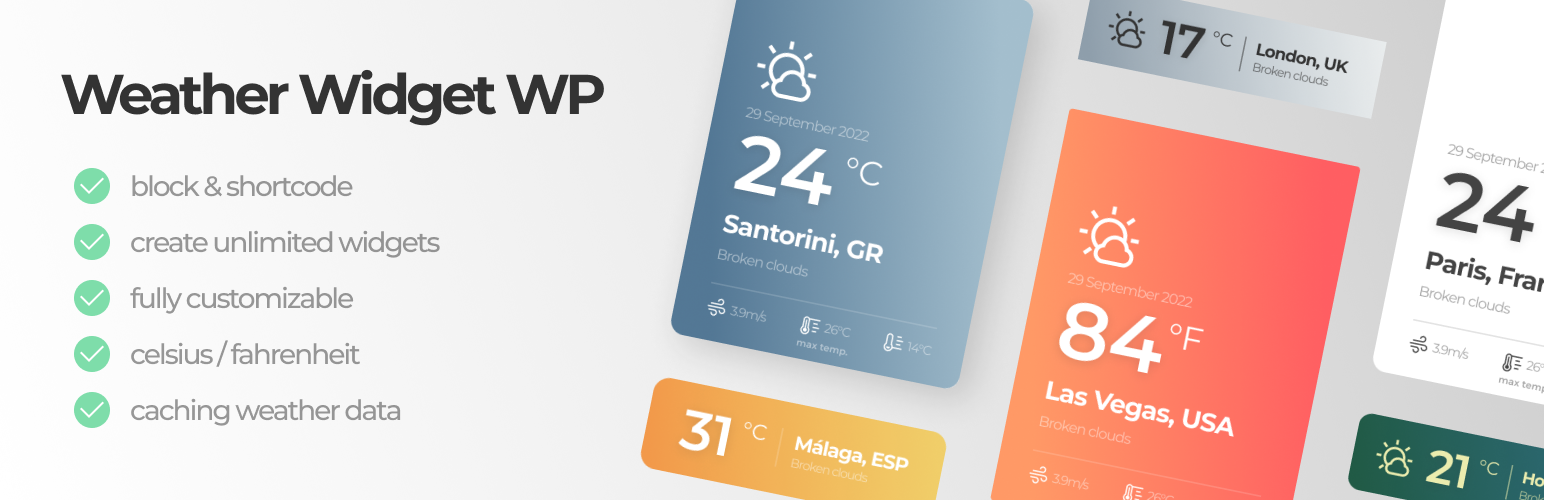
Weather Widget WP is a WordPress plugin that displays current weather information for any specified location. It can show temperature, wind speed, weather descriptions, and icons, and can be used as a block in the WordPress editor, a widget in a sidebar, or via a shortcode. Users can customize the widget's appearance and functionality through various settings.
The plugin requires an account with Open Weather API and an API key for data retrieval. It includes caching features to manage API usage effectively. This plugin is suitable for users looking to add weather information to their WordPress sites, particularly those familiar with the block editor.
Best for: This plugin suits WordPress users wanting to integrate weather information into their sites.
What it does well
Where it falls short
Weather Widget WP provides a straightforward way to display weather data, but users must manage API keys and caching settings.
ajdethemes's own description of Weather Widget WP, lightly tidied.
This plugin allows you to show the current weather info for any location. You can show the temperature in Celsius or Fahrenheit units, show wind speed, max & min temperature, weather description, date and weather icon.
You can use this plugin as a block (with a name “Weather Widget WP”) in the WordPress block editor in a page, post or as a widget in a sidebar, or as a shortcode – example [weather_widget_wp_location city="London" title="London, UK"].
You can customize the weather widget however you like. The widget have two styles: minimal & expanded that show different amount of data.
When using the custom block, click the gear icon (top right) to show the settings, under Customize Style there numerous settings to style the widget in order to match your website style.
The plugin gets the weather data from Open Weather API, so you will need to have account & API key to use it. If you don’t have an account follow the instructions in the plugin settings page to setup an account.
Also, keep in mind that newly created API keys will need ~ 15 min to be activated and show data, so you might see an API error in meantime.
You can utilize the caching feature from the plugin settings page, to save (cache) the weather data for number of hours, so you don’t exceed the you API free tier rate too fast.
This is enable by default, so the weather data on the front-end might not match the back-end editor (this is because of the caching).
Setting the cache setting to 0 will disable the caching – not recommended.
Recommended use of this plugin is as a block via the WordPress block editor – for ease of use, but you can use the plugin also as a shortcode, bellow are all the shortcode attributes explained.
Example: [weather_widget_wp_location city="Santorini" title="Santorini, Greece" style="style-minimal" units="F" desc=1 icon=0]
style – two options: ‘style-expanded’ or ‘style-minimal’, e.g. style="style-minimal";city – location for which the weather data will be shown e.g city="london";title – the title inside the widget e.g. title="London, UK";units – temperature units, two options Celsius or Fahrenheit, e.g. units="C";desc – show short weather description (1 – enable, 0 – disable), e.g. desc=0;icon – show weather icon (1 – enable, 0 – disable), e.g. icon=0;date – show the current date (1 – enable, 0 – disable), e.g. date=0;wind – show the wind speed (1 – enable, 0 – disable), e.g. wind=0;max – show the max. temperature prediction (1 – enable, 0 – disable), e.g. max=0;min – show the min. temperature prediction (1 – enable, 0 – disable), e.g. min=0;block_align – alignment of the widget (left, right, center, wide, full);css_class – add custom css class;css_style – add custom inline style;Other plugins for making sites fast.
Get caching and more with this powerful cache plugin. Cache, optimize images, clean your database and minify f...

All-in-one unbeatable acceleration & PageSpeed improvement: caching, image/CSS/JS optimization...

Comprehensive image optimization with WebP, AVIF, Lazy Load, and more. Optimize images automatically for Faste...

Easy to use Under Construction Page & Coming Soon Page. Enable Under Construction Mode in seconds & sh...

Compress and optimize images, enable lazy load, serve WebP & AVIF, and speed up your site with a global im...

Speed up your website by using our WebP & AVIF Converter. Optimize images and serve WebP and AVIF images i...