Widget Visibility Time Scheduler
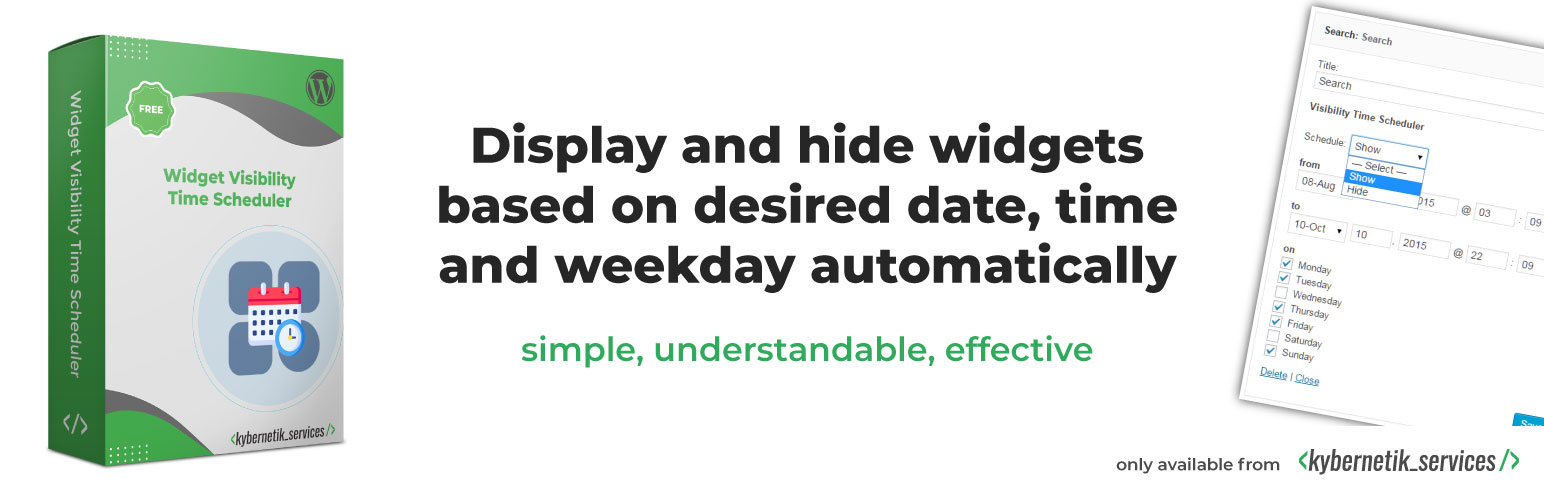
Control the visibility of each widget easily based on date, time and weekday.
The facts
- Rating
- 5★ from 8
- Active installs
- 1k+
- Price
- Free
- Last updated
- 18 Aug 2026
- Added
- Dec 2014
- Requires WP
- 3.5
- Tested up to
- WP 7.1
- Requires PHP
- 5.2
- Downloads
- 54,168
Our analysis
AI-assistedWidget Visibility Time Scheduler is a WordPress plugin that allows you to control the visibility of widgets based on specific dates, times, and weekdays. It automates the process of showing or hiding widgets according to your set schedule, making it useful for seasonal promotions, events, or any time-sensitive content.
The plugin is available in multiple languages and complies with GDPR regulations as it does not collect personal data. However, it is currently not compatible with the block-based widgets introduced in WordPress 5.8 unless you switch back to the classic widget editor.
Best for: This plugin is suitable for users who need to manage widget visibility based on specific timeframes.
What it does well
- ✓Displays and hides widgets based on date and time
- ✓Supports multiple languages
- ✓Complies with GDPR regulations
- ✓Easy to set visibility schedules
Where it falls short
- •Not compatible with WordPress 5.8 block-based widgets without reverting to classic editor
- •Daytime scheduling and automatic cache clearing require the Pro version
Verdict
Widget Visibility Time Scheduler offers a straightforward solution for controlling widget visibility but has limitations regarding compatibility with newer WordPress features.
From the developer
Kybernetik Services's own description of Widget Visibility Time Scheduler, lightly tidied.
Widget Visibility Time Scheduler displays and hides widgets based on desired date, time and weekday automatically.
Try it out on your free demo site https://demo.tastewp.com/widget-visibility-time-scheduler
The plugin is available in English, Spanish (Español), German (Deutsch), Brazilian Portuguese (Português do Brasil), Persian (Farsi), Hungarian (Magyar), Arabic (العربية), Polish (Polski) and Catalan (Català). It does not collect any personal data, so it is ready for EU General Data Protection Regulation (GDPR) compliance.
NOTE: Widget Visibility Time Scheduler is currently NOT compatible with WordPress 5.8 introduced block-based widgets editor. If you have already updated to WordPress 5.8, or you want to do this, but you want to still use Widget Visibility Time Scheduler you need to switch back to the classic widget editor. For this we provided a new setting page where you can do this.
If you don’t want to do this, Widget Visibility Time Scheduler is not the right plugin for you.
Compatibility with block based widgets
With WordPress 5.8 the block based widgets were introduced. The technique behind these new widget concept is more complex. One of the changes is, the widgets are now using API call to display.
Extensive programming is required to prepare Widget Visibility Time Scheduler for this new feature. Nothing I could do in the short time I was able to test this feature.
Even so, Widget Visibility Time Scheduler works with WordPress 5.8 and higher. The only adjustment you need to make is to turn off the block-based widgets for a while.
As known from the Gutenberg block editor, there is also a plug-in to deactivate the block-based widgets.
Please download, install and activate Classic Widgets from wordpress.org and switch back to the usual widget area.
I’m working hard to make Widget Visibility Time Scheduler compatible for the block based widgets. It takes some time to provide a stable and error-free code base.
Stay tuned for a brand-new version soon. And thank you for your understanding.
What users said
- “…a handy tool…” in Make WP Widgets Visible Based On Date by WordPress Jedi on March 10th, 2016.
- “The plugin is perfect for seasonal widgets, temporary sales/promotions, events, live chat buttons, and any other time/date-dependent content.” in Control the Visibility of WordPress Widgets Based on Time and Date by Sarah Gooding on January 5, 2015.
Show and hide widgets within a desired period and at given weekdays
The Widget Visibility Time Scheduler enables you to set the period and weekdays of the visibility of each widget easily. You can set to show or to hide the widget during schedule. It is available in english, german, spanish, brazilian portuguese, persian, hungarian and arabic language.
Daytime version available in the Pro version
If you want to schedule the visibility based on the daytime of each weekday go to the Pro version of the plugin.
Automatic cache clearing available in the Pro version
Doesn’t the activated cache react when a widget is hidden or displayed by the scheduler? So if you want the cache to empty/clear/purge/flush automatically, the Pro version is the right tool for you.