
WooCommerce
94Everything you need to launch an online store in days and keep it growing for years. From your first sale to m...
Free
7M+ installs 4.5★ (4,820)
Cart All In One For WooCommerce helps your customers view cart effortlessly.
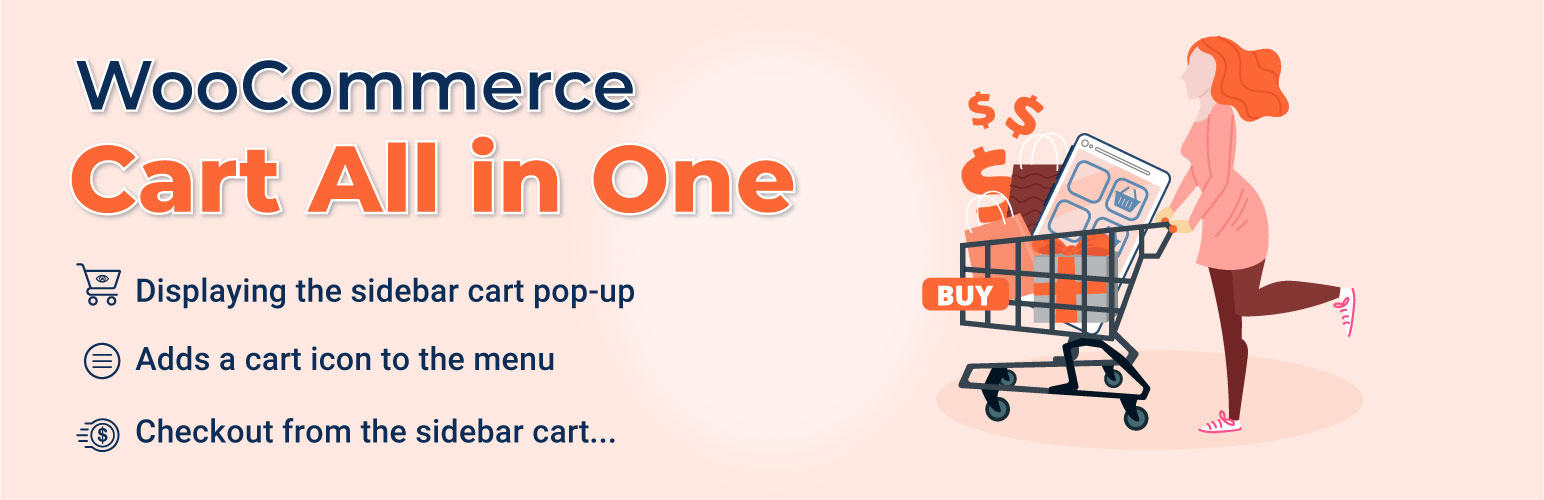
CartSuite – Cart All In One For WooCommerce is a WordPress plugin designed to enhance the checkout process for WooCommerce stores. It allows customers to complete their orders with a single click, bypassing the traditional cart page and streamlining their shopping experience. The plugin features a sidebar cart that displays product information and allows for coupon application, quantity adjustments, and direct checkout options.
This plugin is suitable for WooCommerce store owners looking to improve the efficiency of their checkout process and reduce customer distractions. It can help increase sales by simplifying the ordering process and retaining customer information for future purchases.
Best for: WooCommerce store owners wanting to streamline the checkout process.
What it does well
Where it falls short
CartSuite – Cart All In One For WooCommerce offers a practical solution for enhancing the checkout experience. However, users should be cautious of the security implications related to its coding practices.
VillaTheme's own description of CartSuite, lightly tidied.
One Click Checkout WooCommerce and boost your sales with WooCommerce Cart All in One plugin is intended to help customers fulfill their orders with a single click. One Click Checkout WooCommerce saves customers time by checking out directly on the sidebar cart, bypassing the cart page. Customers are not distracted in the ordering process. When a customer registers, One Click Checkout WooCommerce saves all of their important and relevant information. This also aids in the elimination of repetitive manual data entry. You will be surprised at how sales and revenues increase to take advantage of this plugin using the one Click Checkout WooCommerce technique.
WooCommerce Cart All In One Plugin is a powerful extension that helps to innovate the functions of the Cart on the WooCommerce Store. The plugin also provides users with many useful tools to design all the elements relating such as Sidebar Cart, Menu Cart, Sticky Add To Cart button, Checkout on Sidebar Cart, one click checkout WooCommerce, which will make your WooCommerce Store work more effectively.
Try the Demo | Documents | Premium version | Facebook group
Plugin works based on WooCommerce plugin.
To handle WP’s Conditional Tags, this plugin uses eval() which is very dangerous because it allows execution of arbitrary PHP code. Therefore, please only fill this field with proper conditional tags which are validated and/or provided by trusted developers.
It is released on WordPress.org and you can use plugin as free to build themes for sale.
► SIDEBAR CART: Display Sidebar cart pop-up with all features of the cart page. Customers can add coupons, select quantity, remove items
Sidebar cart icon: display a small sidebar cart icon at the corner of the screen. Let the customer know how many products they have in their cart. And allow them to open the sidebar car pop-up.
Sidebar cart pop-up: the sidebar cart pop-up appear when a customer adds a product to the cart or click on the sidebar cart icon. The pop-up allows them to view their cart, use coupons or go to the check-out page directly.
Product information: the sidebar cart pop-up displays the information about products in the customer’s cart including product name, product image, price, quantity.
Change quantity: customers can change the quantity of each product directly in their cart.
Remove Product: a remove button appear next to each product name, allowing the customer to remove that product from their cart.
Cart Subtotal: display the subtotal amount, this amount does not include tax, shipping… and be the same as the subtotal amount on your cart page.
Cart total: display the cart total amount.
Update Cart button: when customers change quantity product in their cart, the update button allows them to update the cart total amount.
Use Coupon: Coupons can be applied on the sidebar cart pop-up. If the coupon is added successfully, the cart total amount will be reduced and the plugin will display a successful message. If the coupon can not be used, the plugin will display an unsuccessful message with the reason.
Checkout: a checkout button allows customers to go directly to the checkout page if they decide to purchase your items.
View Cart: go to the cart page directly with the View Cart button.
Related products: the related product option allows to display of related products at the bottom of the sidebar cart. You can choose to display the best-selling products, recently viewed products, or top-rated products.
Assign page: choosing the pages which display the sidebar cart.
► MENU CART: The plugin adds a cart icon to the menus. It allows the customer to view the cart by hovering their mouse on the menu bar.
Menu Cart icon: the plugin will display a cart icon on selected menus. The icon will display the number of items in the cart.
Dropdown cart: display cart dropdown when customers hover their mouse over the menu cart icon.
► AJAX ADD TO CART: The AJAX Add to Cart option allows customers to add products to the cart from single product pages or quick view pop-ups without reloading the page. Besides that, the user can choose the products which are not to be applied to ajax add to the cart.
► ADD TO CART FOR VARIABLE PRODUCT: The plugin offers a custom Add to Cart button for the variable product. The customers can select variations and add the product to the cart in archive pages without going to the single product page.
Select option pop-up: in archive pages, when a customer clicks on the add to cart button of a variable product, a pop-up will appear allowing them to select the product variations. With the variation, pop-up customers can select product variations, quantity and then add the product to the cart.
Change the add to cart button label: change the label of the add to cart button to “select options” or any text you want. This option applies to variable products only.
► DESIGN: The plugin allows you to design the front-end of the sidebar cart, menu cart to match your website. The designs can be visible in the settings area before publishing.
Sidebar Cart:
2 styles: there are 2 sidebar cart style full height and pop-up.
4 position: you can put the sidebar cart in 4 positions.
8 styles of Sidebar trigger Event
12 loading type and change the color loading bar
Automatically open sidebar cart when adding products to the cart.
Add to cart animation: display an animation of the product “fly” to cart when clicking the add to cart button.
Open the sidebar cart when adding products to the cart.
Header: change background change, title, title color, apply coupon button color in the header area.
Product list: background color, product image radius, product title color, remove icon color. Change the title color when hovering the mouse on the product.
Footer: change the background color, checkout button text, checkout button color, view cart button text, view cart button color, cart total text color in the footer area.
Sidebar Cart icon:
5 front-end styles: The styles of sidebar icons are designed creatively to have more choices for users.
45 cart icons: There are many cart icon types from simple to eye-catching to suitable with many styles.
Customize the size of cart icon: Change the Sidebar cart icon size with the adjusting ruler.
Customize the position of cart icon: Choose the positions for sidebar cart icon on the site by the Sidebar Cart Horizontal and Sidebar Cart Vertical.
Shadow for box: Create the box-shadow to make it more impressed
Color Settings: Easily to set the color of sidebar cart icon, background, product counter, Border Radius. The users can choose the colors from the color picker or enter the color hex.
Menu Cart:
Navigation page: choose to redirect to the cart page or checkout page when clicking on the menu cart icon.
Show content: display the content of the cart when hover mouse on the menu cart icon.
45 cart icons for you to select.
Change the color of the cart icon and cart hover color.
Cart icon text: choose to display product quantity, total price, or both quantity and total price on the cart menu.
Choose to show the subtotal or total price on menu cart
Change the text color of the menu cart.
Other plugins for selling online.
Everything you need to launch an online store in days and keep it growing for years. From your first sale to m...

Top-rated antispam for contact forms, comments, WooCommerce, eCommerce, and login. No CAPTCHAs, no friction, j...

Weight based shipping methods for WooCommerce. Flexible shipping with table rate rules by cart weight and orde...

Every store loses sales to cart abandonment. But with Cart Abandonment Recovery for WooCommerce, you can win t...

Germanized extends WooCommerce to become a legally compliant shop for the german market. Must Have for every g...

🤩 Make popups & optin forms to get more email newsletter subscribers, leads, and sales - #1 most popular...