
WooCommerce
94Everything you need to launch an online store in days and keep it growing for years. From your first sale to m...
Free
7M+ installs 4.5★ (4,820)
Easily create stunning lookbooks or sync Instagram photos. Captivate customers with beautiful displays and boost sales with in-lookbook Quick View
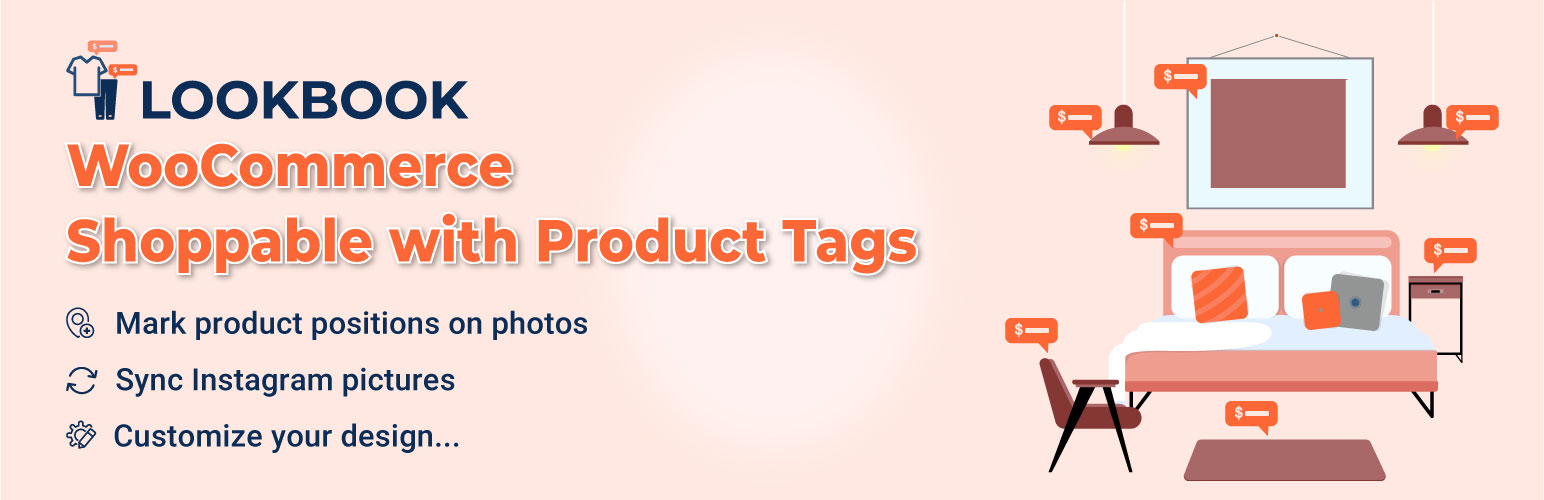
Lookzy LookBook for WooCommerce is a WordPress plugin that enables users to create interactive lookbooks for their WooCommerce products. It allows customers to visualise products in real-life scenarios by marking product positions on images with nodes. Users can add product details and enable shopping directly from the lookbooks, enhancing the online shopping experience.
This plugin is suitable for businesses looking to integrate their WooCommerce store with Instagram, as it can sync images from Instagram accounts and display them in lookbooks. It is designed for eCommerce sites, particularly those in fashion and apparel, who want to create engaging visual content to attract customers.
Best for: This plugin suits eCommerce sites, especially in the fashion sector, looking to enhance product presentation.
What it does well
Where it falls short
Lookzy LookBook for WooCommerce offers a straightforward way to create engaging lookbooks for online stores. It is a useful tool for businesses aiming to improve customer interaction and visual merchandising.
VillaTheme's own description of Lookzy LookBook for WooCommerce, lightly tidied.
WooCommerce Instagram Shop will be a new opportunity for newbie start-ups in the middle of the digital shift and the rise of online business. If you are thinking about the Instagram shop with WooCommerce, start an online business on WooCommerce and Instagram platforms, the WooCommerce Lookbook plugin should not be ignored. WooCommerce Instagram Shop will come true if you start setting up the special goals and let’s run into business with this plugin.
WooCommerce Lookbook allows you to create realistic lookbooks of your products, help your customers visualize how products look in real life.
► WOOCOMMERCE LOOKBOOK AND SLIDES SUPPORTING FOR WOOCOMMERCE INSTAGRAM SHOP
Create Lookbooks: Create Lookbooks by using nodes to mark products position on photos. By click on nodes, customers can see products information with name, short description, price… Customers will also be able to add products to cart from Lookbooks..
Add node: Adding 2 nodes and drag and drop it to mark product positions on Lookbooks.
Drag and drop: Easy to select node position by using drag and drop feature. Hold mouse over nodes and move it to the product position on pictures.
Slides: You can combine lookbooks and display it on front-end as a slide.
Autoplay: Automatical plays the slide with a specified auto-move duration.
Autoplay duration: Select a specified time to move to the next lookbook with autoplay slides option.
Lookbooks in single product page: Automatical finds lookbooks that include the product and displays that lookbook in the product description.
Link Redirect: If this option is enabled, clicking on a node will redirect to the single product page.
External Link: An option for External/Affiliate products, clicking on a node will redirect to the external link instead of the single product page.
Shortcodes: Use shortcodes to put lookbook anywhere you want on your sites
► QUICKVIEW
Quickview: By click on nodes, customers will open a QuickView popup. The QuickView popup provides them the product name, short description, price.
Add to Cart: There is also an Add to Cart button on the QuickView popup, allowing customers to select a quantity and add the product to cart.
► WOOCOMMERCE INSTAGRAM SHOP
Shop by Instagram: Sync published pictures from any Instagram account to your WooCommerce Lookbook and using it to create lookbooks, slides. Enter an Instagram username to sync pictures from that account to WooCommerce Lookbook. You will be able to sync 12 pictures at one time.
Link to Instagram: Enable the “View on Instagram” button on the Quickview popup, the button will lead to the original Instagram page which you used to create the Lookbook.
Carousel/Gallery display: Display Instagram lookbooks on the frontend in Carousel or Gallery style.
► DESIGN
Nodes color: Design nodes with main color, background color, border color
Product title: Choose to display or hide the product titles above the nodes on Lookbooks.
Title color: Design product titles color with text color and background color.
Quickview pop-up design: Design QuickView popup with text color, background color, border-radius.
Close button: Select to display or hide the Close button on Quickview popup.
See more button: Select to display or hide the see more button on Quickview popup. The see more button will lead to the single product page.
Slide size: Customize the slide size with width and height.
Slide Pagination/Navigation: Enable or disable the slide pagination/navigation on the frontend.
Custom Script: Add your own CSS code to fully customize lookbook as you want.
Other plugins for selling online.
Everything you need to launch an online store in days and keep it growing for years. From your first sale to m...

Top-rated antispam for contact forms, comments, WooCommerce, eCommerce, and login. No CAPTCHAs, no friction, j...

Weight based shipping methods for WooCommerce. Flexible shipping with table rate rules by cart weight and orde...

Every store loses sales to cart abandonment. But with Cart Abandonment Recovery for WooCommerce, you can win t...

Germanized extends WooCommerce to become a legally compliant shop for the german market. Must Have for every g...

🤩 Make popups & optin forms to get more email newsletter subscribers, leads, and sales - #1 most popular...