Database Reset
Skip reinstalling WP to reset it & reset the WordPress database back to its original state with 1-click.
The facts
- Rating
- 4.5★ from 77
- Active installs
- 10k+
- Price
- Free
- Last updated
- 16 Aug 2026
- Added
- Oct 2011
- Requires WP
- 4.2
- Tested up to
- WP 7.1
- Requires PHP
- 5.2
- Downloads
- 1,504,992
Our analysis
AI-assistedThe Database Reset plugin for WordPress allows you to reset your database to its default settings quickly and easily. You can choose to reset all tables or select specific ones, making it suitable for developers who need to clear unnecessary content without a full reinstall of WordPress.
This plugin offers a one-click process for resetting and can also be used via the command line with WP-CLI for more advanced users. It is designed to be secure and user-friendly, ensuring that accidental resets are not possible.
Best for: This plugin is best for WordPress developers needing to reset databases during development.
What it does well
- ✓Fast one-click reset process
- ✓Option to reset all or specific database tables
- ✓Secure design prevents accidental resets
- ✓Command line support for advanced users
- ✓Useful for developers cleaning databases
Where it falls short
- •Limited features compared to advanced WP Reset plugin
- •No information on support response times
Verdict
The Database Reset plugin provides a straightforward solution for resetting WordPress databases, particularly useful for developers. It is simple to use but may lack some advanced features found in other reset tools.
From the developer
WebFactory's own description of Database Reset, lightly tidied.
If you need more reset tools install the free, advanced WP Reset plugin. It has a lot more reset tools to individually reset plugins, themes, transients and media. You can also create database snapshots to restore your WP site with one click if you make a mistake.
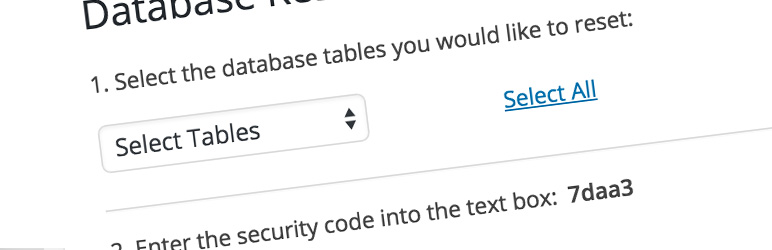
The WordPress Database Reset plugin allows you to reset the database (all tables or the ones you choose) back to its default settings without having to go through the WordPress 5 minute installation or having to modify any files.
Features
- Extremely fast one click process to reset the WordPress database tables
- Choose to reset the entire database or specific database tables
- Secure and super simple to use
- Safe – it’s not possible to accidentally click reset
- Prefer the command line? Reset the database in one command
- Excellent for theme and plugin developers who need to clean the database of any unnecessary content
Command Line
Once activated, you can use the WordPress Database Reset plugin with WordPress CLI. List of WP-CLI commands:
Reset all tables:
wp reset database
Specify a list of tables to reset:
wp reset database --tables='users, posts, comments, options'
The current theme and plugins will be reactivated by default. You can disable them like so:
wp reset database --no-reactivate
List table names:
wp reset list
Support
Create a new post in the WordPress Database Reset support forum.