CodeMirror Blocks
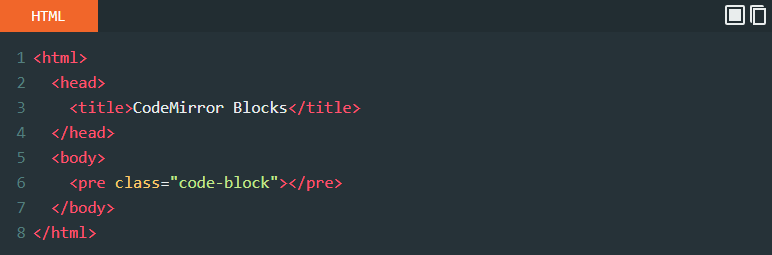
CodeMirror Blocks is useful for tutorial site where display formatted (highlighted) code block. With support of 100+ Language/Mode and 56 Themes.
The facts
- Rating
- 5★ from 41
- Active installs
- 1k+
- Price
- Free
- Last updated
- 9 Apr 2024
- Added
- Dec 2018
- Requires WP
- 6.0
- Tested up to
- WP 6.5.10
- Requires PHP
- 7.0
- Downloads
- 50,243
Our analysis
AI-assistedCodeMirror Blocks is a WordPress plugin designed for developers and tutorial sites to display formatted code with syntax highlighting. It supports over 100 programming, scripting, and markup languages, along with 56 different themes to enhance the visual presentation of code snippets.
The plugin features a control panel for language selection, execution buttons, and options for line numbers and block alignment. It is easy to install and use, requiring no complex configurations, making it suitable for users looking to improve code readability on their sites.
Best for: This plugin is best for developers and tutorial site owners who need to display code snippets attractively.
What it does well
- ✓Supports over 100 programming and markup languages
- ✓Includes 56 themes for code formatting
- ✓Easy installation with no complex configurations
- ✓Features a control panel for language and execution options
- ✓Compatible with all default WordPress themes
Where it falls short
- •Partial support for Classic Editor
- •Limited information on advanced features
Verdict
CodeMirror Blocks offers a straightforward solution for showcasing code on WordPress sites, particularly beneficial for those focused on programming tutorials and documentation.
From the developer
Vicky Agravat's own description of CodeMirror Blocks, lightly tidied.
CodeMirror Blocks is useful for developers blog, tutorial site where to display formatted (highlighted) code of any program.
It supports 100+ Programming, Scripting and MarkUp Language, with 56 Different Themes.
The Code Block is dependent on a CodeMirror library.
Formatted Code Block is like (syntax highlighting feature) that displays source code, in different colors and fonts according to the category of terms. It is one strategy to improve the readability and context of the text; especially for code that spans several pages. The reader can easily ignore large sections of comments or code, depending on what they are looking for.
This plugin is just plug and play, no tedious configurations or hacks, just install, activate and start using block inserter.
Features
- Control Panel Added on top of the Code Block.
** It displays language/filename.
** It also display three buttons, includes Run/Execute, FullScreen, Copy Code. - Web editor (Execution of HTML, CSS JavaScript block) With CodeMirror Block 1.1
- Option Page for set default options
- Highlight Active Line (now available on CodeMirror Block 1.1)
- CodeMirror Block 1.1 now support Block align (Wide Width, Full Width) if your theme Supports.
-
Classic Editor Support (Partial)
-
Lightweight and fast
- Secure code with using clear coding standards
- Intuitive interface with many settings
- Cross browser compatible (work smooth in any modern browser)
- Works also on android mobile browser
- Compatible with all Default WordPress themes (tested with Latest Twenty Twenty-Four)
- Twenty Twenty-Four
- Twenty Twenty-Three
- Twenty Twenty-Two
- Twenty Twenty-One
- Twenty Twenty
Key features include
- Code syntax highlighting
- Line number (On/Off) option
- 56 Themes (all provided themes from CodeMirror)
- 100+ Programming languages (all most provided languages from CodeMirror)
- Programming language selection option
- Loading CodeMirror files on pages only when needed
A list of supported themes:
- 3024 day
- 3024 night
- Ambiance mobile
- Ambiance
- Base16 dark
- Base16 light
- Blackboard
- Cobalt
- Colorforth
- Eclipse
- Elegant
- Erlang dark
- Lesser dark
- Liquibyte
- MBO
- MDN-like
- Midnight
- Monokai
- Neat
- Neo
- Night
- Paraiso dark
- Paraiso light
- Pastel on dark
- Rubyblue
- Reactjs.org Theme
- Solarized
- The matrix
- Tomorrow night bright
- Tomorrow night eighties
- TTCN
- Twilight
- Vibrant ink
- XQ dark
- XQ light
- Zenburn
Credits
- This Plugin use CodeMirror library to highlight
Code Blocks. CodeMirror is an open-source project shared under the MIT license.