
WPThumbs
Themes Plugins By purpose By industry Best-of lists Fix it guides
Free Plugin by Wow-Company v4.5.1

WP Coder

Snippets made simple — easily insert and manage custom PHP, CSS, JS & HTML without coding in theme files.
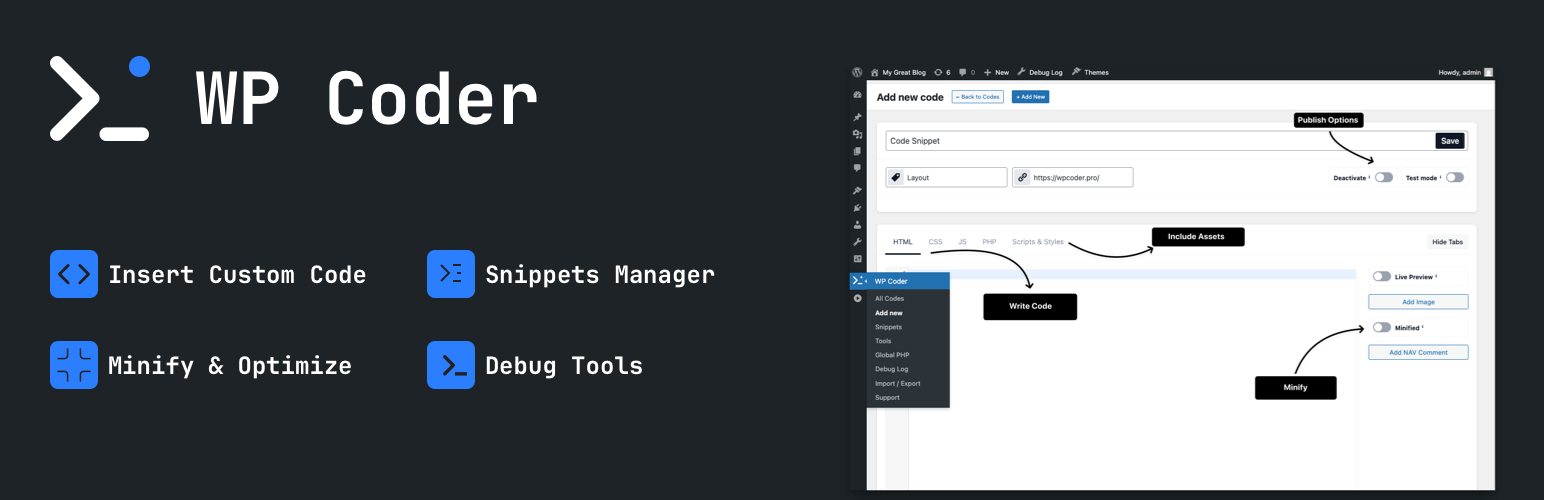
WP Coder

The facts

Rating
4.9★ from 32
Active installs
10k+
Price
Free
Last updated
25 Aug 2026
Added
Feb 2018
Requires WP
5.4
Tested up to
WP 7.1
Requires PHP
7.4
Downloads
386,702

Our analysis

AI-assisted

WP Coder is a WordPress plugin that allows you to insert and manage custom code snippets directly from your dashboard, eliminating the need to edit theme files. It supports HTML, CSS, JavaScript, and PHP, providing a tabbed editor with syntax highlighting for ease of use.

The plugin is designed for developers, marketers, designers, and bloggers who want to enhance their site with custom scripts and styles. It includes features like shortcode integration, live preview, and the ability to import/export snippets, making it a versatile tool for managing code efficiently.

Best for: This plugin suits developers, marketers, and designers looking to manage code snippets on their WordPress sites.

What it does well

  • Insert custom HTML, CSS, JavaScript, and PHP snippets easily
  • Live preview of changes without page reloads
  • Supports shortcode integration for embedding snippets
  • Includes Google Tag Manager and analytics integrations
  • Customizable interface for a cleaner workflow

Where it falls short

  • No information on specific limitations or potential issues

Verdict

WP Coder provides a comprehensive solution for managing custom code snippets effectively. Its features cater well to users who require flexibility and control over their site's code.

From the developer

Wow-Company's own description of WP Coder, lightly tidied.

Tired of editing theme files to add custom scripts or styles?
WP Coder lets you insert custom HTML, CSS, JavaScript, and PHP snippets directly from your dashboard — no coding in theme files required. Gain full control and flexibility over your site.

Why WP Coder?

  • All-in-One Code Editor: Tabbed editor for HTML, CSS, JS & PHP with CodeMirror syntax highlighting.
  • Gutenberg Block: Insert snippets directly in the block editor with live preview and custom attribute support.
  • Shortcode Integration: Use [wp_code id="X"] to embed snippets anywhere.
  • Live Preview: Instantly preview HTML & CSS without reloads in both the backend and Gutenberg.
  • Performance Ready: Minify CSS/JS, obfuscate JavaScript, and control script loading with async / defer.

Ideal For

  • Developers: Test snippets, hooks, and debug quickly.
  • Marketers: Insert tracking pixels, analytics, and ad scripts.
  • Designers & Bloggers: Customize layouts, styles, and enhance engagement.

Key Features

  • Insert HTML, CSS, JS, and PHP via powerful shortcodes.
  • Smart PHP handling: run in admin, front-end, everywhere, or only where inserted.
  • Include external libraries (Google Fonts, CDN scripts & styles).
  • Test Mode: Preview snippets safely before going live.
  • Import/Export snippets and settings between sites.
  • JavaScript Obfuscation: Protect your scripts with Dean Edwards’ Packer.
  • Customizable Interface: Hide unused editor tabs (HTML, CSS, JS, etc.) for a cleaner workflow.
  • NAV comments: Add inline navigation markers for faster code editing.
  • Lightweight & secure — built for performance.

Included Tools:

Integrations

  • Google Tag Manager (GTM) integration with user role controls.
  • Google Analytics, Facebook Pixel, and Pinterest Pixel integration.
  • Google AdSense integration with the option to disable ads for selected user roles.

Content & Templates

  • Markdown Editor – Disables Gutenberg and TinyMCE, replacing them with a Markdown editor powered by CodeMirror.

Developer Tools

  • Debug Log management (enable/disable and clear log).
  • Show Page Debug Info – Display technical info for the current request in the Admin Bar (template, query type, object, body classes). Admins only.
  • Theme Switcher – Quickly switch between installed themes directly from the admin bar.

Included Snippets:

Editor & Content

Read the full description on the official page →

Tagged as

Alternatives

Other plugins for developer tooling.

WPCode

WPCode

93

Easily add code snippets in WordPress. Insert header & footer scripts, add PHP code snippets with conditio...

Free 3M+ installs 4.9★ (1,873)
Header Footer Code Manager

Easily add tracking code snippets, conversion pixels, or other scripts required by third party services for an...

Free 600k+ installs 4.9★ (309)
Admin and Site Enhancements

Duplicate post, post order, image resize, email via SMTP, admin menu editor, custom css / code, disable gutenb...

Free 200k+ installs 5★ (421)
Shortcoder

Create custom "Shortcodes" easily for HTML, JavaScript, CSS code snippets and use the shortcodes wit...

Free 100k+ installs 4.9★ (227)
Insert PHP Code Snippet

Add PHP code to your pages and posts easily using shortcodes.

Free 90k+ installs 4.9★ (705)
Code Snippets

An easy, clean, and simple way to enhance your site with code snippets.

Free 1M+ installs 4.7★ (509)