
WPCode
93Easily add code snippets in WordPress. Insert header & footer scripts, add PHP code snippets with conditio...
Free
3M+ installs 4.9★ (1,873)
An in-browser PHP console for WordPress powered by PsySH
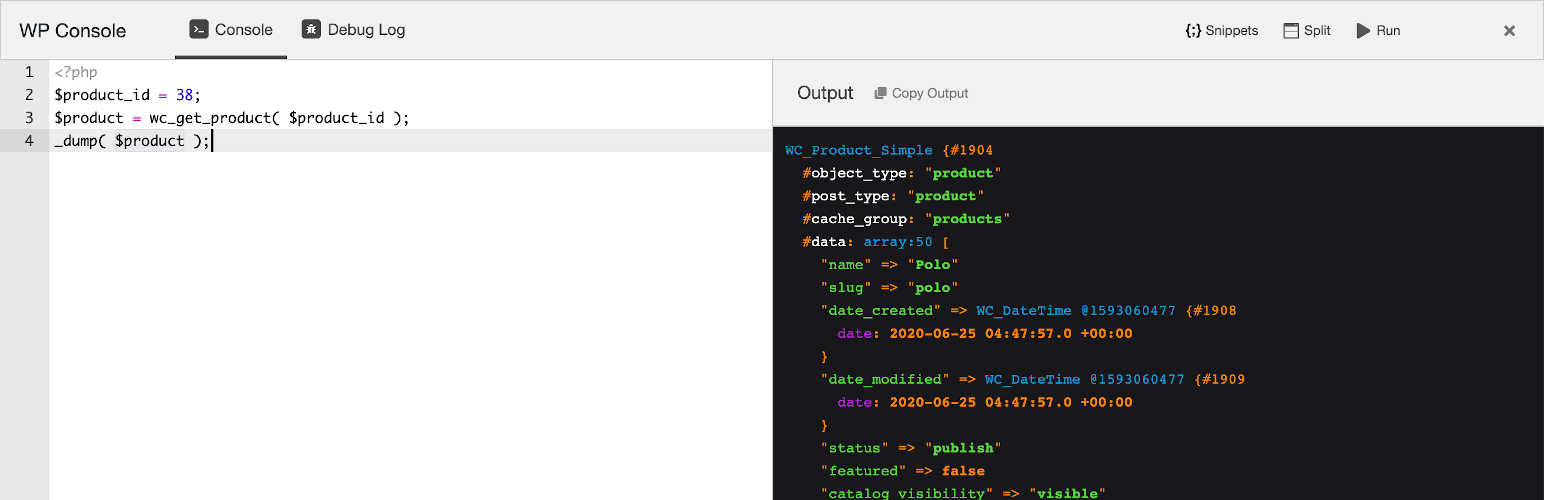
WP Console is a WordPress plugin that integrates the PsySH PHP console into your browser. It allows you to write and execute PHP code directly from the WordPress admin area, providing features like real-time autocompletion and access to debug logs.
This plugin is designed for developers who need an interactive debugging tool and a runtime console for PHP within their WordPress environment. It enhances the coding experience by offering a powerful code editor and customizable code snippets, making it suitable for those familiar with PHP and WordPress development.
Best for: This plugin is best suited for developers working with PHP in a WordPress environment.
What it does well
Where it falls short
WP Console offers useful features for PHP developers looking to debug and execute code within WordPress. However, it should be used with caution, especially in non-production environments.
Edi Amin's own description of WP Console, lightly tidied.
WP Console brings the renowned PsySH directly to your browser. PsySH serves as a runtime developer console, an interactive debugger, and a PHP REPL (Read-Eval-Print Loop).
To utilize WP Console, simply write your code within the code editor, then press Cmd-Enter (mac) or Ctrl-Enter (win/linux) to instantly view the output in your browser.
Moreover, you have the option to employ PsySH alongside wp-cli by executing the command wp shell. Notably, wp-cli comes with inherent compatibility for psysh. All that is required is the activation of WP Console to leverage this feature.
_dump as a more versatile alternative to var_dump, leveraging the capabilities of Symfony VarDumper.wp shell.Please note that certain PsySH commands, such as ls, doc, show, and magic variables like $_, $__class, are not currently supported in the browser console.
To begin using the plugin, follow these steps:
WP Console explicitly verifies the presence of the manage_options permission to render the user interface and execute various functions. However, it’s important to note that this plugin is not intended for use on a production server.
Working with the block or the block editor? Checkout CSS Class Manager – An advanced autocomplete additional css class control for your blocks.
Other plugins for developer tooling.
Easily add code snippets in WordPress. Insert header & footer scripts, add PHP code snippets with conditio...

Easily add tracking code snippets, conversion pixels, or other scripts required by third party services for an...

Duplicate post, post order, image resize, email via SMTP, admin menu editor, custom css / code, disable gutenb...

Create custom "Shortcodes" easily for HTML, JavaScript, CSS code snippets and use the shortcodes wit...

Add PHP code to your pages and posts easily using shortcodes.

An easy, clean, and simple way to enhance your site with code snippets.