
WPCode
93Easily add code snippets in WordPress. Insert header & footer scripts, add PHP code snippets with conditio...
Free
3M+ installs 4.9★ (1,873)
WP Debug Toolkit Pro provides a polished and intuitive interface for developers and site owners to track, analyze, and fix WordPress bugs quickly. Every log, filter, and shortcut i
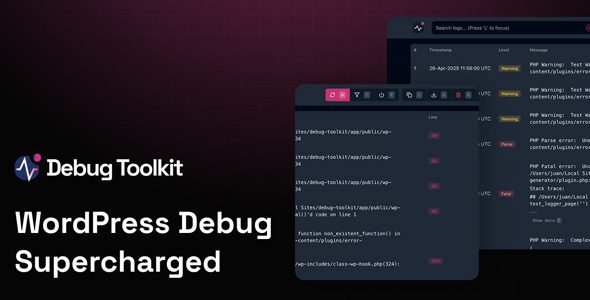
WP Debug Toolkit Pro is a WordPress plugin designed for developers and site owners to efficiently track, analyze, and resolve bugs within their websites. It features a user-friendly interface that includes flexible filters, a powerful file viewer, and real-time logging capabilities. The plugin also offers a crash recovery system to help regain access to your site if issues arise.
This toolkit is particularly useful for those who need to quickly identify and fix errors in their WordPress sites. Its features, such as keyboard shortcuts and independent viewer app, enhance the debugging process, making it easier to manage and rectify issues without extensive technical knowledge.
Best for: This plugin is suitable for developers and site owners looking to streamline the debugging process on their WordPress sites.
What it does well
Where it falls short
WP Debug Toolkit Pro offers a range of features aimed at simplifying the debugging process, though some information about its adoption and pricing is lacking.
WP Debug Toolkit Pro provides a polished and intuitive interface for developers and site owners to track, analyze, and fix WordPress bugs quickly. Every log, filter, and shortcut is optimized to give you full control over debugging.
User- and developer-friendly interface with theme switcher
Flexible filters to focus only on relevant notices and warnings
Independent Viewer App works even if WordPress crashes
Powerful file viewer shows full context of code calls and errors
Keyboard shortcuts for quick navigation
Clear error highlighting for faster bug identification and resolution
Real-time logging without refreshing or digging through files
Crash recovery system to disable plugins/themes and regain access
Note: If you encounter issues downloading WP Debug Toolkit Pro Latest Version, try disabling AdBlock or using a different browser. If problems persist, contact support.
Other plugins for developer tooling.
Easily add code snippets in WordPress. Insert header & footer scripts, add PHP code snippets with conditio...

Easily add tracking code snippets, conversion pixels, or other scripts required by third party services for an...

Duplicate post, post order, image resize, email via SMTP, admin menu editor, custom css / code, disable gutenb...

Create custom "Shortcodes" easily for HTML, JavaScript, CSS code snippets and use the shortcodes wit...

Add PHP code to your pages and posts easily using shortcodes.

An easy, clean, and simple way to enhance your site with code snippets.