
WPThumbs
Themes Plugins By purpose By industry Best-of lists Fix it guides

WP Express Checkout

Allows you to accept fast and secure payments for products and services via a payment popup window, supporting both the new PayPal and Stripe Checkout …
WP Express Checkout

The facts

Rating
4.9★ from 32
Active installs
1k+
Price
Free
Last updated
19 Aug 2026
Added
Dec 2019
Requires WP
6.0
Tested up to
WP 7.1
Downloads
93,916

Our analysis

AI-assisted

WP Express Checkout is a WordPress plugin that facilitates fast payments through PayPal and Stripe. It allows you to sell various products and services directly from your site with a simple checkout process, using customizable payment buttons and a product block that integrates with the WordPress block editor.

The plugin supports multiple payment methods, including credit cards and PayPal's Buy Now, Pay Later feature. It is particularly suitable for those looking to sell digital downloads, as it offers features like expiring download links and secure delivery options.

Best for: This plugin is best for WordPress users looking to sell digital products and services easily.

What it does well

  • Supports payments via PayPal and Stripe
  • Customizable payment buttons with shortcodes
  • Integrates with WordPress block editor
  • Offers digital download management features
  • Includes Buy Now Pay Later option via PayPal

Where it falls short

  • Limited information on advanced features or integrations
  • No mention of support for physical products

Verdict

WP Express Checkout provides a straightforward solution for online payments, particularly for digital goods. Its ease of use and integration with popular payment gateways make it a practical choice for many site owners.

From the developer

mra13 / Team Tips and Tricks HQ's own description of WP Express Checkout, lightly tidied.

The WP Express Checkout plugin allows you to sell any type of products and services from your WordPress powered site easily using fast checkout options from PayPal and Stripe. Install the plugin, configure some basic settings, create a few products and you are ready to sell products and services from your site. The checkout process is quick and easy.

This plugin gives you shortcodes to generate customizable payment buttons that allow customers to pay for items instantly via a payment popup window. Customers can pay using PayPal, Stripe, or a credit card. It uses the newest/latest Checkout APIs for both services.

Additionally, this plugin provides a product block that seamlessly integrates with the WordPress block editor, enabling you to easily incorporate products into your website.

The PayPal checkout takes place in a payment popup window and the customer never leaves your site. It creates a fast and elegant checkout experience.

This is ideal for users who want a lightweight and simple solution for selling products or services via PayPal and Stripe.

Checkout Demonstration

Great for Selling Digital Downloads

If you want to sell digital products using PayPal or Stripe then you will love the simplicity of this plugin. You can configure it to expire the download links after it has been used a few times or after a certain period of time.

Works with PayPal’s Buy Now Pay Later Feature

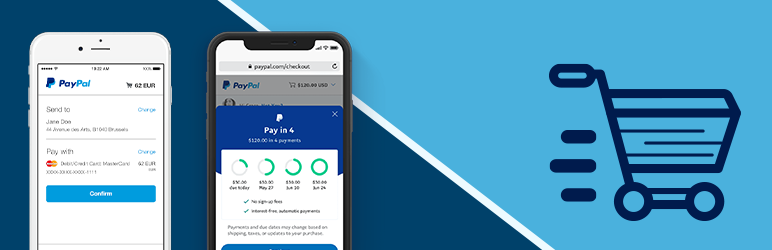
This plugin works with PayPal’s Pay in 4 (Buy Now, Pay Later) feature also. It lets your customers pay later in 4 installments.

Basic Setup and Usage Video

Usage Documentation

View configuration and usage details on the WP Express Checkout plugin’s documentation page.

Features

  • Offer fast, secure checkout using both PayPal Checkout and Stripe Checkout from the payment popup.
  • Sell products or services using a quick and easy checkout process.
  • Accept payments via PayPal (PayPal account, credit card, debit card, Pay in 4, Venmo etc.).
  • Accept PayPal donations with minimum donation amount limit.
  • Accept payments via Stripe (credit card and other payment methods).
  • Support for Apple Pay, Google Pay, and other Stripe-supported payment methods.
  • Sell downloads, files, or any digital goods.
  • Sell music, video, ebook, PDF or any other digital media files.
  • Shop page that will list all your products in a grid view. Users can browse your products and purchase it.
  • Allow the customers to automatically download the file once the purchase is completed via PayPal or Stripe.
  • You can deliver the digital downloads using encrypted download links that expire automatically.
  • Ability to enable force download option on your digital products.
  • Option to offer downloads via a non-web accessible local file path, instead of a URL, to enhance download security.
  • Offer Buy Now Pay Later payment option to your customers (via PayPal).
  • Accept Payments via Venmo (through PayPal) easily.
  • View the transactions from your WordPress admin dashboard.
  • Option to configure a notification email to be sent to the buyer and the seller after the purchase.
  • Option to customize the purchase notification email on a per-product basis.
  • Ability to set a product thumbnail for a product.
  • Use a simple shortcode to add a payment button anywhere on your site.
  • Create a payment button widget and add it to your site’s sidebar.
  • Ability for a customer to enter an amount and pay what they want for a product.
  • Ability to configure variable products. You can charge different amount for different options of the product.
  • It can be used to accept donations on your site.
  • Option to configure a minimum donation amount so the customers have to pay a minimum amount for donation.
  • Option to customize the currency formatting.
  • Stock control option. You can limit the number of quantity available for a product.
  • Option to charge shipping for your items. Ability to set a shipping cost for each item separately.
  • Option to charge tax for your items.
  • Option to configure discount coupon codes.
  • Option to give a free product using 100% discount coupon code (offer complimentary product).
  • Option to configure terms and conditions before checkout.
  • You can see all the orders within your WordPress admin dashboard.
  • Option to customize the Thank You page.
  • Option to create product categories and apply it to some products.
  • Option to create product tags and apply it to certain products.
  • Option to export the orders data to a CSV file.
  • Ability to configure the download links to expire after X number of hours.
  • Ability to configure the download links to expire after X number of clicks.
  • Option to test it on PayPal Sandbox mode before going Live.
  • Option to use manual/offline checkout
  • Option to Integrate it with WooCommerce to offer product checkout via PayPal’s express checkout system.

The setup is very easy. Once you have installed the plugin, all you need to do is enter your PayPal and/or Stripe API credentials in the plugin settings and your website will be ready to accept fast payments via both services.

Read the full description on the official page →

Tagged as

Alternatives

Other plugins for improving checkout.

CartFlows

1 WordPress funnel builder & WooCommerce checkout plugin. Boost AOV with one-click upsells, order bumps &a...

Free 200k+ installs 4.8★ (504)
Side Cart Woocommerce

A powerful side cart designed to make shopping faster and easier. Give customers instant cart access and a sea...

Free 80k+ installs 4.9★ (452)
FunnelKit

Create high-converting WooCommerce checkout pages, WooCommerce thank you pages & sales funnels with the hi...

Free 30k+ installs 5★ (1,015)
Fluid Checkout for WooCommerce

Frictionless Multistep Checkout for WooCommerce. Get up to 36% increase in conversion rates with a better purc...

Free 20k+ installs 4.9★ (158)
