
WPThumbs
Themes Plugins By purpose By industry Best-of lists Fix it guides

WP Maps

WordPress map plugin for Google Maps, OpenStreetMap & Mapbox with store locator, filterable listings & custom markers.
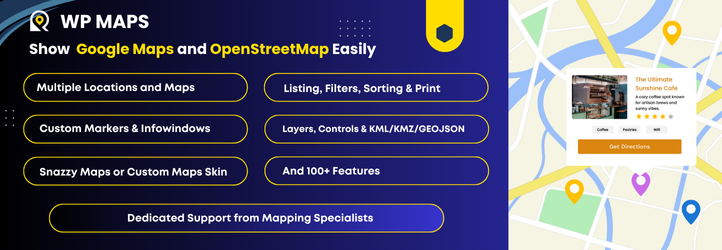
WP Maps

The facts

Rating
4.3★ from 122
Active installs
60k+
Price
Free
Last updated
14 Aug 2026
Added
Mar 2013
Requires WP
3.4
Tested up to
WP 7.0.4
Requires PHP
5.3
Downloads
3,749,162

Our analysis

AI-assisted

WP Maps is a WordPress plugin that allows you to create interactive maps using Google Maps, OpenStreetMap, or Mapbox without any coding. You can build custom maps with features like markers, searchable listings, and filters to suit various needs, such as business directories, store locators, and contact pages.

The plugin supports multiple map types and offers extensive customization options, including custom markers and colour schemes. It is designed for users who need to integrate maps into their websites easily and effectively, making it suitable for businesses and individuals with map-based projects.

Best for: This plugin is suitable for businesses and individuals needing to create interactive maps for directories, store locators, or contact pages.

What it does well

  • Supports Google Maps, OpenStreetMap, and Mapbox
  • Fully customizable maps with custom markers and filters
  • Responsive and mobile-friendly design
  • Easy to use with no coding required
  • GDPR-compliant integration

Where it falls short

  • No detailed information on the Pro version features
  • Limited information on user support or documentation quality

Verdict

WP Maps offers a straightforward solution for integrating maps into WordPress sites. It provides a range of features that cater to various mapping needs without requiring technical skills.

From the developer

Flipper Code - WordPress Development Company's own description of WP Maps, lightly tidied.

Build stunning, interactive maps with listing in minutes — no coding required.

WP Maps is a powerful yet easy-to-use WordPress map plugin that supports both Google Maps and OpenStreetMap. Create fully customized maps in just a few clicks with custom markers, searchable listings, and smart filters. Whether you’re building a store locator, showcasing locations, or simply adding a map to your contact page — this plugin makes it effortless.

Perfect for:

  • Business directories and listings
  • Store locators
  • Service area maps
  • Contact pages
  • Any map-based project you can think of.

Easily create simple or advanced maps tailored to your needs, fully customizable to match your website’s branding.

Features

Free Version

  • Easily create interactive Google Maps with custom markers, smart search, filters, and paginated listings.
  • Use Google Maps, OpenStreetMap, or Mapbox as your map provider, with easy switching between them.
  • Create multiple maps with different locations and listing.
  • Enable sorting and pagination for listings.
  • Enable marker clustering from the backend to group markers on the map.
  • Automatically update the map center based on filtered markers.
  • Display maps easily using shortcodes.
  • Display maps in posts, pages, and widgets.
  • Manage listing and marker infowindow content from the backend using dynamic placeholders.
  • Auto-center the map using custom latitude and longitude, the visitor’s location, or backend-assigned locations.
  • Fully GDPR-compliant Google Maps integration for privacy-friendly usage.
  • Draw circles, squares, polygons, and custom shapes on the map.
  • Display infowindows on click or hover for shapes, similar to marker infowindows.
  • Display a circle and marker at the center location of the map.
  • Show or hide markers on page load.
  • Supports Snazzy Maps.
  • Use custom or pre-built marker icons.
  • Open marker infowindows on click or hover.
  • Add bounce and drop animation effects to markers on map load.
  • Center or zoom the map on marker click.
  • Show listings below the map with search and filters.
  • Reset map button to restore the map to its original state.
  • Predefined color schemes for listings.
  • Custom color schemes for listings.
  • Show infowindow when a listing title is clicked.
  • Custom map color schemes.
  • Set primary and secondary colors.
  • Add custom CSS.
  • Responsive and mobile-friendly design.
  • Enable or disable zoom, fullscreen, map type, scale, Street View, camera, and “Locate Me” controls.
  • Position map controls at different locations on the map.
  • Limit map panning using SW/NE coordinates.
  • Enable KML/KMZ, traffic, transit, and bicycling layers.
  • GeoJSON support.
  • Import/export settings via JSON.
  • Localization ready.
  • Add custom styling.
  • Works with all major page builders and themes.
  • Fully documented with step by step and easy to understand instructions.
  • Cross-browser compatible — tested on IE8+, Chrome, Firefox, and Safari.

Pro Version WP MAPS PRO Version.

  • Includes everything in the free version, plus powerful premium features:
  • Multiple designs and layouts for marker infowindows.
  • Multiple designs and layouts for listing records.
  • Display blog posts, pages, or any existing data (custom post types) from your WordPress site with just a few clicks.
  • Display posts using custom fields.
  • Display posts using the Advanced Custom Fields (ACF) plugin.
  • Create unlimited custom filters in the backend based on custom fields, taxonomies, or ACF fields — ideal for complex map searches.
  • Enable searching and filtering using URL parameters — great for sharing filtered map views.
  • List and grid-style listing layouts.
  • Allow users to filter markers by location and radius (in kilometers or miles).
  • Filter markers based on marker categories.
  • Filter markers based on custom taxonomy terms of any custom post type.
  • Display multiple custom routes between locations directly on your map for a seamless navigation experience.
  • Customize color, opacity, and weight for each route.
  • Directions API integration to allow users to get directions between locations on the map.
  • Add custom HTML, images, or videos as map controls for interactive, branded maps.
  • Prevent overlapping markers with automatic spiderfier effects — perfect for clustered or identical locations.
  • Enable smart tabs for Categories, Directions, Routes, and Nearby Amenities to enhance user experience.
  • Admins can apply additional customization to infowindows and listing layouts from the backend.
  • Apply country restrictions on search results and autosuggestions for more accurate results.
  • Advanced feature: Integrate with Microsoft Clarity, Google Analytics 4, Meta Pixel, and Zapier to track marker click events.
  • Access 25+ additional add-ons available with the Pro version, offering extended functionality.
  • Use SVGs as marker icons — choose from pre-built options or upload your own.
  • Automatically center the map based on assigned locations.
  • Show nearby amenities like ATMs, banks, and stores to provide useful local context.
  • Draggable markers and option to open infowindows by default on page load.
  • Categorize locations for better organization and filterable maps.
  • Choose from 100+ ready-to-use colorful markers via Map Icons Collection.
  • Multilingual ready — supports WPML and other translation plugins.
  • Compatible with WordPress Multisite, with network-wide activation support.
  • Easily style maps using Snazzy Maps.
  • Built-in search control to locate places directly on the frontend map.
  • Install sample data to get started quickly.
  • Role-based access control for backend pages.
  • Seamless upgrade to Pro — no data loss when switching from free to paid.

Live Demos

Important Links

🏬 Use Cases – Map Solutions for Every Business

WP Maps helps you build advanced location maps for any industry. From store locators to real estate maps, here are popular use cases powered by Google Maps or Leaflet:

Read the full description on the official page →

Tagged as

Alternatives

Other plugins for maps and locations.

Meta Box

Meta Box plugin is a powerful, professional developer toolkit to create custom meta boxes and custom fields fo...

Free 500k+ installs 4.8★ (165)
WP Go Maps

The easiest to use WordPress map plugin! Create a custom map, map block, store locator or map widget with high...

Free 300k+ installs 4.8★ (3,035)
SlimStat Analytics

Real-time WordPress analytics that stay on your own server: pageviews, outbound links, WooCommerce funnels, al...

Free 70k+ installs 4.8★ (817)
Open User Map

Create custom interactive maps with free Leaflet-based styles, no Google Maps API key, frontend marker submiss...

Free 10k+ installs 5★ (67)
WP Store Locator

An easy to use location management system that enables users to search for nearby physical stores.

Free 50k+ installs 4.8★ (312)
Leaflet Map

Interactive maps and markers on your posts and pages with simple shortcodes.

Free 30k+ installs 4.9★ (58)