
Responsive slider plugin to create sliders in visual editor easily. Build beautiful image slider, layer slider...
Free
800k+ installs 4.9★ (1,123)
This plugin allows you to create a dynamic link gallery with screenshots of each link.
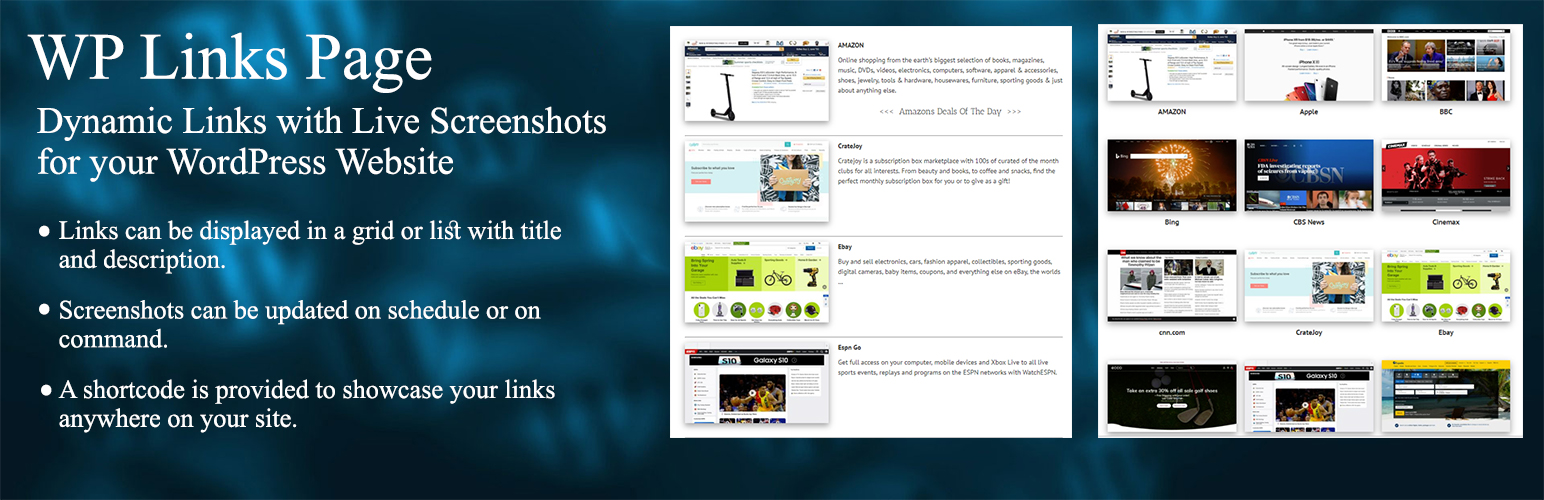
WP Links Page is a WordPress plugin that enables you to create a dynamic gallery of links, complete with live screenshots for each link. It simplifies the process of building a links page by automatically generating and updating screenshots, allowing you to display links in various formats such as grids or lists.
You can manage links similarly to how you would manage posts, with options to customize titles and descriptions. The plugin also provides a shortcode for placing your link gallery anywhere on your site, making it suitable for users looking to enhance their website's content display with visual link representations.
Best for: This plugin is best for website owners who want to create visually appealing link galleries.
What it does well
Where it falls short
WP Links Page provides a straightforward solution for managing and displaying links with screenshots. It is useful for those looking to enhance their site with dynamic content.
Rico Macchi's own description of WP Links Page, lightly tidied.
A WordPress plugin that allows you to create a dynamic link gallery with screenshots of each link. It will automatically create screenshots of each link and save you from creating a hardcoded links page or finding images for each site. It allows sites to create link displays with several different views. The screenshots for the links can be updated on a set schedule or with the click of a button. Links can be added and edited in the same way you add and edit posts.
We are here help answer any questions. Please contact us at http://www.wplinkspage.com/contact/
Visit the All Links section of the dashboard to add and edit the links.
Add links by entering the Link URL, description, and generating a screenshot. Click Publish to create your link.
You may edit the link or description with the edit button, make sure you click save to keep your changes.
Clicking the ‘Update Screenshots’ button on the this page can take several minutes depending on your connection. Please be patient while it retrieves new images. If for some reason it does not automatically refresh when completed, simply refresh the page to see the new images.
Visit the Settings page in the WP Links Page section to set the timeframe to retrieve new screenshots and set the screenshot size.
You can also import links from previous versions on this screen.
Options:
Other plugins for photo galleries.
Responsive slider plugin to create sliders in visual editor easily. Build beautiful image slider, layer slider...

Slider, gallery, carousel plugin for WordPress. Build your image slider, video slider, post slider, YouTube sl...

FooGallery is a fast, responsive photo gallery and image gallery plugin with 7 gallery layouts, built-in light...

Formerly Easy Fancybox. The most popular WordPress lightbox plugin. Simple, fast, and responsive. Opens images...

The most popular lightbox plugin and responsive gallery builder for WordPress.

The Feeds for YouTube plugin allows you to display customizable YouTube feeds from any YouTube channel.