
WPThumbs
Themes Plugins By purpose By industry Best-of lists Fix it guides
Free Plugin by aviplugins.com v3.6.4

WP Register Profile With Shortcode

This is a simple registration form in the widget. just install the plugin and add the register widget in the sidebar. Thats it. :)
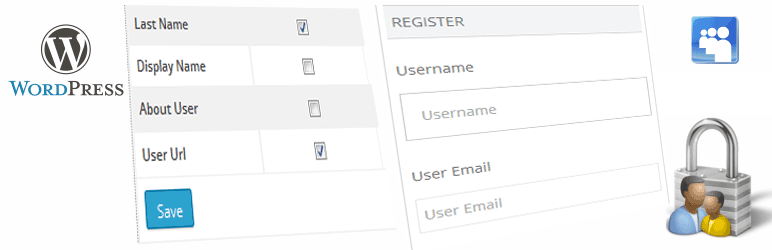
WP Register Profile With Shortcode

The facts

Rating
3.5★ from 13
Active installs
300+
Price
Free
Last updated
11 Jul 2026
Added
Jul 2014
Requires WP
2.0.2
Tested up to
WP 7.0.4
Downloads
67,669

Our analysis

AI-assisted

WP Register Profile With Shortcode is a WordPress plugin that provides a simple registration form widget for your site. It allows you to add a responsive registration form to your sidebar and includes several shortcodes for displaying user data, editing profiles, and updating passwords.

This plugin is suitable for site owners who want to manage user registrations easily. It offers options for redirecting users after registration and sending admin notifications for new sign-ups. Additional fields can be added to the registration form, but more advanced features are available only in the PRO version.

Best for: This plugin suits WordPress site owners looking to simplify user registration and profile management.

What it does well

  • Responsive registration form widget
  • Multiple shortcodes for various functionalities
  • Options for user redirection and automatic login
  • Admin notifications for new registrations
  • Customisable registration fields

Where it falls short

  • Advanced features require the PRO version
  • Limited information on specific customisation options

Verdict

WP Register Profile With Shortcode offers basic registration functionalities that can benefit many sites, but those needing more customisation may need to consider the PRO version.

From the developer

aviplugins.com's own description of WP Register Profile With Shortcode, lightly tidied.

  • This is a simple registration form in the widget. The form is responsive.
  • just install the plugin and add the register widget in the sidebar.
  • Change some ‘optional’ settings in Settings-> WP Register Settings and you are good to go.

Shortcodes

  1. Use this [rp_register_widget] shortcode to display registration form in post or page.
  2. Use This shortcode to retrieve user data [rp_user_data field=”first_name” user_id=”2″]. user_id can be blank. if blank then the data is retrieve from currently loged in user.
  3. Use this [rp_profile_edit] shortcode for user profile page. Logged in usres can edit profile data from this page.
  4. Use this [rp_update_password] shortcode to display Update Password form in your page.

Other Optional Options

  • Redirect users to a chosen page after successfull registration. Maybe to a thankyou page.
  • Users can be logged in automatically after successful registration. Option can be enabled from admin panel.
  • Enable password fields so that users can choose there own passwords. Otherwise password will be auto generated and mailed to user.
  • Admin will get a notification email once a new user make registration in the site.
  • Enable additional fields in the registration form like First Name, Last Name, Display Name, Website etc.
  • Custom Registration/ Profile fields can be created in the PRO version of the plugin.

WP Register Profile PRO

The PRO version of this plugin has additional features like.

  • Multiple registration forms can be created and each form can be assigned to different user Roles. So that when user make registration they are assigned to that perticular Role.
  • Registration with support for adding additional custom fields.
  • Custom registration fields can be sorted by Drag & Drop.
  • User Profile page with custom fields. Here users can update their profile data.
  • Create file type fields in Registration and Profile forms. Users can upload files to their profile. Uploadable file types can be allowed form plugin settings page.
  • Reset user password shortcode.
  • User profile data can be displayed easily with the help of shortcodes.
  • Support for user profile image upload. Profile image can be used as Avatar. If this is enabled then profile image will be used as user Avatar throughout the site. When user posts a comment his profile image will be displayed instead of the defalut WordPress Avatar.
  • Subscription option is available with the PRO version. Payment for subscription is managed by WooCommerce for ease of use. Users will be able to select subscription packages at the time of registration. etc

You can get it here in USD 2.00

Post your plugin related queries at https://goplugins.in/support.php

Read the full description on the official page →

Tagged as

Alternatives

Other plugins for managing users.

Members

Members

94

The best WordPress membership and user role editor plugin. User Roles & Capabilities editor helps you rest...

Free 300k+ installs 4.9★ (1,274)
User Role Editor

User Role Editor WordPress plugin makes user roles and capabilities changing easy. Edit/add/delete WordPress u...

Free 700k+ installs 4.5★ (288)
LoginPress

LoginPress is a Custom Login Page Customizer plugin allows you to easily customize the layout of login, admin...

Free 200k+ installs 4.8★ (1,075)
User Registration & Membership

Build membership sites with tiered plans, content restriction, drag-&-drop custom registration & login...

Free 50k+ installs 4.8★ (828)
Custom Login Page Customizer

Customize your WordPress login page with live preview. Change logo, background, colors, and form styling witho...

Free 50k+ installs 4.9★ (474)
User Profile Builder

Powerful user profile plugin to create front-end user registration forms, login & user profile forms. Incl...

Free 40k+ installs 4.7★ (735)