Show Post ID with Sorting
Enhance your WordPress Dashboard with Show Post ID with Sorting, a plugin to display, sort, and bulk copy Post IDs for Posts, Pages, and Custom Post T …
The facts
- Rating
- 5★ from 1
- Active installs
- 200+
- Price
- Free
- Last updated
- 22 Oct 2024
- Added
- Aug 2023
- Requires WP
- 4.0
- Tested up to
- WP 6.6.7
- Requires PHP
- 5.6
- Downloads
- 2,060
Our analysis
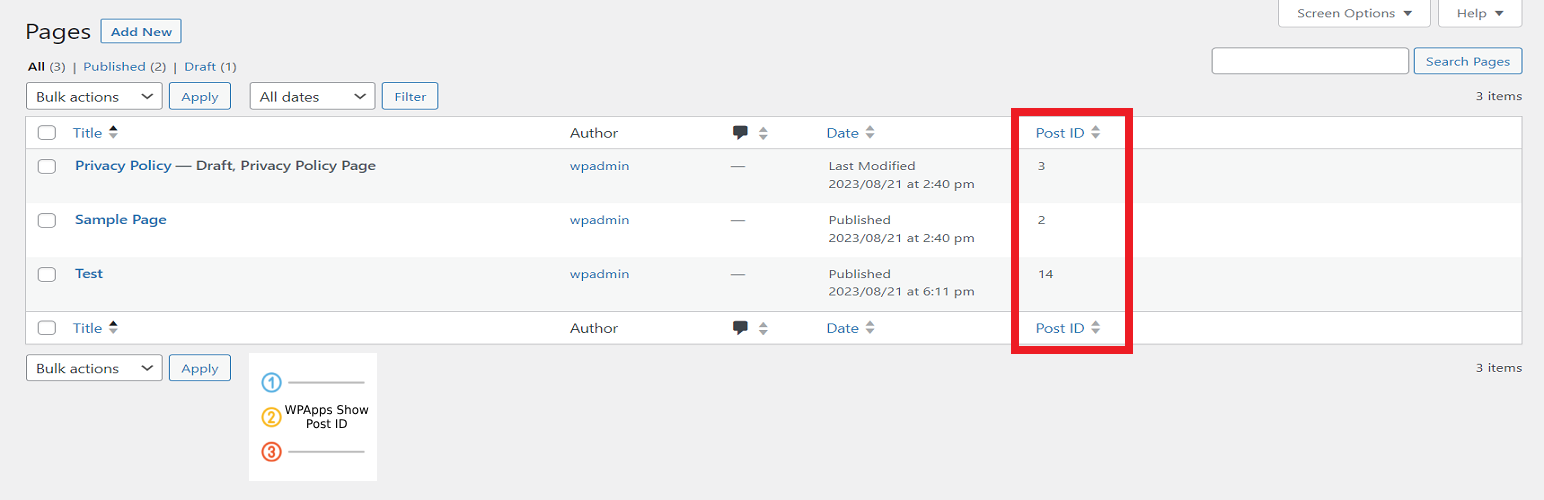
AI-assistedShow Post ID with Sorting is a WordPress plugin that adds a new column in the admin dashboard to display the unique Post ID for all posts, pages, and custom post types. It allows you to sort content by Post ID, bulk copy multiple IDs, and view the Post ID during editing or directly from the frontend.
This plugin is designed for developers and content managers who require quick access to Post IDs for custom queries, shortcodes, or troubleshooting tasks.
Best for: This plugin suits developers and content managers needing efficient access to Post IDs.
What it does well
- ✓Adds a sortable Post ID column to the Dashboard
- ✓Allows bulk copying of Post IDs
- ✓Displays Post ID next to the Edit Page/Post title
- ✓Shows Post ID in the admin bar on the frontend
Where it falls short
- •Limited to displaying Post IDs without additional features
- •Data on user ratings and installs is minimal
Verdict
Show Post ID with Sorting is a straightforward tool for managing Post IDs in WordPress. It provides essential functionality for those who need to work with Post IDs regularly.
From the developer
Hefin Dsouza's own description of Show Post ID with Sorting, lightly tidied.
Show Post ID with Sorting introduces a helpful new column in your WordPress admin dashboard, displaying the unique Post ID for all posts, pages, and custom post types. It enables you to sort your content by Post ID, bulk copy multiple IDs, and view the Post ID while editing or even directly from the frontend.
This is ideal for users who need quick access to Post IDs for custom queries, shortcodes, or troubleshooting.
Key Features:
- Adds a sortable Post ID column to the Dashboard for Posts, Pages, and Custom Post Types
- Bulk copy Post IDs with a simple action
- Displays the Post ID next to the Edit Page/Post title
- Shows the Post ID in the WordPress admin bar on the frontend while viewing content
This plugin is perfect for developers, content managers, or anyone needing an easy way to view and use Post IDs without diving into the code.