
WooCommerce
94Everything you need to launch an online store in days and keep it growing for years. From your first sale to m...
Free
7M+ installs 4.5★ (4,820)
WPC Smart Notifications helps you increase trust, credibility, and sales with smart notifications.
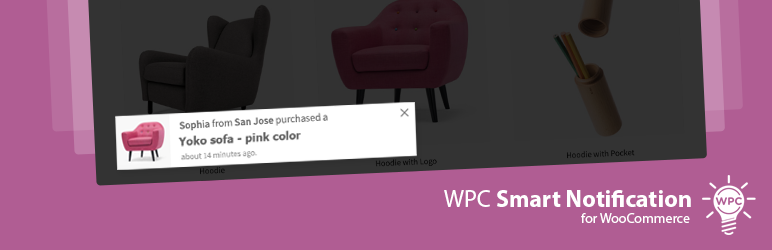
WPC Smart Notifications for WooCommerce is a WordPress plugin designed to enhance customer engagement on eCommerce sites. It generates real-time notifications based on various data sources, such as new orders, low stock products, and on-sale items, to inform visitors about shopping activities and promotions.
The plugin is suitable for online store owners looking to create a sense of urgency and encourage purchases. It allows for customisation of notifications, including manual entries and the use of shortcodes, making it adaptable to different store needs.
Best for: This plugin suits online store owners who want to improve customer engagement and sales through notifications.
What it does well
Where it falls short
WPC Smart Notifications for WooCommerce offers a straightforward way to keep customers informed and engaged. It is a useful tool for enhancing the shopping experience, though some features may require additional plugins.
WPClever's own description of WPC Smart Notifications for WooCommerce, lightly tidied.
Need a lively reminder for your customers/ visitors when they browse your store? Want to hint your customers with the best tips and news on sales, upcoming events or new products? WPC Smart Notifications for WooCommerce can take it all for your online store to have a better sense of busy traffic and crowded sales, make people stay, and convert into faithful customers.
Take a tour around our live demo and experience by yourself the liveliness brought by our real-time sale popups. The mobile display is nice as well, try it out.
DATA SOURCE(S) – Choose one or more sources to generate the notifications: Manual, Text Editor, New Orders, Virtual Orders, On Sale Products, Low Stock Products, Related Products.
WPC FEATURES INTEGRATED – Many great features from other WPC plugins have been integrated to enhance the experience.
ORDER – Arrange the messages in the Default or Random order.
MAXIMUM NUMBER – Control the maximum of items to be displayed on the feeds per source.
DURATION TIME – Set up a duration time for each source.
SHOW/ HIDE EFFECTS – Various effects for the notification popups to have an appalling appearance or disappearance.
AUTOPLAY TIME – Set the autoplay time in seconds to control the frequency of notifications showing up.
POSITION – Place the feeds on a suitable position of your site that is easy to notice and convenient for navigation.
USER EXPERIENCE – You can choose to disable the Smart Notifications on the Cart, Checkout pages, and on the Mobile version to not affect the site navigation and user experience.
Other plugins for selling online.
Everything you need to launch an online store in days and keep it growing for years. From your first sale to m...

Top-rated antispam for contact forms, comments, WooCommerce, eCommerce, and login. No CAPTCHAs, no friction, j...

Weight based shipping methods for WooCommerce. Flexible shipping with table rate rules by cart weight and orde...

Every store loses sales to cart abandonment. But with Cart Abandonment Recovery for WooCommerce, you can win t...

Germanized extends WooCommerce to become a legally compliant shop for the german market. Must Have for every g...

🤩 Make popups & optin forms to get more email newsletter subscribers, leads, and sales - #1 most popular...