
Turn your data into WordPress apps with tables, forms, charts & maps — no code required, with optional hoo...
Free
10k+ installs 4.9★ (88)
Create responsive, sortable tables & charts from Forminator forms submissions with wpDataTables.

wpDataTables integration for Forminator Forms is a WordPress plugin that connects the wpDataTables plugin with the Forminator form builder. It allows you to create responsive and sortable tables and charts based on submissions from Forminator Forms. You must have both wpDataTables and Forminator installed to use this integration.
The integration enables you to select a Forminator form as a data source for your table. You can choose which fields from the form will be displayed as columns in the table, supporting various field types such as text, email, number, and more. This tool is suitable for users who need to display form submissions in a structured table format on their WordPress site.
Best for: This plugin is best for WordPress users who want to display form submissions in tables or charts.
What it does well
Where it falls short
This integration provides a straightforward way to visualise form data, though it requires additional plugins to operate.
Melograno Venture Studio's own description of wpDataTables integration for Forminator Forms, lightly tidied.
wpDataTables integration for Forminator Forms is an add-on that connects the best WordPress table plugin wpDataTables and easy-to-use WordPress form builder Forminator.
A powerful tool that adds “Forminator Form” as a new table type in wpDataTables and allows you to create responsive, sortable tables & charts based on Forminator Forms submissions from your site frontend using intuitive wpDataTables table and chart wizard.
You will need to install wpDataTables and Forminator plugins to be able to use this integration.
This great integration is compatible with wpDataTables Premium version and Forminator PRO and their advanced features. You can use any combination of these two plugins. Isn’t that awesome?
When the form/quiz/poll is created and entries are ready, you can begin creating a wpDataTable based on it. First, go to wpDataTables -> Create a Table, choose “Create a table linked to an existing data source” option, and click “Next”.
Then choose “Forminator Form” as the Input data source type. After you choose “Forminator Form” as a table type, a new select-box “Choose a Forminator Form” will appear. With this select-box, you can choose a form, quiz or poll, that will provide entries as data for your new table.
After this step you will see a select-box “Choose fields to show as columns” that allows you to choose the form/quiz/poll fields that you will use as columns. Using this select-box, you can choose form fields that will be used in the table.
Furthermore, you can choose which form fields will be shown in the table.
Here is the list of the supported form fields:
Please note that fields like reCaptcha, HTML, Page break, Section, and GDPR Approval are excluded from tables.
Important: For all form types that you want to create tables (form, quiz, or poll) you will need to have submission data for those form types in the database. That means that you need to turn off the option “Disable store submissions in my database” on Data Storage settings in the Forminator plugin. You will be able to save submissions in the database and then create a table in wpDataTables.
Forms
When you create a table from Regular form, in table column headers will be used names of your fields, and each row will be shown as a separate submission. Common fields such as Entry data, Entry ID, and User IP are available for each form.
Fields like “Name (Multiple)” and “Address” will be formatted like on the Forminator forms Submissions page.
If you want to show those data in one line with space between without formatting, you can use hooks for “Name(Multiple)” like in the following example:
// Remove formatting from Name (Multiple) fields
// $removeForminatorFormatting- false by default - bool
// $formID - Id of the form - int
function remove_style_from_name_multiply_fields($removeForminatorFormatting, $formID){
   // Example for the form with id 1
   if ($formID == 1){
    // Provide true to remove formatting
       $removeForminatorFormatting= true;
   }
   return $removeForminatorFormatting;
}
add_filter('wdt_forminator_remove_style_from_name_multiply_fields', 'remove_style_from_name_multiply_fields', 10, 2);
and for the “Address” fields as well you can show the data in one line separated with a comma using this hook:
Other plugins for displaying data.
Turn your data into WordPress apps with tables, forms, charts & maps — no code required, with optional hoo...

Best WordPress table builder plugin packed with versatile features to create fully responsive data tables of a...

The best WordPress table plugin. Create responsive, and searchable tables and charts from Excel (.xlsx, .xls o...

Display your WooCommerce products in a responsive Product Slider, Product Carousel, or Product Grid Gallery wi...

Create WooCommerce product tables that are searchable, sortable, filterable and mobile responsive. Help custom...
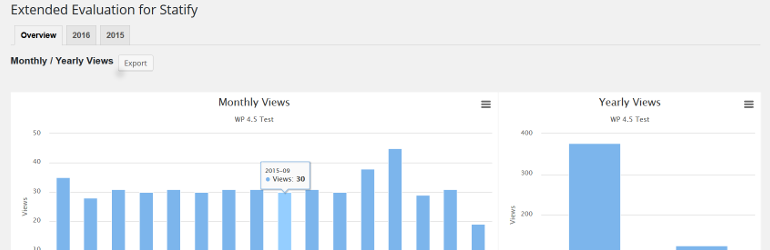
This plugin evaluates the data collected with the privacy-friendly Statify Plugin (data tables and diagrams)....