wProject
Project Management Software built on WordPress
The facts
- Last updated
- 1 Mar 2026
- Added
- Mar 2026
Our analysis
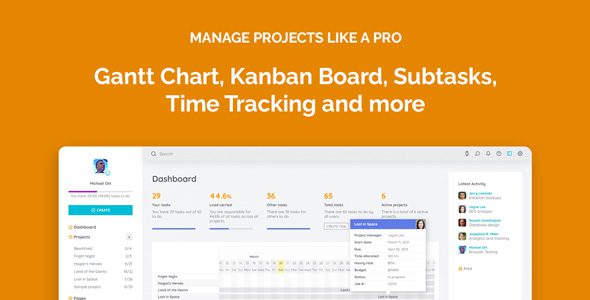
AI-assistedwProject is a WordPress plugin designed for project management, suitable for teams and project managers. It allows you to assign roles, manage tasks, and track progress with features like a Kanban board and optional Gantt chart. The plugin also supports time tracking, report generation, and client collaboration.
With built-in notifications and customizable preferences, wProject aims to streamline project workflows. It is intended for users who need to manage multiple projects and team members effectively.
Best for: This plugin is best for teams and project managers looking to enhance their project management capabilities.
What it does well
- ✓Assign roles for project managers and team members
- ✓Drag & drop Kanban board for task management
- ✓Record and manage time spent on tasks
- ✓Generate reports and export tasks to CSV
- ✓Built-in notifications for task updates and deadlines
Where it falls short
- •No pricing information provided
- •No user rating or adoption statistics available
Verdict
wProject offers a range of features for managing tasks and projects, though details on its popularity and pricing are not available.
Features
-
Task Organization & Workflow
Set task statuses, priorities, and due dates.
-
Time & Reporting
Record and manage time spent on tasks.
-
Communication & Notifications
Built-in notifications for task updates and deadlines.
-
Customization & Usability
Seamlessly switch between light and dark modes.
-
Contact & Resource Management
Manage project contacts efficiently.
Full overview of wProject
wProject WordPress Plugin Features
- Assign roles for project managers and team members.
- Reassign tasks and manage task relationships.
- Create private tasks with restricted visibility.
- Follow and pin tasks for easy tracking.
- Set task statuses, priorities, and due dates.
- Create reusable task groups for recurring projects.
- Drag & drop Kanban board for intuitive task management.
- Optional Gantt chart available with Gantt Pro.
- Record and manage time spent on tasks.
- Generate reports and export tasks to CSV.
- View team member performance and task progress.
- Built-in notifications for task updates and deadlines.
- Controlled client access for collaboration with external users.
- Seamlessly switch between light and dark modes.
- Individual preferences for each team member.
- Regular updates and maintenance to ensure reliability.
- Manage project contacts efficiently.
- Centralized workspace for project files and details.