
Create advanced Elementor sticky headers with scroll effects: blur, shrink, hide on scroll, plus full responsi...
Free
300k+ installs 4.5★ (68)
Visual CSS Style Editor
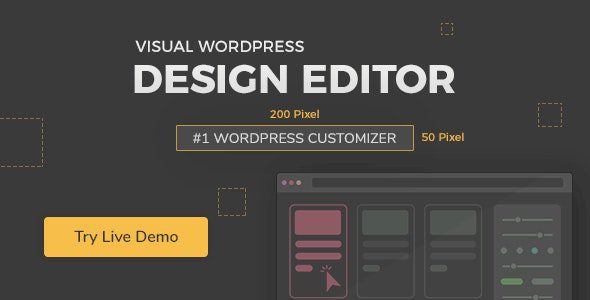
Yellow Pencil is a WordPress plugin designed for visual CSS editing, allowing you to customise your website design in real-time without coding. You can click on any element to edit it visually and make adjustments to themes, pages, and individual elements easily.
The plugin features include live previews, auto CSS selectors, and over 50 CSS properties to modify various aspects of your site. It is suitable for users who want to personalise their website's appearance without needing technical knowledge of CSS.
Best for: This plugin is best for website owners or designers looking to customise their WordPress site visually.
What it does well
Where it falls short
Yellow Pencil offers a user-friendly approach to CSS editing for WordPress, but lacks some key information like pricing and user ratings.
Yellow Pencil is a powerful WordPress visual CSS style editor that allows you to customize your website design in real-time. Simply click any element and start editing visually—no coding required. Customize themes, pages, and individual elements with ease.
Customize any page and element with live preview
Auto CSS selectors
50+ CSS properties including font, color, shadow, background, margin, padding, border, animation, opacity, and more
Visual drag-and-drop editing with live element resizing
Undo/redo and manage all changes efficiently
Export and import stylesheets
Automatic updates and keyboard shortcuts
Element inspector and single element inspector for precise customization
Responsive tools, element search, measuring tool, wireframe view, and element box model
Gradient generator, visual animation manager, and visual animation generator
Access to 800 font families, 300 background patterns, trend color palettes, and 50 animations
Note: If you have trouble downloading YellowPencil – Visual CSS Style Editor Latest Version, try disabling AdBlock or using a different web browser. If issues persist, contact support.
Other plugins for animations.
Create advanced Elementor sticky headers with scroll effects: blur, shrink, hide on scroll, plus full responsi...

Add CSS animations and scroll effects to any Gutenberg block. Choose from fade, slide, zoom & more, with d...

Create WordPress websites with free forms, Gutenberg blocks, popups, sliders, countdowns, animations, pre-buil...

Add creative image hover effects to Elementor page builder. Easily customize title and content and effects wit...

Easy to use advanced Parallax, Image and Video backgrounds block plugin with parallax and video support.

Elevate your website game with the Bricksable collection of premium elements for Bricks Builder. Designed to s...