WPThumbs
Themes Plugins By purpose By industry Best-of lists Fix it guides
Free Plugin by YITHEMES v4.33.0

YITH WooCommerce Product Add-Ons

Increase average order value by letting your customers purchase additional options on your products.
YITH WooCommerce Product Add-Ons

The facts

Rating
3.7★ from 57
Active installs
20k+
Price
Free
Last updated
18 Aug 2026
Added
May 2016
Requires WP
6.9
Tested up to
WP 7.1
Requires PHP
8.0
Downloads
933,855

Our analysis

AI-assisted

YITH WooCommerce Product Add-Ons is a WordPress plugin designed for WooCommerce users to create customizable product options on their online stores. It allows you to add various types of options such as radio buttons, checkboxes, and text boxes to product pages, enabling customers to personalise their purchases.

This plugin is suitable for businesses that sell products requiring customisation, such as clothing or jewellery. It provides flexibility in displaying options for specific products or categories, and you can set conditions for when certain options appear based on customer selections.

Best for: This plugin is best for WooCommerce store owners selling customizable products.

What it does well

  • Create unlimited blocks of options
  • Supports various option types like radio buttons and text inputs
  • Set conditions to show/hide options based on user selections
  • Display options on specific products or categories
  • Includes order details for selected options

Where it falls short

  • Limited feature set compared to the premium version
  • No information on premium features provided

Verdict

YITH WooCommerce Product Add-Ons offers a practical solution for adding customisation options to products. It is a useful tool for enhancing the shopping experience but may require the premium version for more advanced features.

From the developer

YITHEMES's own description of YITH WooCommerce Product Add-Ons, lightly tidied.

YITH Product Add-ons & Extra Options is a versatile and complete tool for the creation and sale of advanced products or services and the addition of custom options to your product pages.

You can create endless blocks of options to display in all products or only in specific products or categories, and choose from different types of product add-ons: radios, drop-down menus, text boxes, checkboxes, etc. Set a price for each option, offer it for free or discount the product price when the option is selected.

This product add-ons plugin is a simple solution for selling customizable products (e.g., if you sell t-shirts or jewelry, you can insert a radio button to let the user choose whether or not to customize the product and if they choose “Yes” show a text box to enter the text to be printed or engraved) or products with advanced add-ons (e.g., if you sell a box of products, you can let the user choose the number of products to include, charge extra for additional products, and have the user choose the shipping service from a list of available couriers).

The options selected and information submitted by customers will be included in the order details.

YITH WooCommerce Product add-on & extra options features

Free version

  • Create unlimited blocks of options
  • Display the block of addons in all products or only in specific products or categories
  • Add HTML elements to the options block: title, text, and delimiters (single, double, dotted or dashed border, space, etc.)
  • Add “Radio button” type options
  • Add “Text input” options (optional: set a minimum and maximum number of characters the user can enter)
  • Add “Select” type options
  • Add “Checkbox” type options
  • Set conditions to show or hide a block of product addons (e.g., show option B only when the user selects “Yes” in option A)
  • Set conditions to show add-on options only in certain variations (e.g., show options only when black color variation is selected)
  • Choose whether to set the option as mandatory
  • Choose whether to show the option as selected by default
  • Choose where to show the addons on the Product Page (before or after the “Add to Cart” button)
  • Enter an optional title for each option block and choose which format to use (h1, h2, h3, etc.)
  • Enter a name and a description for each option
  • Display an optional tooltip for each option
  • Choose whether to offer the option for free (product price does not change when selected)
  • Choose whether the option has a fixed or percentage cost that increases the product price, or whether to offer a discount on the product price when the option is selected
  • Set a background and padding for the option block, and customize the border, text, and highlight colors.

Want more? discover what the premium version has to offer!

  • Hide options from specific products
  • Show add-ons to all users/only logged in users/only certain user roles
  • Add “Text area” type options (you can also set a minimum and maximum number of characters the user can enter)
  • Add “Color picker” options (set a color swatch or image)
  • Add “Number” type options
  • Add “Label or image” type options
  • Add “Date” type options (with advanced options to also set a default date, start and end year, etc.)
  • Add “File upload” type options with drag and drop support. Set supported file formats and maximum allowed size
  • Add “Product” type options to display related products for upsell promotion
  • Upload an image to represent the option and choose whether to use it to replace the main product image (on the product page and in the shopping cart)
  • Choose the location of the image (above or below the label, right or left)
  • Choose whether or not to display the set of product addons in a section that can be opened and closed (toggle)
  • Hide the name, description and price of the options
  • Choose how many options you want to show for each row, and enable the grid layout to adjust the arrangement of the options based on the width of the page
  • Choose whether or not to multiply the product price by the length of the text entered by the user (available only for the “Text” and “Text Area” types)
  • Choose whether the product price should be multiplied by the quantity of the option selected by the user (available for “Quantity” type only)
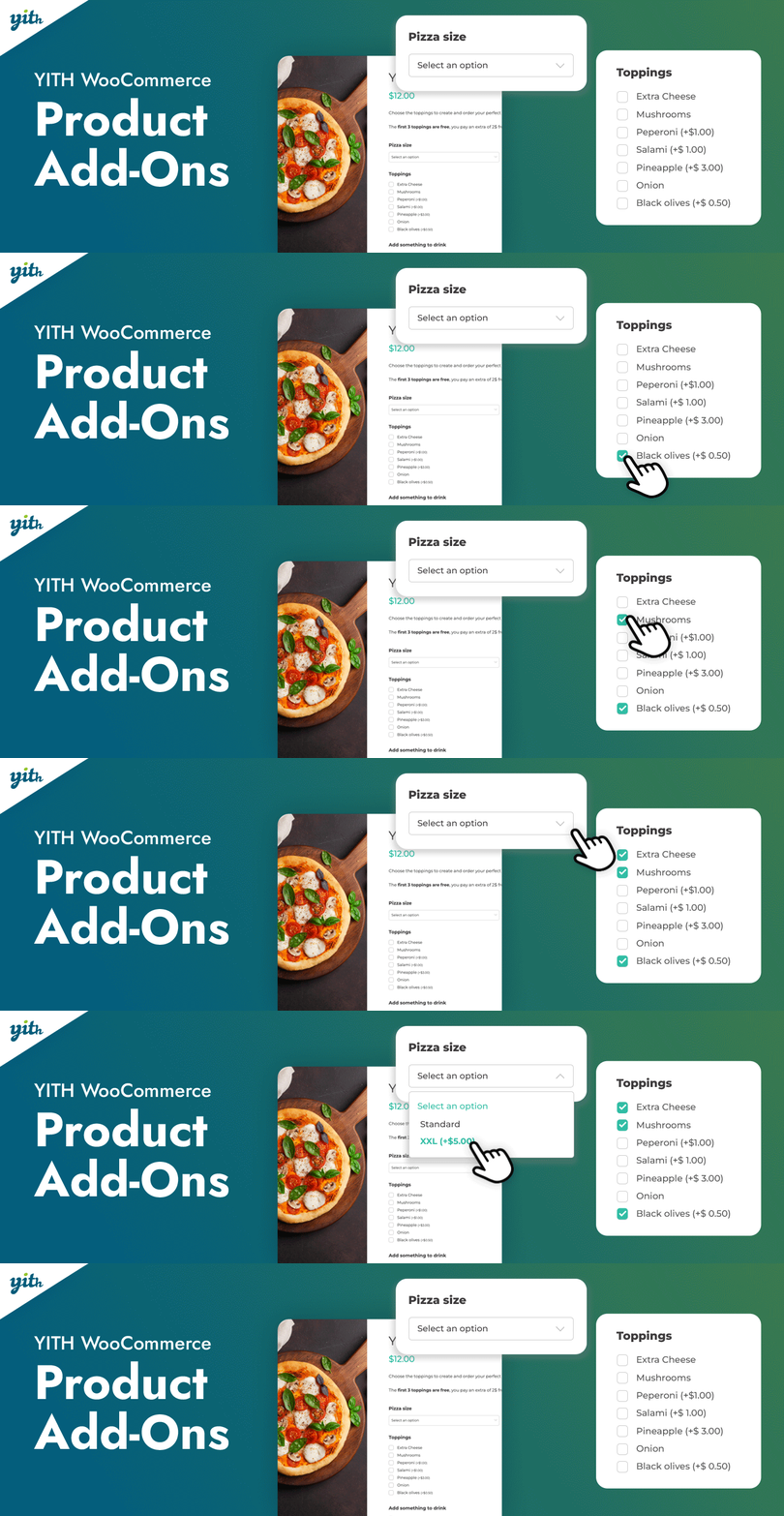
  • Offer the first X selected options for free (e.g. if someone buys a pizza, the first three toppings are free, the fourth is charged)
  • Choose whether to replace the product price with the updated price including options, and whether to display a price summary box on the product page
  • Choose the style for checkboxes and color swatches (round or square)
  • Set image position for “Label or image” type options
  • Set the default position for name and description
  • For each block, choose how many options the user can select and whether to set a number (exact, minimum, or maximum) of options to select before paying
  • Hide the “Add to Cart” button until the user selects the required options
  • Show or hide selected addons in the cart
  • Allow the user to change the selected options in the cart from a modal window NEW
  • Show or hide selected product addons in order emails

Read the full description on the official page →

Tagged as

Alternatives

Other plugins for product customisation.

Variation Swatches for WooCommerce

WooCommerce Variation Swatches replaces boring variation dropdowns with engaging color, image, and label swatc...
Free 300k+ installs 4.8★ (919)
Variation Swatches for WooCommerce

Variation Swatches for WooCommerce replaces dropdowns with color, image & size swatches, helping shoppers...

Free 200k+ installs 4.6★ (47)
Product Addons for Woocommerce

WooCommerce Product Addons Add custom fields to your WooCommerce product page. With an easy-to-use Custom Form...
Free 30k+ installs 4.9★ (466)
WCBoost

WCBoost

86

WCBoost – Variation Swatches is the ultimate plugin to display WooCommerce product variations in style.

Free 50k+ installs 4.8★ (5)